Configure Environment Variables
Perform the following steps to configure the Bitbucket console:
- Go to Repository > Repository Setting > Repository Variables.
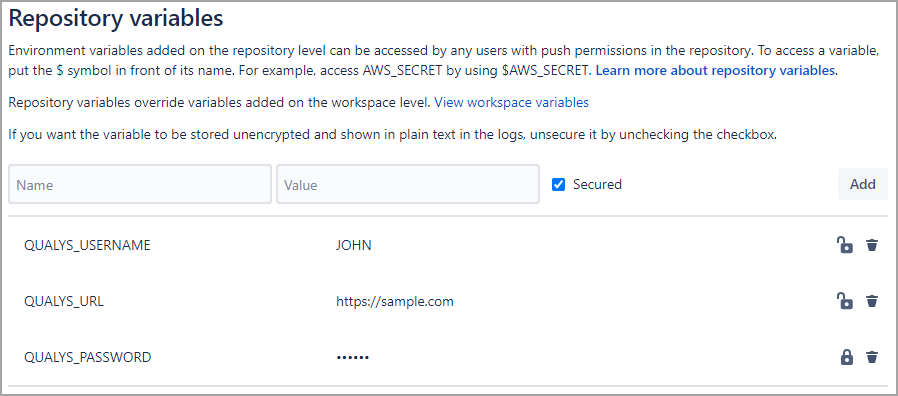
- Provide the required details for environment variables.
To create a user-level client, see Set up Token-based Authentication from UI.
Variable
Description
QUALYS_URL
Qualys platform URL. To learn about your Qualys platform URL, click here.
AUTH_TYPE
Use this variable to specify the authentication method. BASIC, OAUTH, or IDP are supported.
QUALYS_USERNAME
Qualys username
QUALYS_PASSWORD
Qualys password
CLIENT_ID
OAuth Client ID
CLIENT_SECRET
OAuth Client Secret. For IDP authentication, use this variable to specify the client secret configured for your Identity Provider.
TOKEN_URL
Required for IDP authentication. Specify the URL of your Identity Provider (IDP) token endpoint. The pipeline sends an authentication request to this endpoint to obtain an access token.
SCOPE
Optional for IDP authentication. Specify the scope to request from your Identity Provider. This field is optional unless your IDP configuration requires it (for example, Okta requires this field). If a required scope is missing or invalid, authentication fails.
AUDIENCE
Optional for IDP authentication. Specify the audience value configured for your Identity Provider. This value must match the audience configured in QAS. If the values do not match, authentication fails.