Release Qualys Core App - v3.0.0 | Qualys VMDR App - v3.0.1
May 19, 2025 (Updated July 28, 2025)
New Feature: Incident Auto Closures
The Incident Auto Closures feature automatically closes resolved incidents based on specific date conditions.
An incident will be automatically closed if any of the following dates are older than the configured threshold:
- Detection Last Found
- Asset Last Scanned date
You can set up multiple auto-closure rules to meet your operational needs.
Additionally, you can close incidents related to older configuration items (CIs).
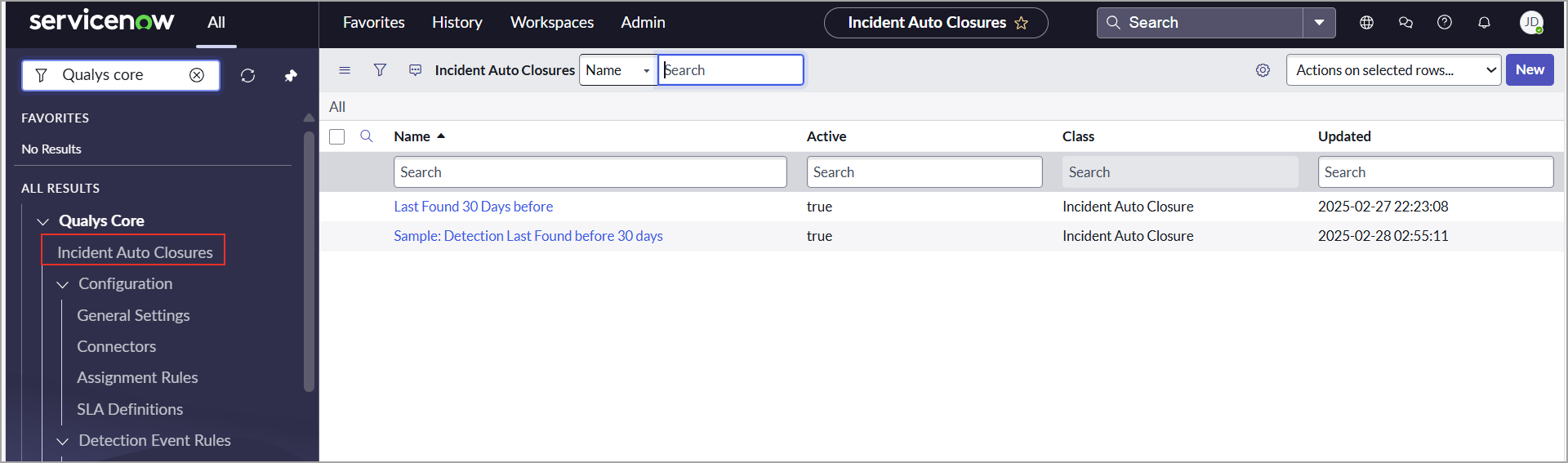
For more information, refer to Incident Auto Closures.
New Column Added: Cloud Account ID in Host Asset Table
We have introduced a new column called Cloud Account ID in the Host Asset table to enhance the management and tracking of cloud assets.
The Cloud Account ID is sourced from the Cloud Metadata – Host Asset API, ensuring accurate and consistent information across systems.
This update allows you to easily identify which assets are associated with specific cloud accounts or subscriptions, enabling:
- Enhanced accuracy in metadata association.
- Improved visibility and tracking of cloud-based assets.
- Better resource management for users and internal teams.

Enhancement: Find-CI Now Supports Serial Number Attribute
The Find CI feature has been enhanced to include a new Serial Number attribute for assets. Each asset is now assigned a unique serial number, making it easier to identify and locate the correct Configuration Item (CI).
For more information, refer to Find CI.
Issues Addressed
In this release, the following issues are addressed:
| Category | Issue |
|---|---|
|
Grouping Rule |
We have resolved an issue where the grouping rule was not triggering automatically. A business rule has been added to the Incident table to ensure it executes as expected. |
|
Mapping |
We have fixed the issue where the Configuration Item Approval Group setting was not functioning correctly due to incorrect mapping to the VMDR Task table. |
|
Import Configuration |
We have fixed the issue where inactive schedule imports triggered the error message 'Unable to find an active definition for thread. |