Configure SAML Single Sign-On Authentication
Qualys Managed Risk Operation Center (mROC) supports Identity Provider (IdP)-initiated Security Assertion Markup Language (SAML) Single Sign-On (SSO) authentication.
SAML SSO authenticates accounts by using corporate identity credentials instead of separate Qualys credentials. This authentication method centralizes identity management, strengthens security, and simplifies access to the Qualys mROC portal.
SAML SSO provides the following benefits:
- Simplifies authentication.
- Improves security through centralized identity management.
- Reduces password management overhead.
- Provides seamless access to the Qualys mROC portal.
Prerequisites
Before you configure SAML SSO, ensure that your environment meets the following requirements.
- Administrative access to the organization's Identity Provider (IdP) is available.
- The organization has an active Qualys mROC subscription.
- Every account that requires SSO authentication already exists in the Qualys mROC portal.
- Qualys has enabled SAML SSO for the subscription.
To enable SAML SSO, contact the Qualys Support team and give the following details:
- Merchant user login details
- External ID
- Login URL
- Logout URL
- Base Certificate
Using these details, Qualys Support generates the IdM UUID and adds it to the login and logout URLs. You can use these URLs to integrate SAML with Okta application.
How to Configure SAML SSO for mROC Merchant
Once the SAML SSO is enabled for the mROC, you need to integrate the merchant user with your Okta accounts. To learn more about SAML integration, refer to mROC SAML Integration with Okta.
Configure SAML SSO at the user level
To enable SAML SSO for a merchant, go to Administration > Users and select the required user. From the Quick Actions menu, click Edit details, enter the External ID, and select the SAML Authentication checkbox. Save the changes to enable SAML SSO login.
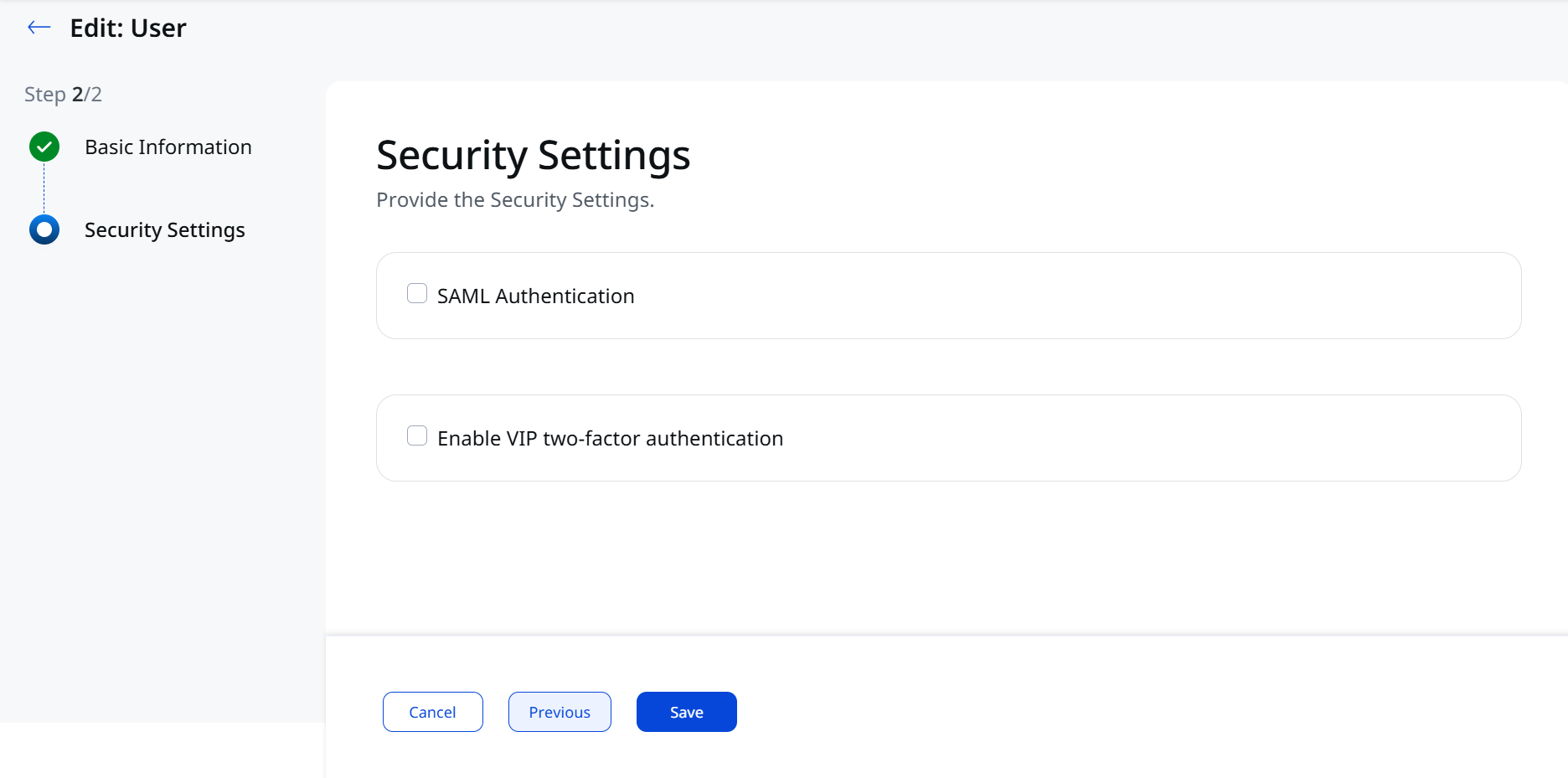
If SAML is not enabled for the merchant, you cannot enable it at the user level.
To access the mROC Merchant account, log in to your Okta account using the login URL and your account credentials. You can directly navigate to the mROC Merchant account from the Okta.
Troubleshooting
Use the following information to diagnose and resolve common SAML SSO authentication issues.
Cannot sign in through SAML SSO
If authentication through SAML SSO fails, verify the following configuration settings:
- SAML SSO is enabled for the subscription.
- The External ID value matches the value configured in the Identity Provider.
- The signing certificate is valid and has not expired.
- The sign-in URL and sign-out URL are configured correctly.
Authentication fails
If authentication continues to fail after you verify the basic configuration, review the following items:
- SAML assertions
- NameID mapping
- Account provisioning configuration
- Identity Provider logs
- Qualys mROC audit logs, if available
If the issue persists, contact Qualys Support and include the authentication logs.