Viewing Compliance by Asset
The Assets sub-tab helps you identify all of the assets that are within your evaluation scope along with their compliance score. The details included simplify the process of tracking security and compliance of your assets. This helps you prioritize the remediation measures where you want to treat your high-risk assets first followed by lesser critical assets.
Viewing Posture Details by Assets
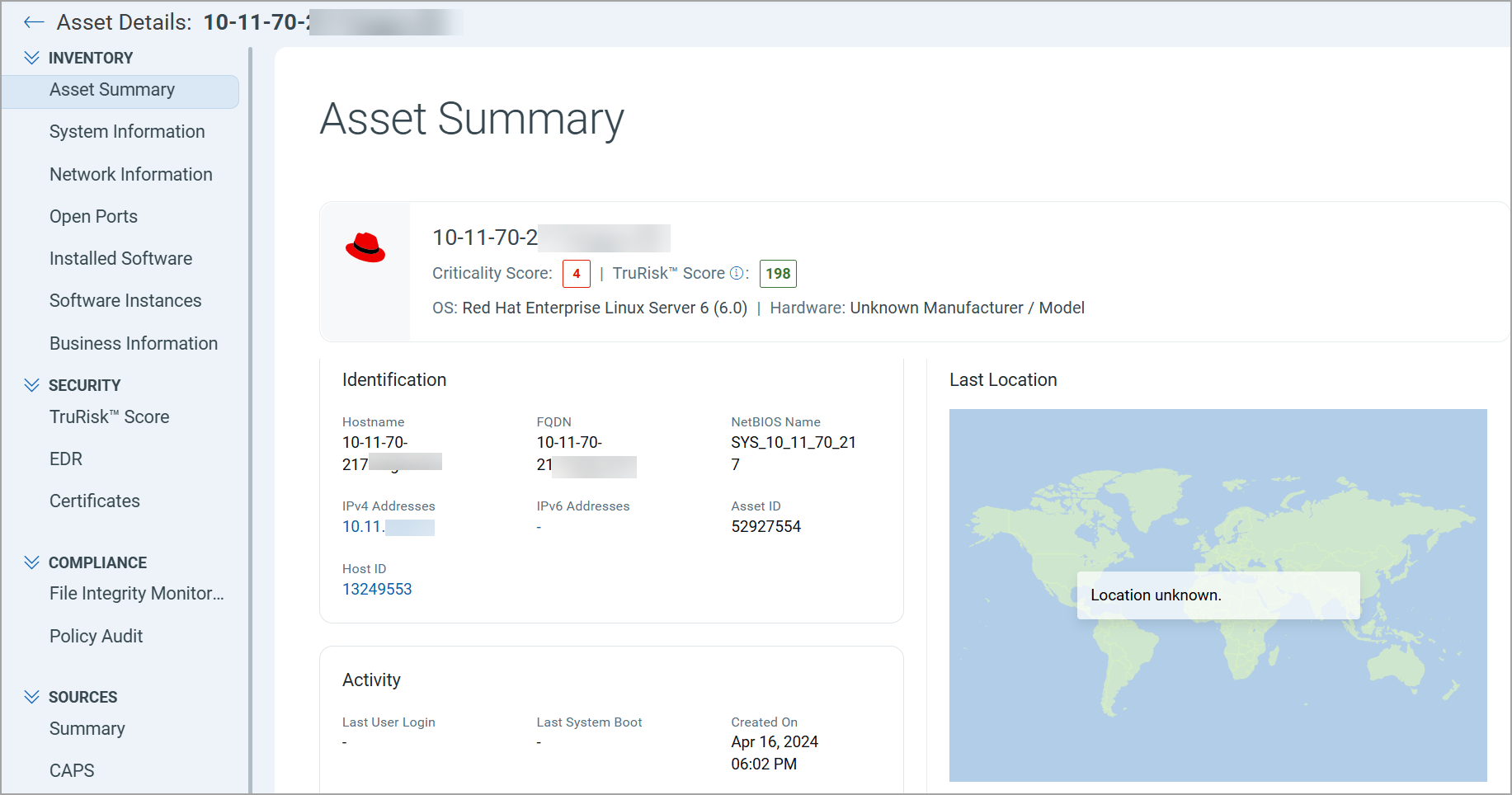
When you view posture details for an asset, the details include a wide spectrum of critical asset information, including security and compliance posture, its system information, associated tags, the last geo-location for the asset, and more.
View Posture Details by Assets
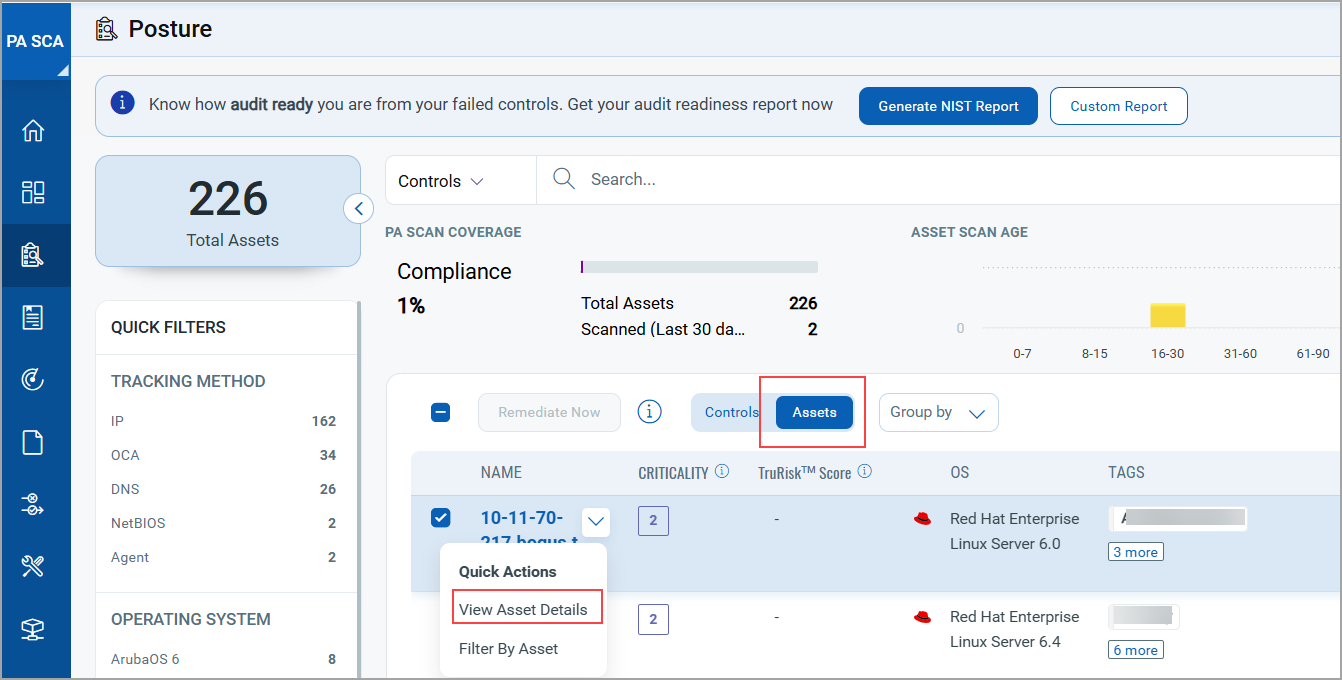
Select an asset you are interested in and select View Asset Details from the Quick Action menu.
You can view comprehensive asset summary with up-to-date details about the asset.
Download Posture Asset Details in CSV Format
To download the Posture Asset details in CSV format, in the Posture tab, select Assets > download icon ( ).
).
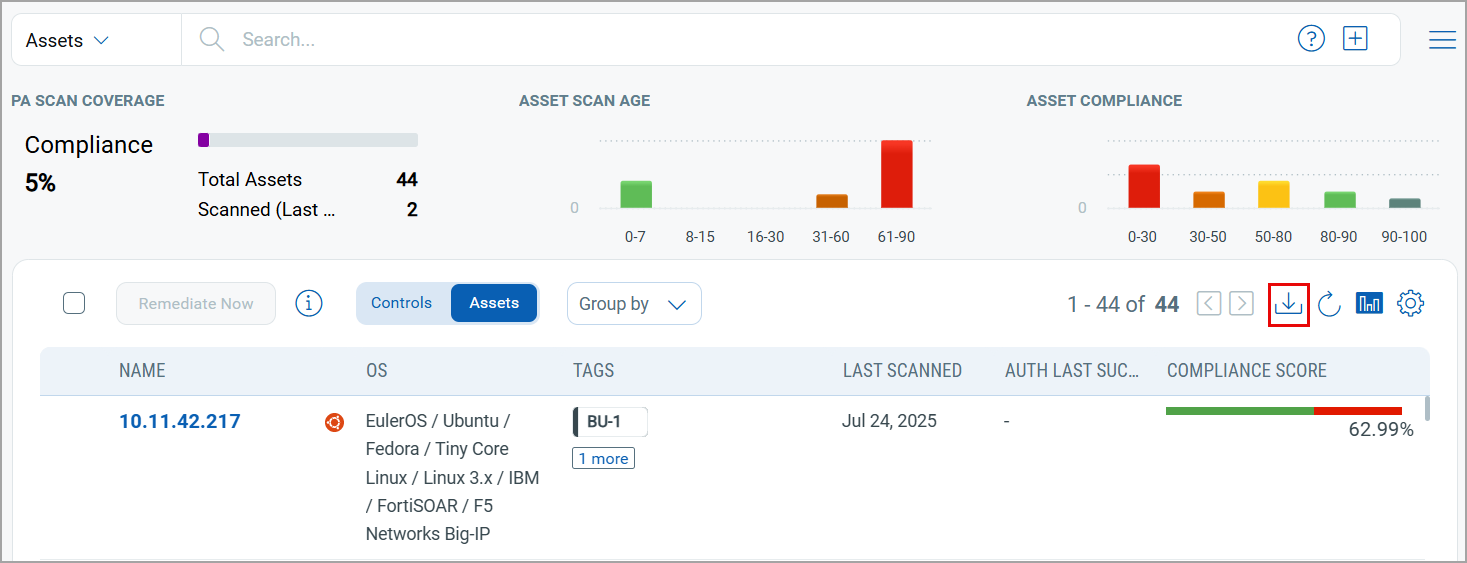
The Posture Asset report is downloaded. The report consists of the columns asset ID, host ID, DNS hostname, IP address, NetBIOS name, operating system, tags, auth last success, last scanned, pass, fail, error, score, and TruRisk score.

What is the Posture Detection Source group by option?
The Posture Detection Source group by option enables you to view the total number of control instances, grouped by posture detection source, such as agents and internal scanners.
To group by Posture Detection Source, navigate to Posture > Assets > Group by > Posture Detection Source.
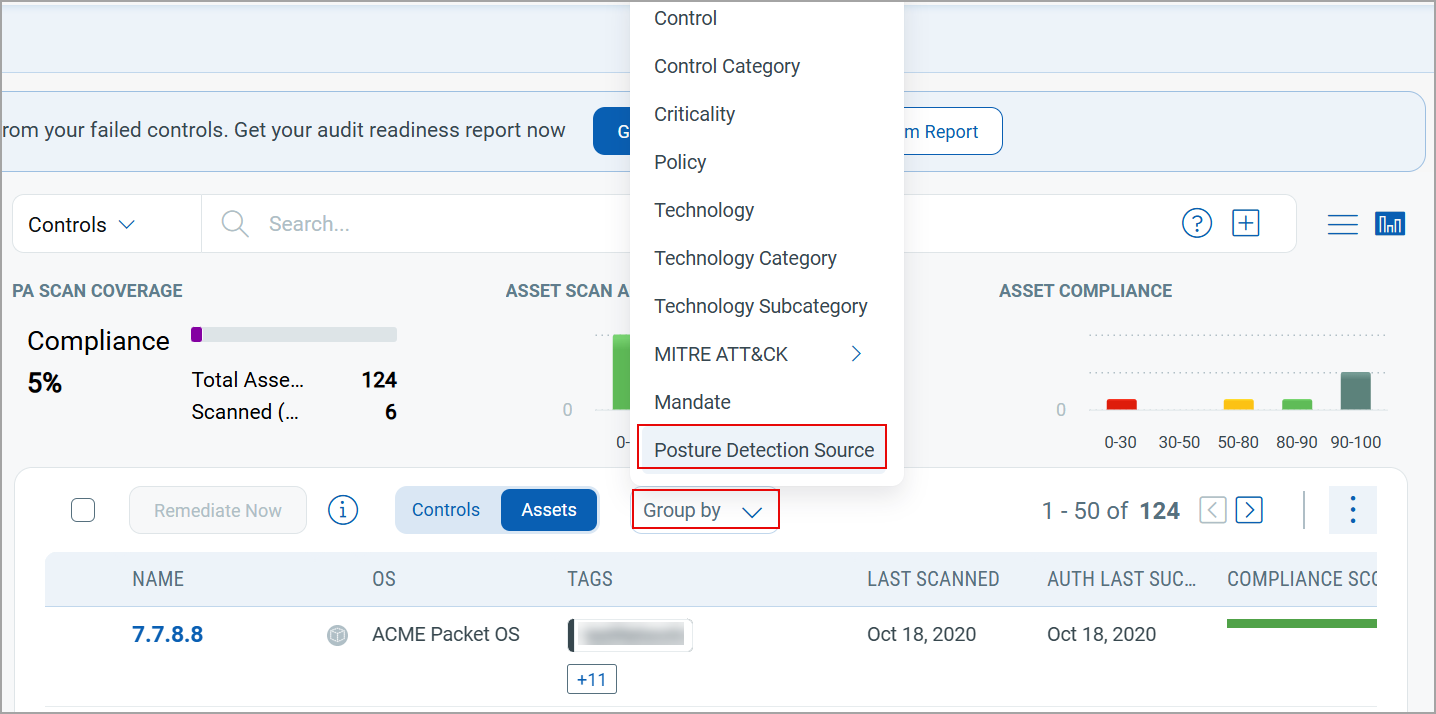
The grouped results based on Posture Detection Source are displayed.

- The Group by Posture Detection Source option is available for both Controls and Assets.
- When the Group by Posture Detection Source is selected, the system displays the total number of control instances per source.
In this case, control instances detected by multiple sources are counted under each applicable source, that can result in overlapping counts.
For example, consider the following:
- 10 control instances are detected only by the scanner.
- 10 control instances are detected only by the agent.
- 10 control instances are detected by both the scanner and the agent.
When grouped by Posture Detection Source:
- Scanner shows a total count of 20 (10 scanner only + 10 scanner and agent)
- Agent shows a total count of 20 (10 agent only + 10 scanner and agent)
This overlap occurs because control instances detected by both sources are included in the count for each source.