TruRisk™ Eliminate Release 4.2.1.1
October 28, 2026
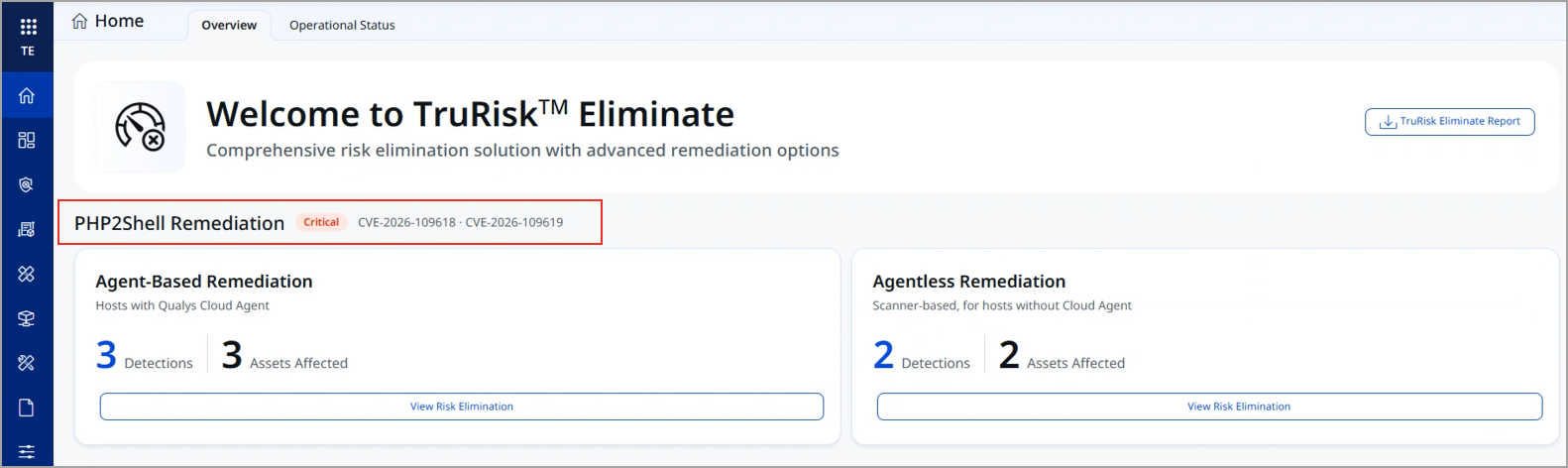
This release adds PHP2Shell remediation widgets to the TruRisk™ Eliminate Home page. The widgets show your exposure to the critical PHP2Shell vulnerabilities (CVE-2026-109618 and CVE-2026-109619) on assets with and without the Qualys Cloud Agent, and direct you to the options to patch or mitigate them.
New Feature
Identify and Remediate PHP2Shell Risk Faster Across All Assets
What's New for You
You can now quickly identify assets exposed to PHP2Shell and take remediation actions directly from TruRisk™ Eliminate.
PHP2Shell is a pair of critical vulnerabilities (CVE-2026-109618 and CVE-2026-109619, CVSS v4.0 score: 9.2) that can allow unauthenticated remote code execution on PHP installations serving web requests. Attack traffic targeting these vulnerabilities has already been reported, and a large share of PHP installations run end-of-life versions that will not receive a vendor patch.
The new PHP2Shell Remediation section on the Home > Overview tab displays your open PHP2Shell detections in two widgets: one for assets with the Cloud Agent and one for agentless assets. From each widget, select View Risk Elimination to apply a mitigation while you wait for a patch, or to deploy a patch where one is available. For more information, see Risk Elimination Overview and Identify and Eliminate PHP2Shell Risk.
Key Benefits
- View Your Exposure at a Glance: Know how many PHP2Shell detections and affected assets you have as soon as you log in, without building a query.
- Reduce Risk Before You Can Patch: Apply the Qualys mitigation, which disables the vulnerable PHP session upload-progress feature, on assets where a patch is unavailable or cannot be deployed yet, including end-of-life PHP versions.
- Cover Assets Without an Agent: Mitigate scanner-based assets, such as appliances and network devices that cannot run the Cloud Agent, from the same platform that detected the exposure.
- Go from Detection to Action in One Click: Each widget opens the matching risk elimination workflow, so you do not have to look up the affected assets and QIDs yourself.
Prerequisites
- TruRisk™ Eliminate subscription.
- Assets with Patch Management and Mitigation applications activated.
- Custom Assessment and Remediation (CAR) permissions to import, approve, and run scripts.
What the Widgets Show
The PHP2Shell Remediation section is marked Critical and lists the CVEs it tracks. The counts are based on the open vulnerability detections in VMDR for the QIDs associated with CVE-2026-109618 and CVE-2026-109619.
| Widget | Covers | Displays |
|---|---|---|
| Agent-Based Remediation | Assets with the Qualys Cloud Agent installed. |
|
| Agentless Remediation | Scanner-based assets without the Cloud Agent, such as network and infrastructure devices and appliances. |
Remediate from the Widgets
Navigate to Home > Overview and, in the PHP2Shell Remediation section, select View Risk Elimination on a widget.
After you run the script, the vulnerability status on the VMDR > Vulnerabilities tab does not change to Fixed. To confirm that the mitigation is applied, review the job results on the CAR Jobs tab.
- Agent-Based Remediation: Opens the risk elimination view with the affected assets. Apply the Qualys mitigation via Mitigate Now, or deploy the vendor patch when available, such as Ubuntu's PHP security updates.
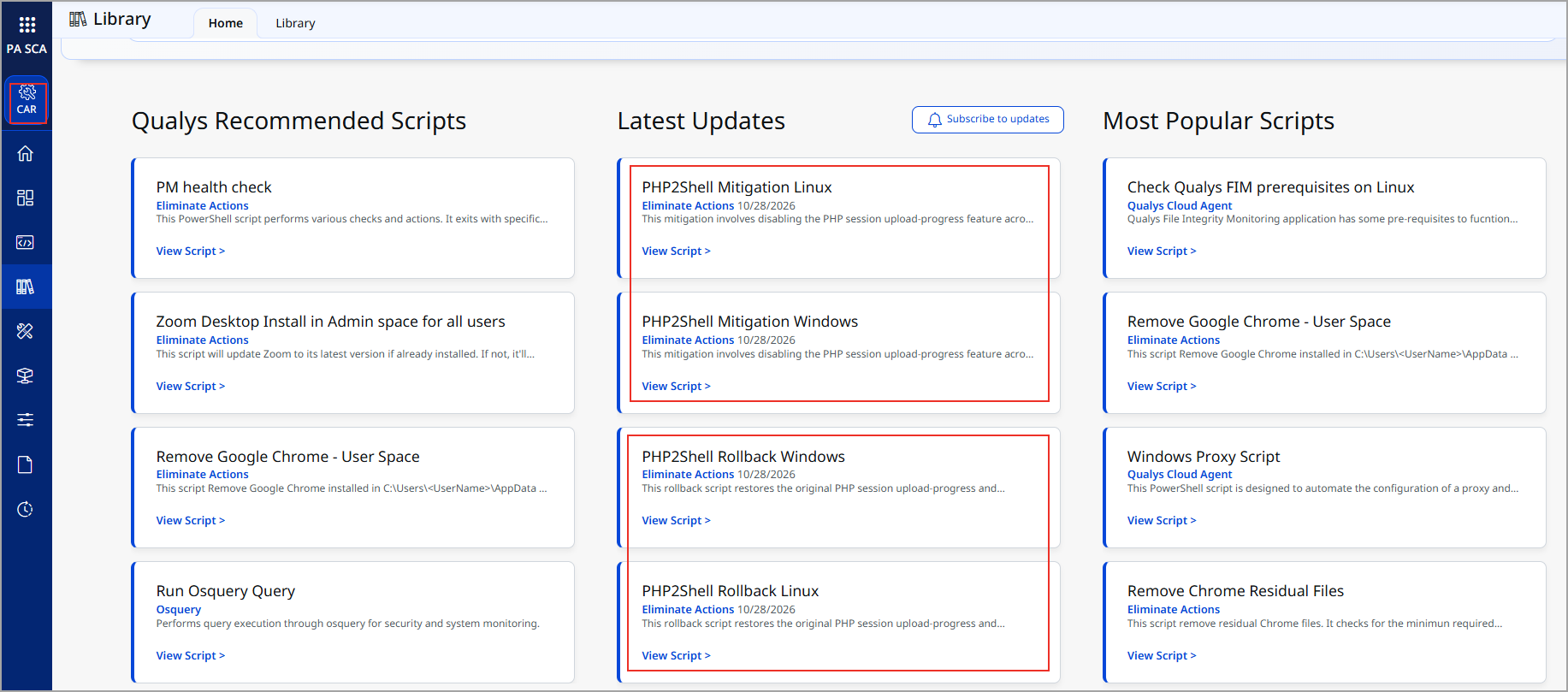
- Agentless Remediation: Opens the Custom Assessment and Remediation (CAR) library. Copy the PHP2Shell mitigation script, create a custom script for your network device and run it on these assets. Run the PHP2Shell mitigation script from the Custom Assessment and Remediation (CAR) library directly on these assets.
The mitigation applies configuration changes, automatically restarts the PHP service, and then verifies that the setting is active and not overridden elsewhere. Review the execution logs, and restart the PHP service manually if a restart is still required.
Mitigation and Patching Considerations
Consider the following when you remediate PHP2Shell from the widgets:
- Mitigation is a temporary measure: It reduces risk until you can patch. Updating PHP remains the only complete fix for PHP2Shell.
- Test dependent applications: After you apply the mitigation, test applications that use the PHP upload-progress feature.
- Restart services after patching: Restart every service that loads PHP so that running workers pick up the fixed build.
For more information, view the following blogs: