QLU Management
The QLU Management page provides visibility into and control over Qualys Unit (QLU) allocations, enabling you to manage and reallocate units across products. It allows you to distribute QLUs efficiently based on your business requirements.
Only authorized users with the QLU.ALLOCATION permission can modify QLU allocations.
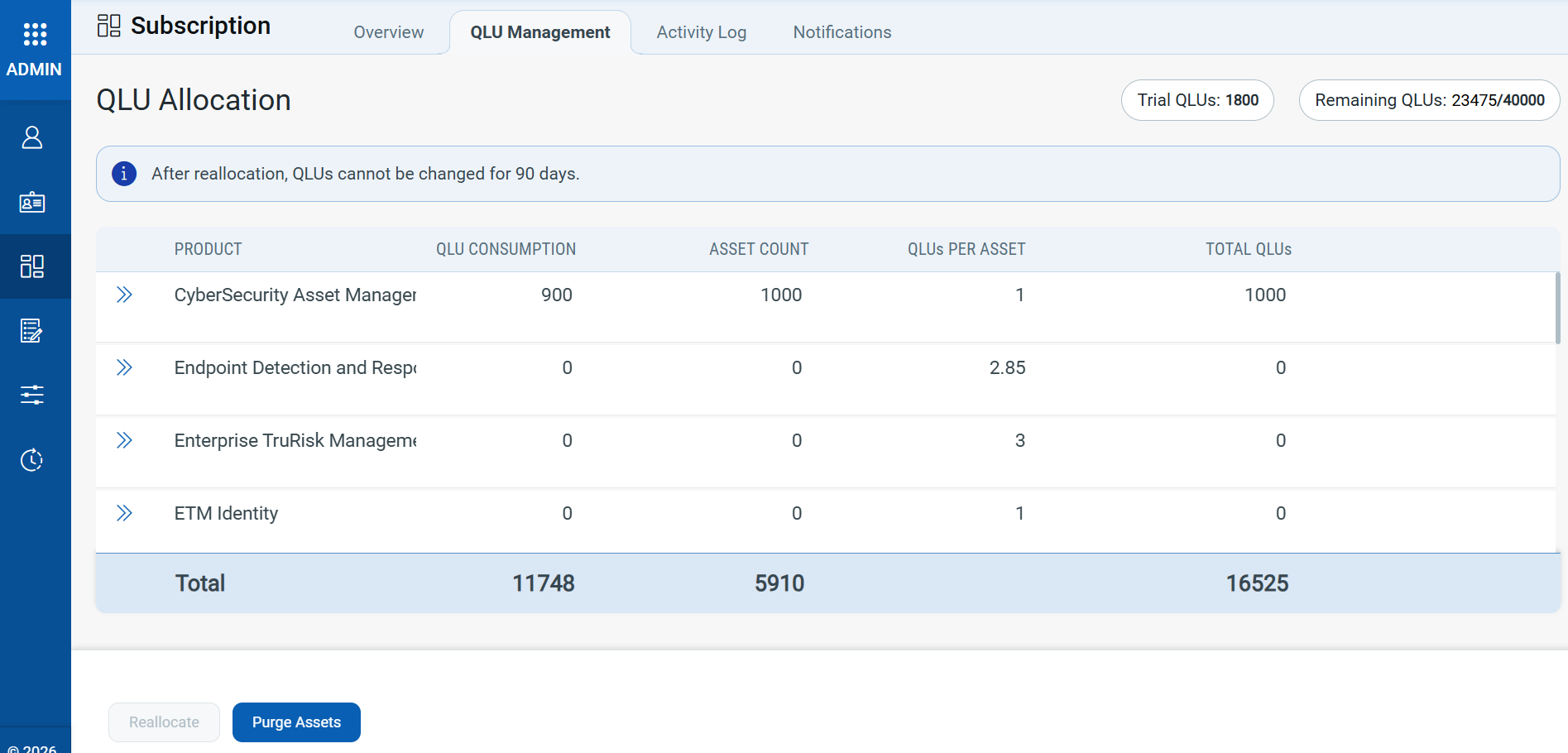
In the top-right section of the page, you can view the Remaining QLUs, which show the number of unused units compared to the total allocated units.
QLU Purchase and Allocation
With the QLU model, you purchase units based on your overall security needs rather than individual product licenses. All purchased QLUs are available in a shared pool that you can distribute across multiple products.
You can allocate more QLUs to high-priority products and fewer to others based on usage and business focus.
QLU Reallocation
You can reallocate Qualys units once every 90 days to accommodate changing security priorities. You can shift QLUs between products as requirements evolve, without the need to purchase additional licenses immediately.
Hover over the Reallocate button to view the next available reallocation date.
Purge Assets
When you click Purge Assets, you are directed to the CSAM application > Asset Purge Rules tab.
You can mark assets as purged to permanently remove them from the inventory. This action prevents duplicate or unwanted assets from consuming Qualys Units.