Calculate Capacity for VM Scans
Use the VM scan type to estimate scanner capacity for Vulnerability Management scans.
To calculate capacity for VM scans, perform the following steps:
-
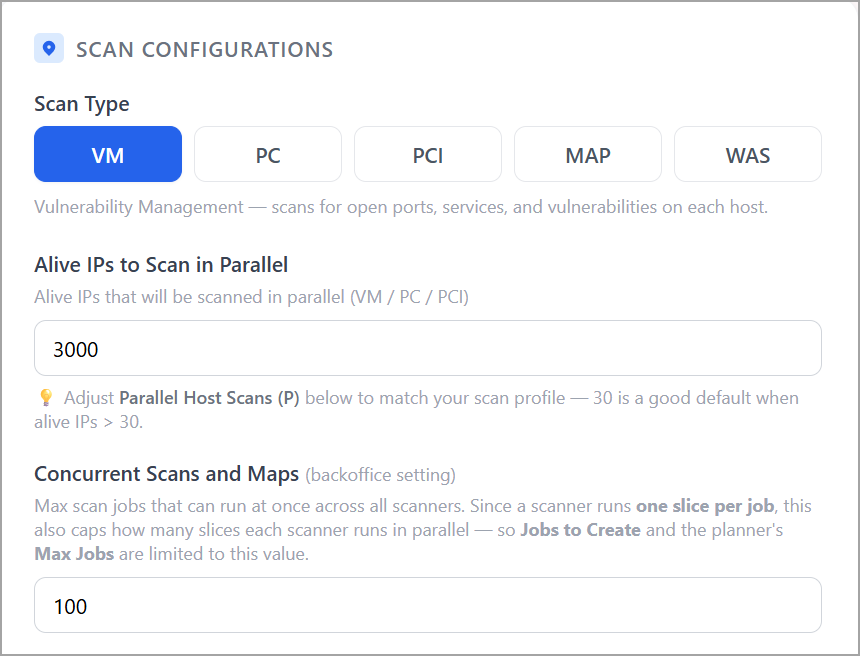
In the Scan Type section, select VM.
-
In Alive IPs to Scan in Parallel, enter the number of live hosts that are scanned simultaneously.
-
In Concurrent Scans and Maps, enter the maximum number of scan jobs that run concurrently across all scanners.
-
In the Desired Scan Duration section, enter the desired completion time in hours. (Optional)
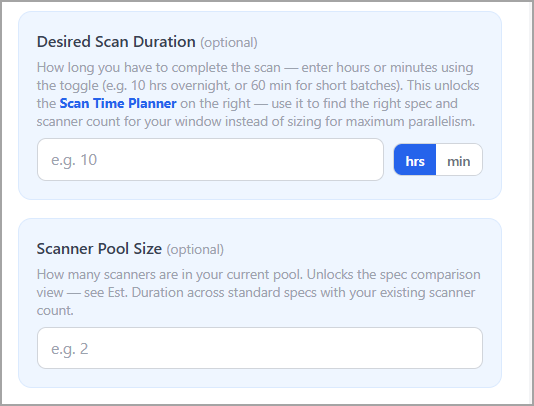
For example, enter 10 to complete the scan workload within a 10-hour maintenance window.
-
Enter the Scanner pool size to model your current scanner deployment. (Optional)
To understand the scan time planner table, refer to the Scan Time Planner section.
-
Review the table to find the specifications and scanner count that meet your window.
Field Descriptions
|
Field |
Description |
|---|---|
|
Alive IPs to Scan in Parallel |
Number of live hosts to be scanned simultaneously. |
|
Concurrent Scans and Maps |
The maximum number of scan jobs that run at the same time across all scanners. |
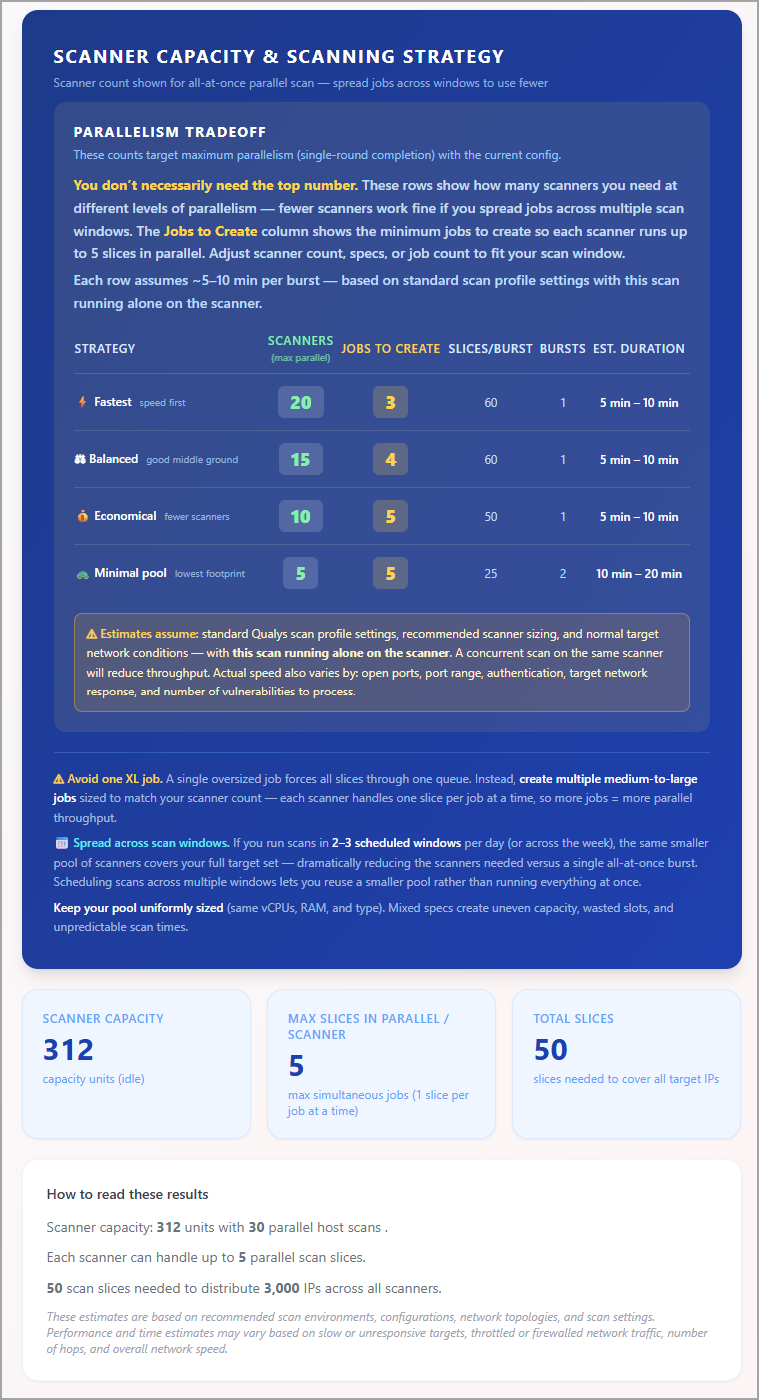
View Scanner Capacity and Scanning Strategy
You can view the results in the tables on the right side of the page. These results are based on the configuration and selected scanner type.
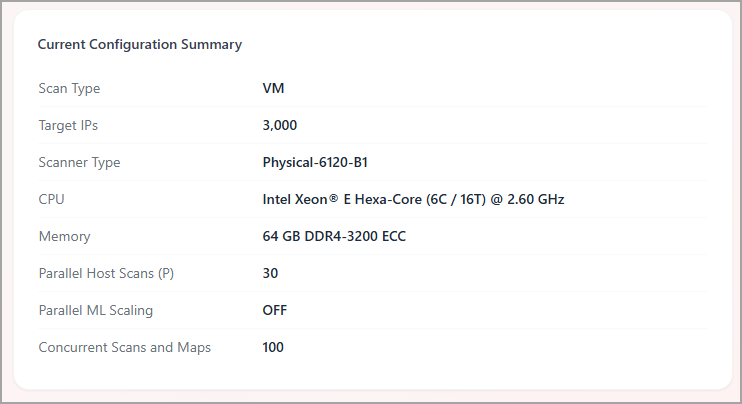
View Current Configuration Summary
You can view the set configuration at the bottom of the page. You can reverify your configuration using this table.