Discover Live Devices on your Network
You need to run a map scan to visualize all your devices. Once you identify the devices on your network, you can analyze them for vulnerabilities.
Perform the following steps to discover live devices on your network:
- Go to Scans and click New Scan (you need to switch to OFFLINE SCANNING mode if you are not already there).
- In the New Scan window, select the type Map Scan, enter the domain and netblocks you want to map, and choose an option profile.
- Click Scan.
- To map IPs and IP ranges without a domain name, enter nodomain.qualys.com in the Domain field and your IP addresses in the Netblocks field, as shown in this example.
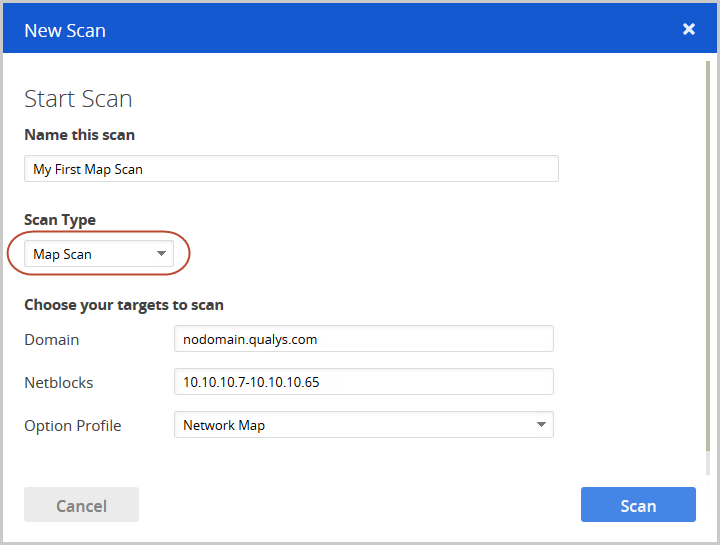
-
When your map scan is finished, select View to see the results.
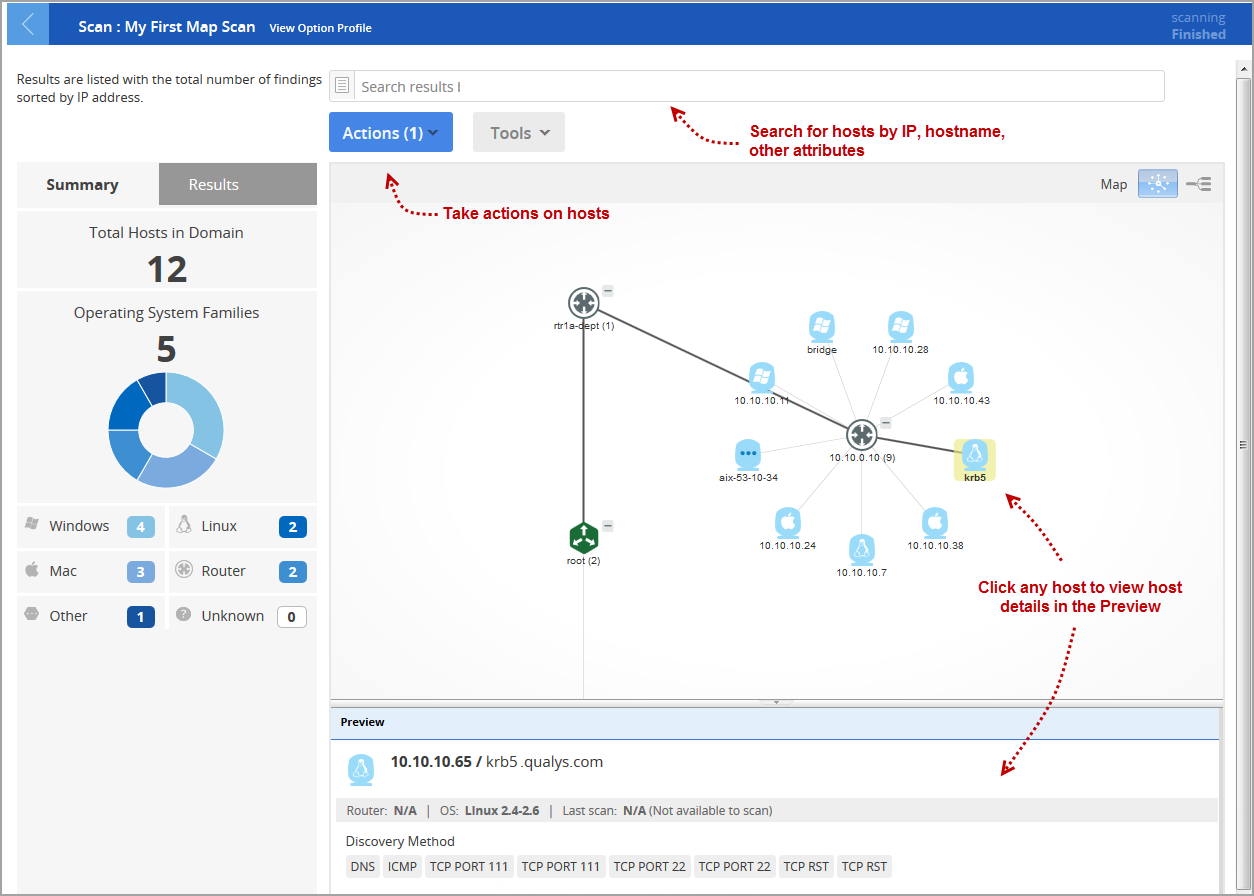
To learn more, refer to the VM Online help for maps, which explains the map images, how to change your map layout, and provides additional information.