Application Report
Under Applications Reports, web applications and API reports provide an interactive view of an application's security, with vulnerabilities detected for the selected web application.
To view the application reports, select a web application or an API, and from the Quick Actions menu, click View Report. You are directed to the Application Report in the Online Reports tab under Reports.
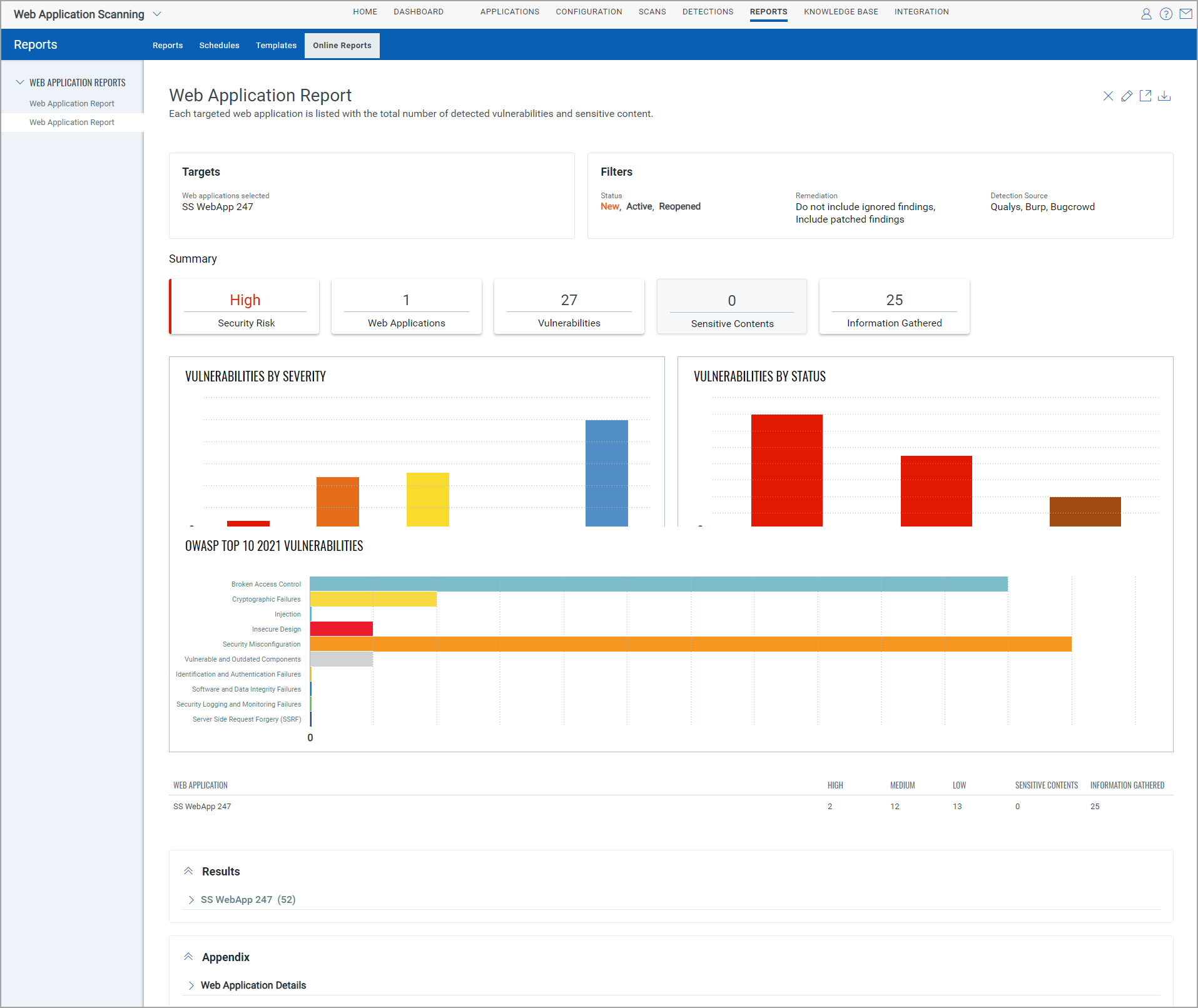
The Filters section displays the included vulnerability and remediation filters.
The Summary section displays the overall status of the selected web application—the security level of the application, the number of detected vulnerabilities, sensitive content, and information gathered.
The selected filters are displayed in different graphs and charts. For example, vulnerabilities by severity, status, or groups.
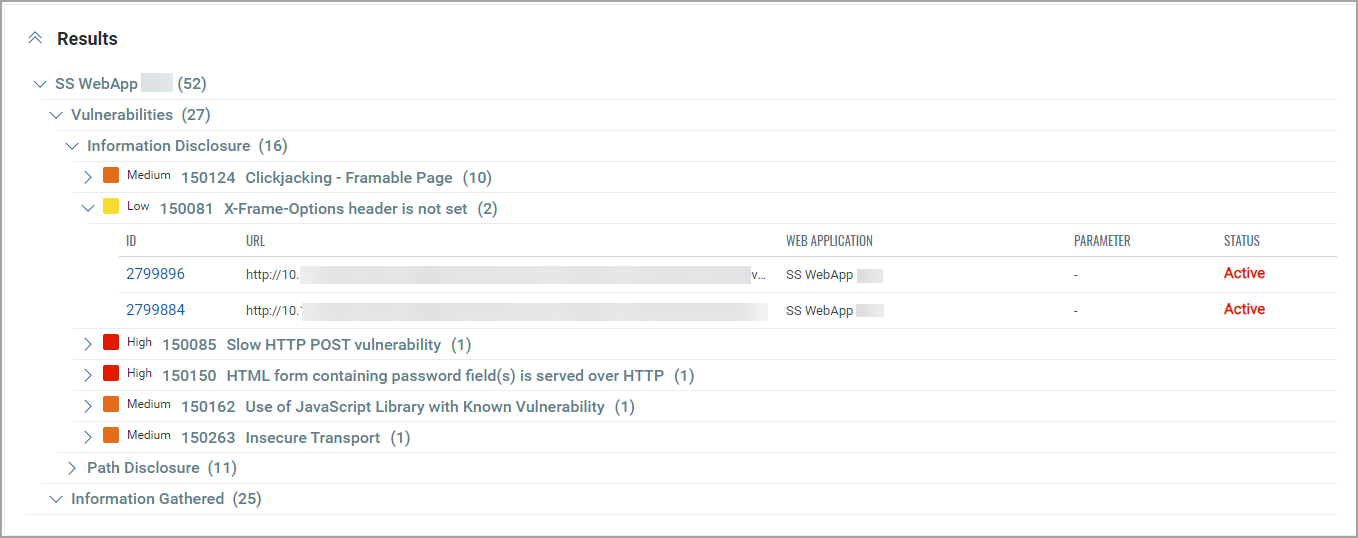
The Results section displays the details of the detections for the selected web application.
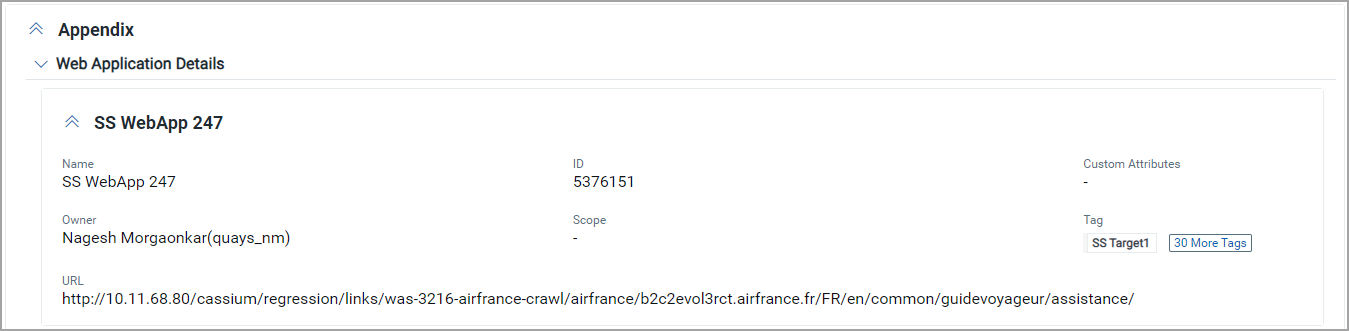
The Appendix section provides details about the web application.
Edit Filters
Click  to open the Edit Report dialog box. You can edit the settings from the Filters tab to update the Vulnerabilities and Remediation filters. You can edit the settings in the Display tab to add or remove graphs and charts from the report.
Download Report
You can download the web application reports in a selected format.
To download the report:
- Click
 .
. - In the Download Report dialog box.
- Select the format for the report.
- Select the time zone to be used for the dates in the report.
- Add one or more tags to the report.
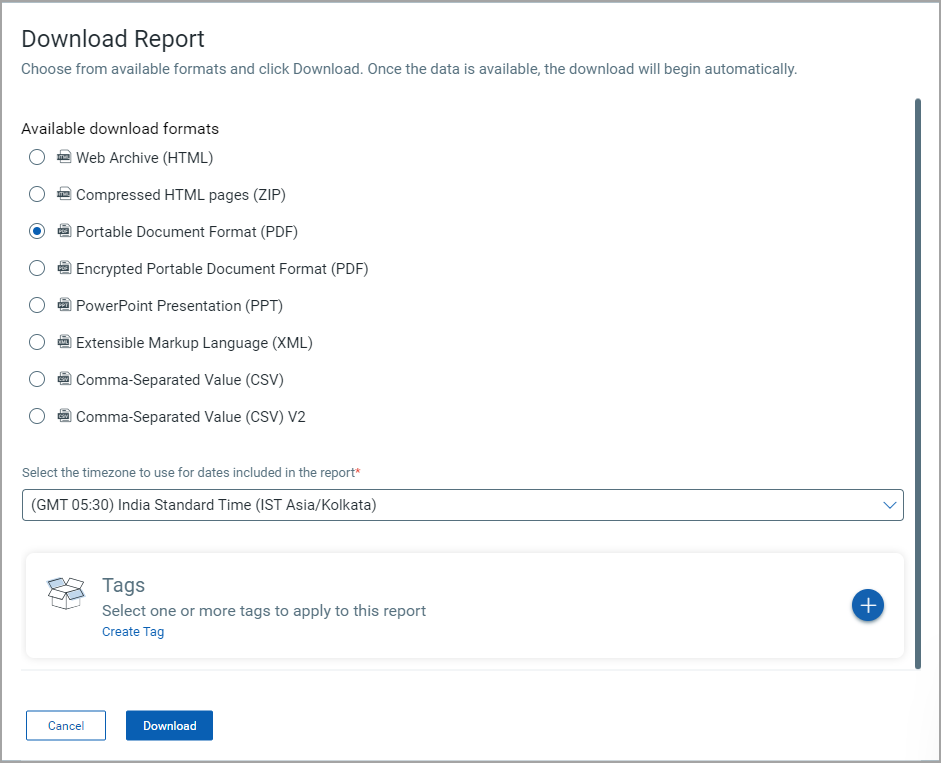
- Click Download.
The report is downloaded in the selected format.
The maximum supported size for reports downloaded in these formats is 128 MB.