How To Ignore QID from Asset
This topic includes information about how customers can ignore specific QIDs for an asset in Qualys. Ignoring vulnerabilities allows you to suppress selected findings on a host when they are not applicable or do not require remediation. Qualys provides multiple methods to ignore vulnerabilities at the asset level, depending on your use case and workflow. For more information about ignoring a vulnerability, refer to Want to ignore a vulnerability?
How to Ignore QID From Asset search for a specific Asset?
To Ignore QID from asset:
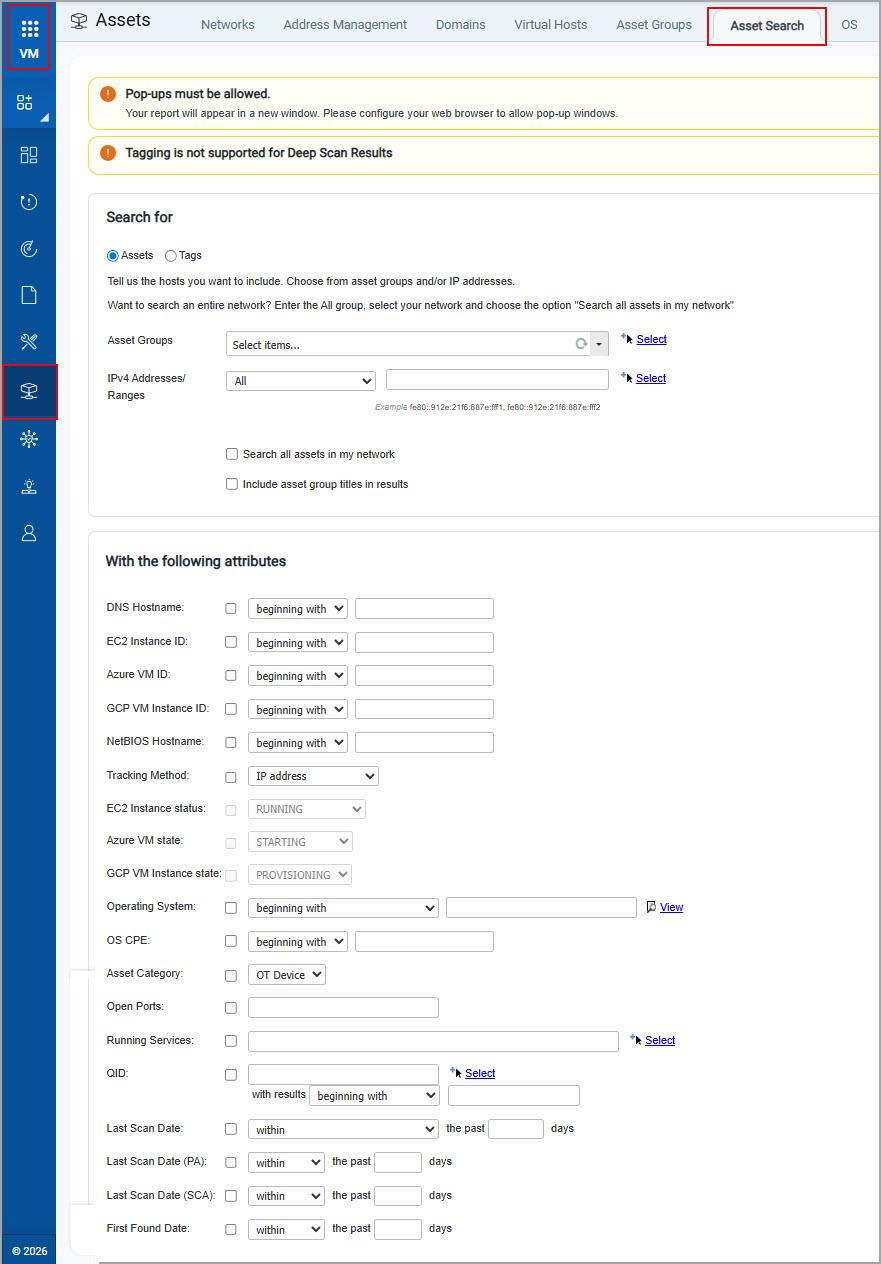
- In the VM module > Asset > Asset Search.
-
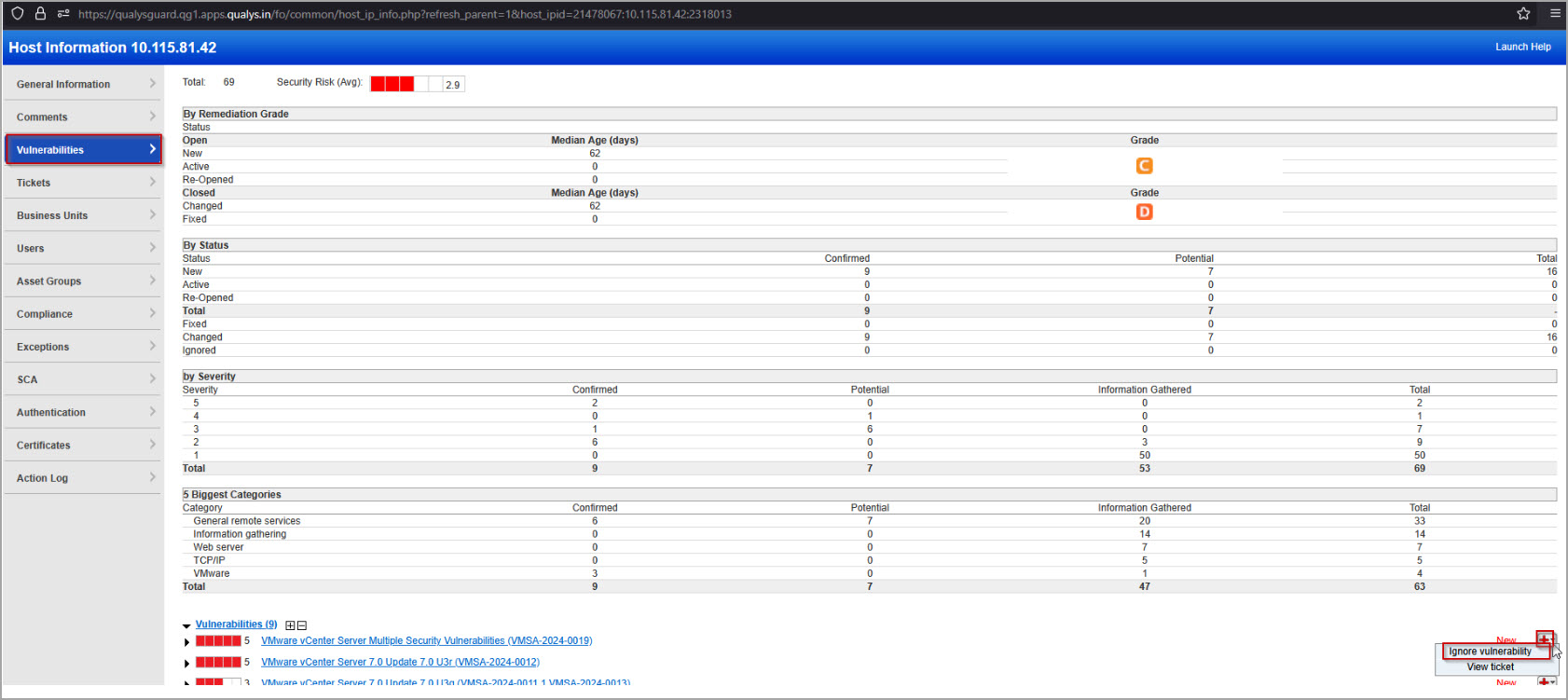
In the search results, scroll down, and then click Vulnerabilities > Potential Vulnerabilities.
-
On the Vulnerabilities tab, select a vulnerability, place your cursor over the menu icon
 , and click Ignore vulnerability.
 -
In the Comments box, you can type a comment.
For example, type a comment: confirmed CVE-2005-xx is applied.
How to Ignore QID Using Remediation Rule?
This method helps you to ignore vulnerabilities in bulk. Create a remediation rule for the QID you want to ignore. Select a list of assets or an asset group. On the next scan or detection, the remediation rule applies automatically. It closes all instances of that QID for the selected assets.
For more information, refer to Remediation - The Basics and watch Disabling and watch the video Ignoring Vulnerabilities.
How to Ignore QID through API?
Use the ignore_vuln/index.php function to ignore or restore vulnerabilities on specific hosts. The ignore status applies to a vulnerability and host pair. You can set vulnerabilities to ignore on selected hosts. Ignored vulnerabilities do not appear in automatic scan reports. They also do not appear in host information reports, asset search reports, or other views in the Qualys user interface.
The following is a sample API CALL:
API Request
curl -u "USERNAME:PASSWORD" -H "X-Requested-With: Curl" -X "POST" -d "action=ignore&qids=38304&comments=ignore_vuln &tag_set_include=ignore_vuln_tags&tag_set_exclude=ignore_vuln_tags&tag_set_by=name&tag_include_selector=any&tag_exclude_selector=any&use_ip_nt_range_tags_include=0&use_ip_nt_range_tags_exclude=0" "https://<qualys_base_url>/api/2.0/fo/ignore_vuln/index.php""
To make this command work effectively and replace the placeholders:
- Update Username and Password with your Qualys credentials.
- Replace <
qualys_base_url> with your instance’s base URL (for example,qualysapi.qualys.com). - To adjust a QID, use the specific QID of the vulnerability you want to ignore such as 38304 or any other QID.
- To fix tag logic, use distinct tag sets for
tag_set_include and tag_set_excludeto clearly define which hosts should be affected.
The following is an example:tag_set_include=web_servers(ignore the vulnerability on web servers).tag_set_exclude=critical_assets(never ignore vulnerability on critical assets). - Enter a meaningful comment for audit purposes.
For more information, refer to Ignore Vulnerabilities.
How to ignore vulnerabilities globally?
Managers can disable and filter vulnerabilities globally across all hosts. To disable a vulnerability, edit a vulnerability in the KnowledgeBase, and then click Disable this vulnerability. This setting applies to all hosts. For more information, watch Disabling and Ignoring Vulnerabilities. You can view the ignored vulnerabilities in the Vulnerabilities and Remediation pages.
Disabling a vulnerability does not automatically close tickets because the setting affects every host.
Ignore QID behavior in reports and scan results
Once you ignore a QID, Qualys no longer reports it for the specific IP address. It does not appear in any reports generated from the Reports section. However, the QID still appears for that IP address in Scan Results. Scan results contain full raw scan data and do not apply filtering.
Additionally, you can view all ignored vulnerabilities in the VMDR > Vulnerabilities tabs using the following QQL token: vulnerabilities.isIgnored:TRUE.
For more information, refer to Token List and How to Search in VMDR.