Policy Audit Release 1.6
December 4, 2025
Updated Tokens names for job.scheduleFrequency and job.scheduleType
With this release, we have updated the Qualys Query Language (QQL) token names job.scheduleFrequency and job.scheduleType as part of our ongoing QQL Token Standardization efforts.
Previously, the token job.scheduleFrequency was named as job.schedule.frequency and the token job.scheduleType was named as job.schedule.type.
Even with these updates, the old token names will continue to be supported alongside the new ones.
For the complete list of old and new token mappings, refer to Old and New Token Mappings.
Update - View Audit Command
In release 1.1.0, we had released the feature to view Audit Commands for a particular type of Technology used in a Control. This enhancement provides visibility into how a Controls Actual Value is derived, helping better understand the underlying evaluation process.
Please note that this capability is available only for System Defined Controls (SDC) users.
For more details on the feature, refer to View Audit Command in the Release 1.1.0 release notes.
Support for New Authentication Technology - HP ILO
With this release we have added support for the new technology HP ILO. This technology is supported for Policy Audit authenticated scans using scanner. This technology is now available for use at the following places, at scanner:
- Policy Editor
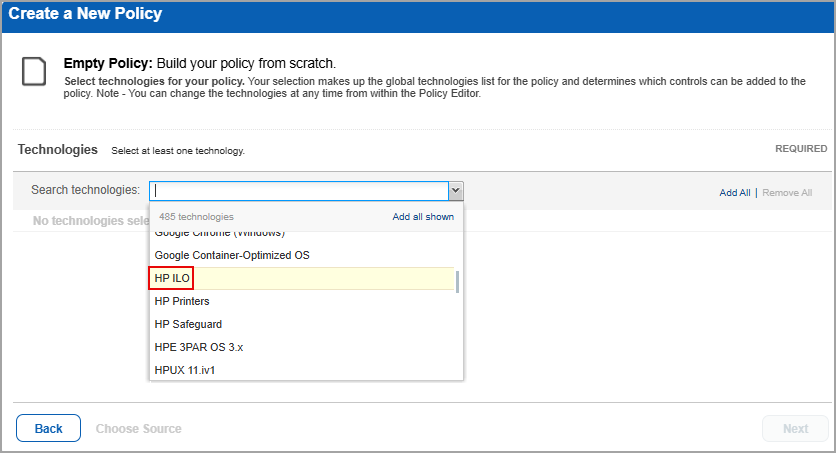
When you create or edit a policy compliance, HP ILO is now available in the list of supported technologies.
- Search Controls
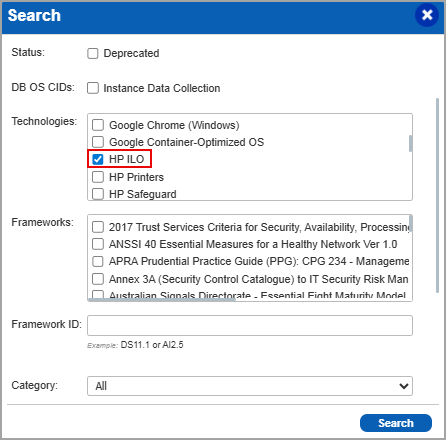
When you search controls, you see HP ILO in the list of technologies. Go to Policies > Controls > Search and under Technologies, select HP ILO in the list.
- Authentication Report
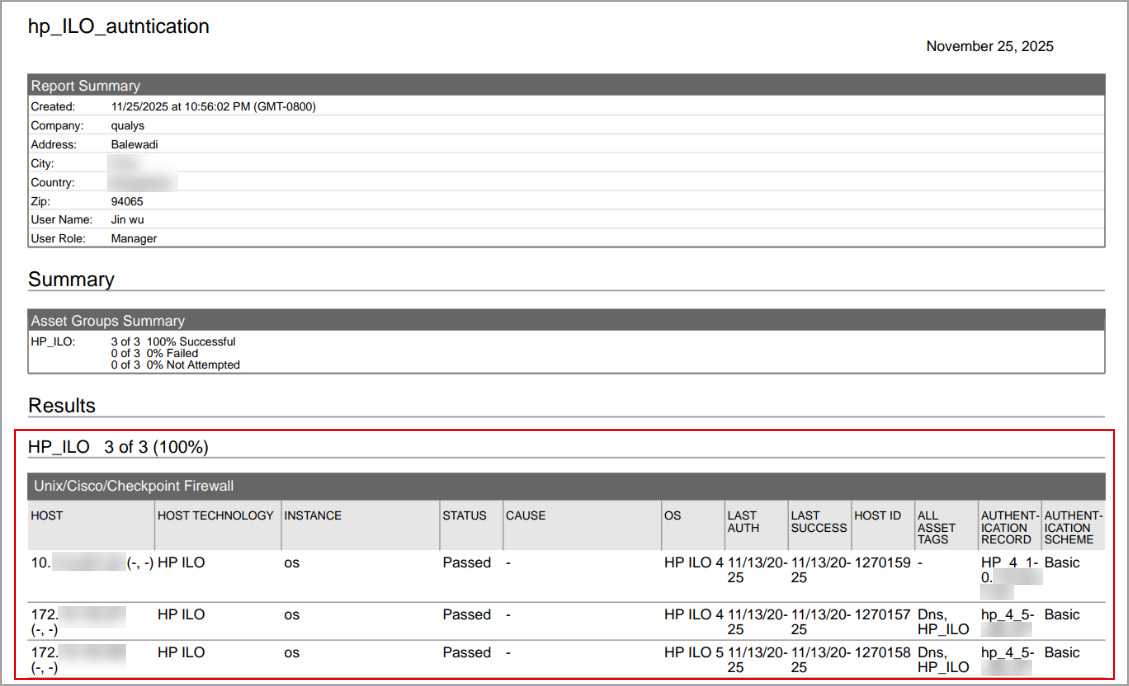
To display all OS authentication-based instance technologies per host, including HP ILO, in your authentication report.
- Scan Results
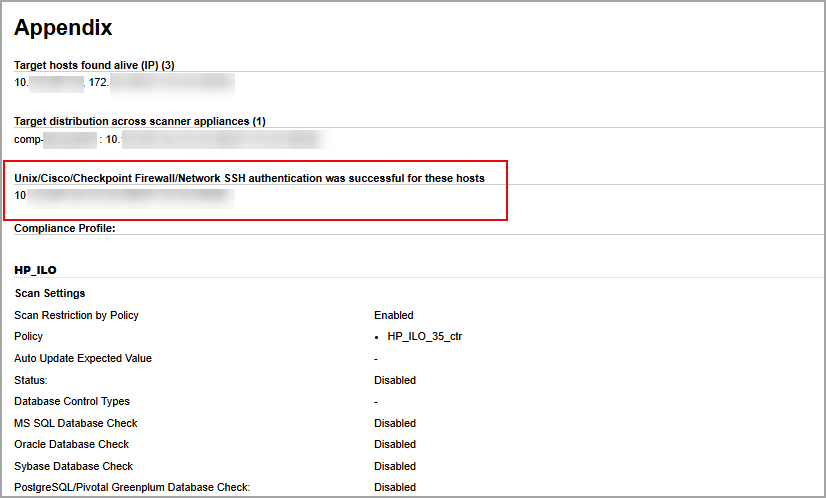
HP ILO is now listed under Application technologies found based on OS-level authentication in the Appendix section of a compliance scan result.
-
Sample Report
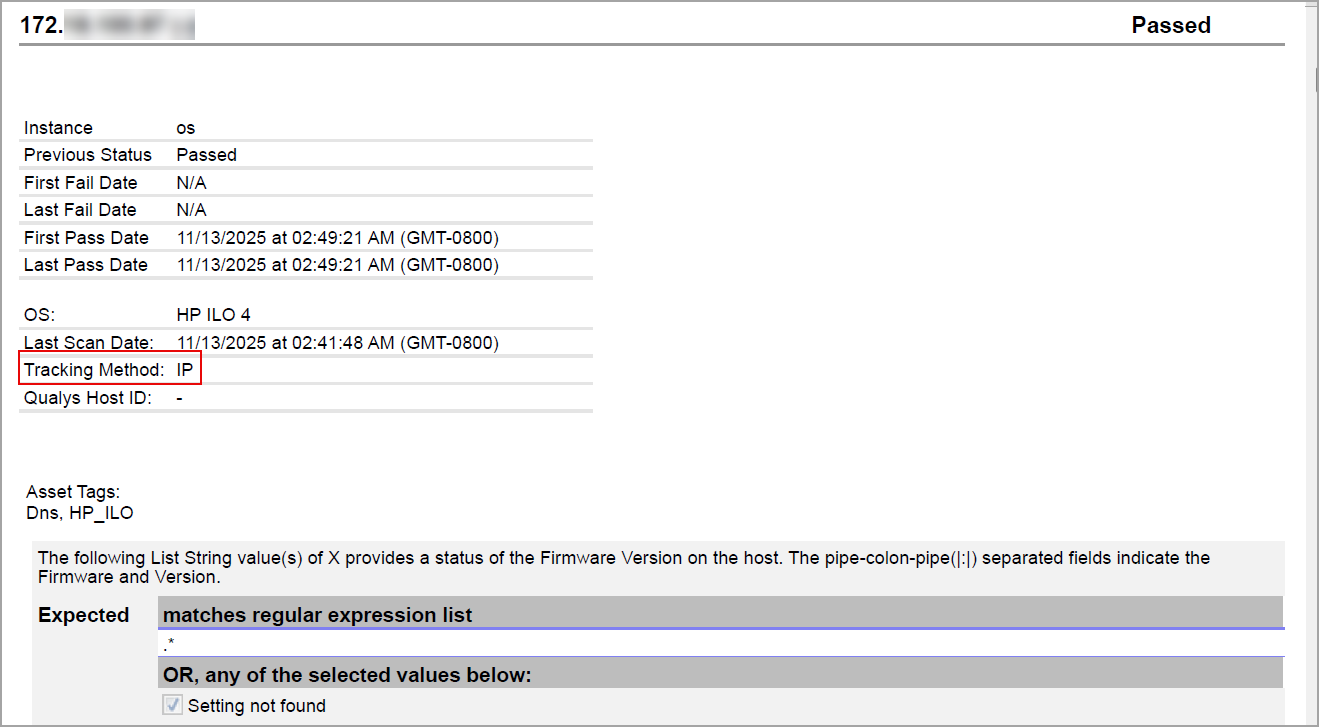
In sample Compliance Reports, you can view the instances of HP ILO for scanned hosts. The sample report displays the scanners tracking method as IP for HP ILO.
Issues Addressed
The following reported and notable customer issues are fixed in this release:
| Component/Category | Application |
Description |
| PA / PC - Policy Editor | Policy Audit / Policy Compliance | When the user was searching for controls to add to a policy, they noticed that the criticality value was set to '1' by default instead of 'All'. This caused the search results to display controls with criticality as '1'. Relevant code changes have been made to fix the issue. |
| PA / PC - PCRS API | Policy Audit / Policy Compliance | When the user executed the PCRS API (/pcrs/3.0/posture/hostids/) with 100,000 host IDs, they received an error indicating that the execution had failed. This was because the request exceeded the number of host IDs that can be retrieved. Relevant code changes have been made to fix the issue. |
| PA / PC - New UI | Policy Audit / Policy Compliance | When the user viewed the Trend widget on the Dashboard, it displayed a count based on the QQL query for the widget. After applying a tag, the count did not update as expected. Relevant code changes have been made to fix the issue. |
| PA / PC - New UI | Policy Audit / Policy Compliance | When the user executed certain Qualys Query Language (QQL) tokens in Controls, and added multiple asset tag names in Assets, the search results displayed correctly, but the CSV download failed. However, running the same QQL tokens with only one asset tag name allowed the CSV download to work as expected. Relevant code changes have been made to fix the issue. |
| PA / PC - Feature Request | Policy Audit / Policy Compliance | When the user tried to access Audit Fix, they encountered a ‘404 – Page Not Found’ error. This is because Audit Fix is accessible only to Manager users (with all permissions assigned from the Admin application) or Unit Manager roles. This behavior is now documented in the Online Help. |
| PA / PC - Feature Request | Policy Audit / Policy Compliance | When the user viewed the status of a posture associated with a policy in the Posture tab, it appeared as Fail. However, the same posture showed as Pass in the Policies tab. After performing an evaluation of the policy, the Posture tab began showing the correct status. Relevant code changes have been made to fix the issue. |