Software Composition Scan Profile
You can configure the settings for the software composition analysis scan for Windows and Linux assets. The SwCA Scan Profile tab under Configuration contains the default profiles provided for Windows and Linux agents.
By default, one SwCA scan profile is available for Windows and Linux.
This feature will be available only when the Windows and Linux agent binaries with SwCA scan support are available. For supported agent versions, refer to the Features by Agent Version section in the Cloud Agent Platform Availability Matrix.
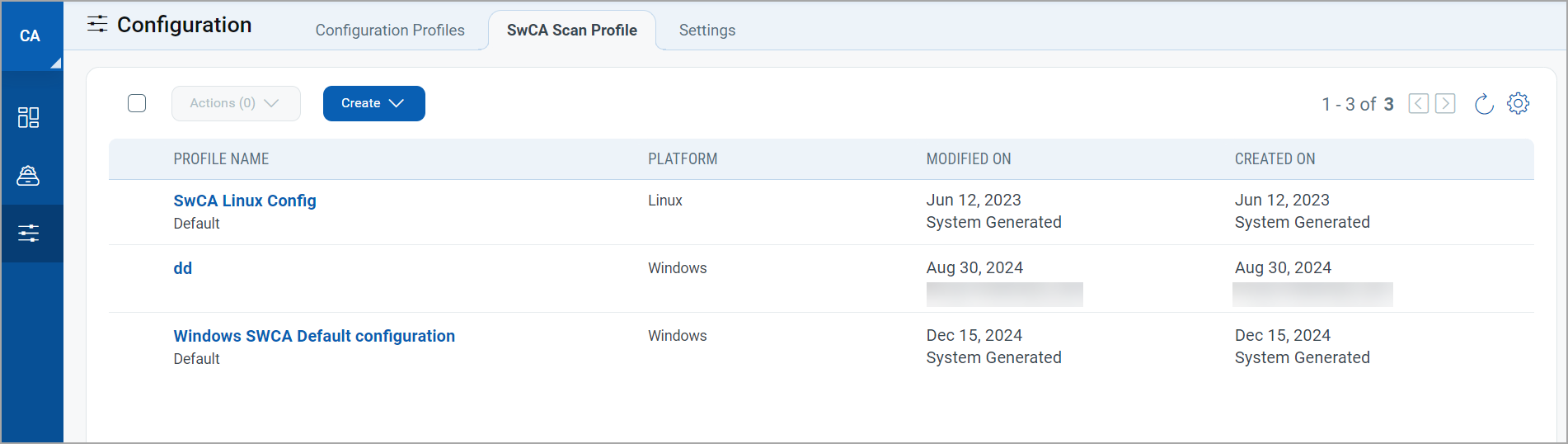
You can create a new scan profile for the SwCA scan for Windows or Linux.
You can use the Quick Actions menu or Actions menu to perform the following actions:
View details of the profile - Select the profile from the list, and click View.
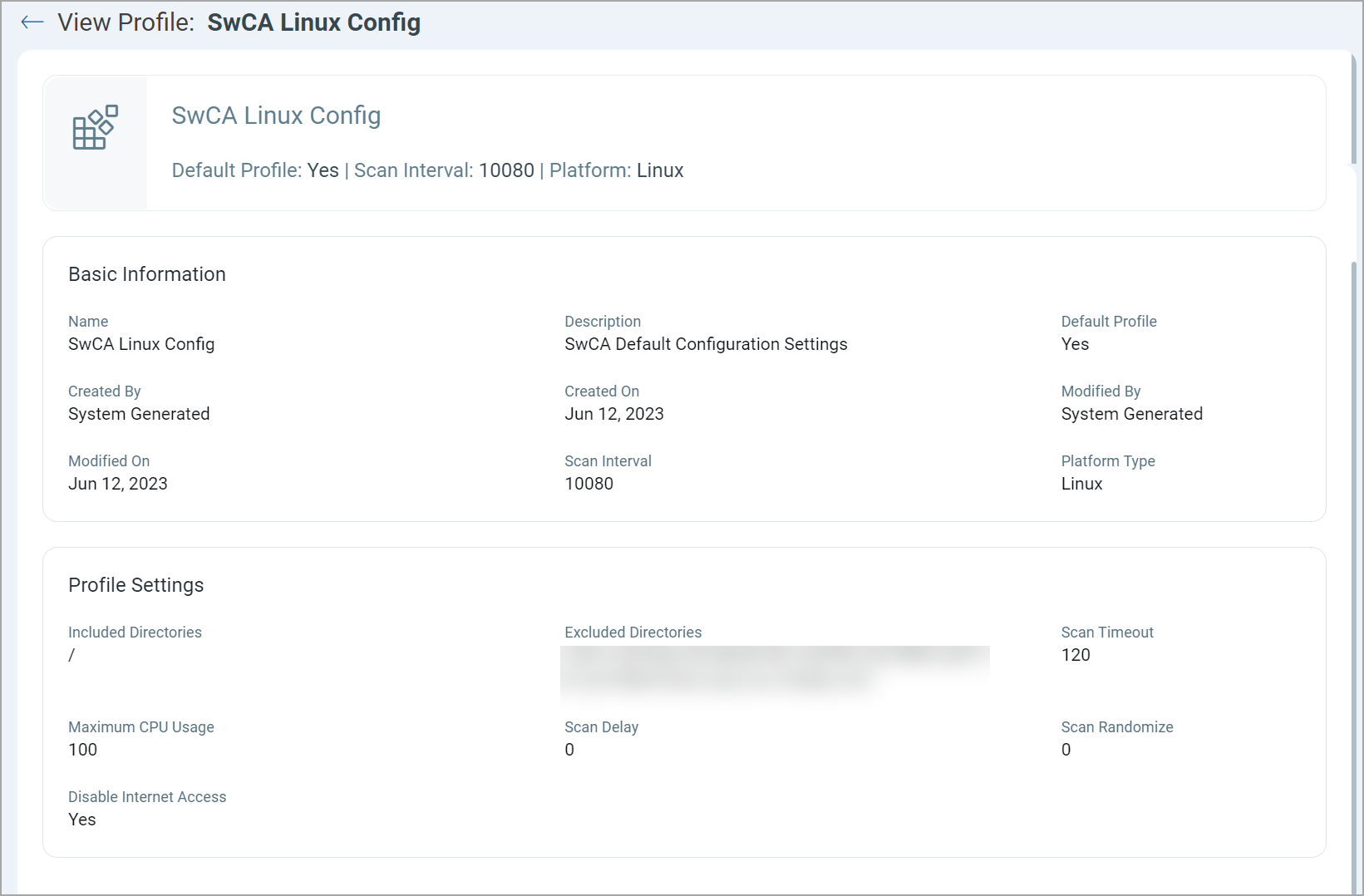
Edit the SwCA profile - Select the profile from the list, and click Edit.
Activating SwCA in bulk may significantly increase the vulnerabilities detected for your assets. We recommend that you initially activate SwCA for limited assets only to efficiently manage the newly detected vulnerabilities.
SwCA Profile Permissions
You need the necessary permissions to access and manage the SwCA profiles. The following matrix shows the allowed and prohibited actions based on user permissions.
|
User Permissions |
Allowed Actions |
Prohibited Actions |
|---|---|---|
|
View |
You can view the SwCA profile list. Note: You must have the view permission to perform any action on SwCA profiles. |
You can not create or edit a SwCA profile. |
|
View + Create |
You can view and create a SwCA profile. |
You can not edit a SwCA profile. |
|
View + Edit |
You can edit SwCA profiles. |
You can not create a SwCA profile. |
Understanding CPU Throttling for Cloud Agent and SwCA
Cloud Agent and SwCA each manage CPU usage independently. Their throttling mechanisms work differently:
Cloud Agent: Utilizes a custom throttling method that limits total CPU usage across all CPU cores.
SwCA: Utilizes job object-based throttling, which limits CPU usage per logical processor.
For example, if both processes are configured to use 20% of the CPU on an 8-core system, the Cloud Agent could utilize up to 20% of the total system CPU (roughly 1.6 cores). SwCA, if single-threaded, would use 20% of one core. On an 8-core system, this is displayed to be only about 2.5% of the total CPU usage.
As the CPU limits for Cloud Agent and SwCA are independently throttled, their CPU usage does not overlap. Combined usage in this example could reach roughly 22.5%, not just 20%.
Related Topics: Software to Component Mapping | SwCA Search Tokens | SwCA Specific Search Tokens