Cloud Agent for Windows Release 6.5
Limited Customer Release
May 14, 2026
Peer to Peer Patch Distribution
We are introducing peer-to-peer distribution for the Windows Cloud Agent to support a decentralized file-sharing mechanism. This enhancement enables Cloud Agent host to distribute the downloaded patch artifacts with other hosts within the same Local Area Network.
This feature offers the following benefits:
- Peer-to-peer sharing reduces duplicate downloads and bandwidth use.
- Patch artifact files are split into chunks for parallel download from multiple peers, increasing download speed.
- Ensures patch artifacts are uniquely identified by cryptographic Content Identifiers (CIDs) to ensure only unmodified content is downloaded and shared.
- Reduces download failures by enabling assets to obtain patch artifacts from multiple peers instead of a single server.
- Peer hosts discover each other within the same Local Area Network (LAN), enabling faster and more efficient data sharing.
- Identical artifact files and chunks are downloaded once per network, optimizing memory usage.
This feature has limited availability. Contact your Technical Account Manager or Qualys Support to activate it.
You can enable peer-to-peer distribution when creating a new configuration profile or editing an existing profile.
To learn more about this feature, refer to Peer to Peer Patch Distribution.
| Required Application Version | Cloud Agent Application 2.7.0 |
Scan WSL Instances with Windows Cloud Agent
Cloud Agent is enhanced to support scanning Windows Subsystem for Linux (WSL) instances installed on Windows assets. This enables Cloud Agent to collect inventory and monitor WSL instances. It provides visibility into installed packages, WSL status, user information, and Cloud Agent status.
This feature has limited availability. Contact your Technical Account Manager or Qualys Support to activate it.
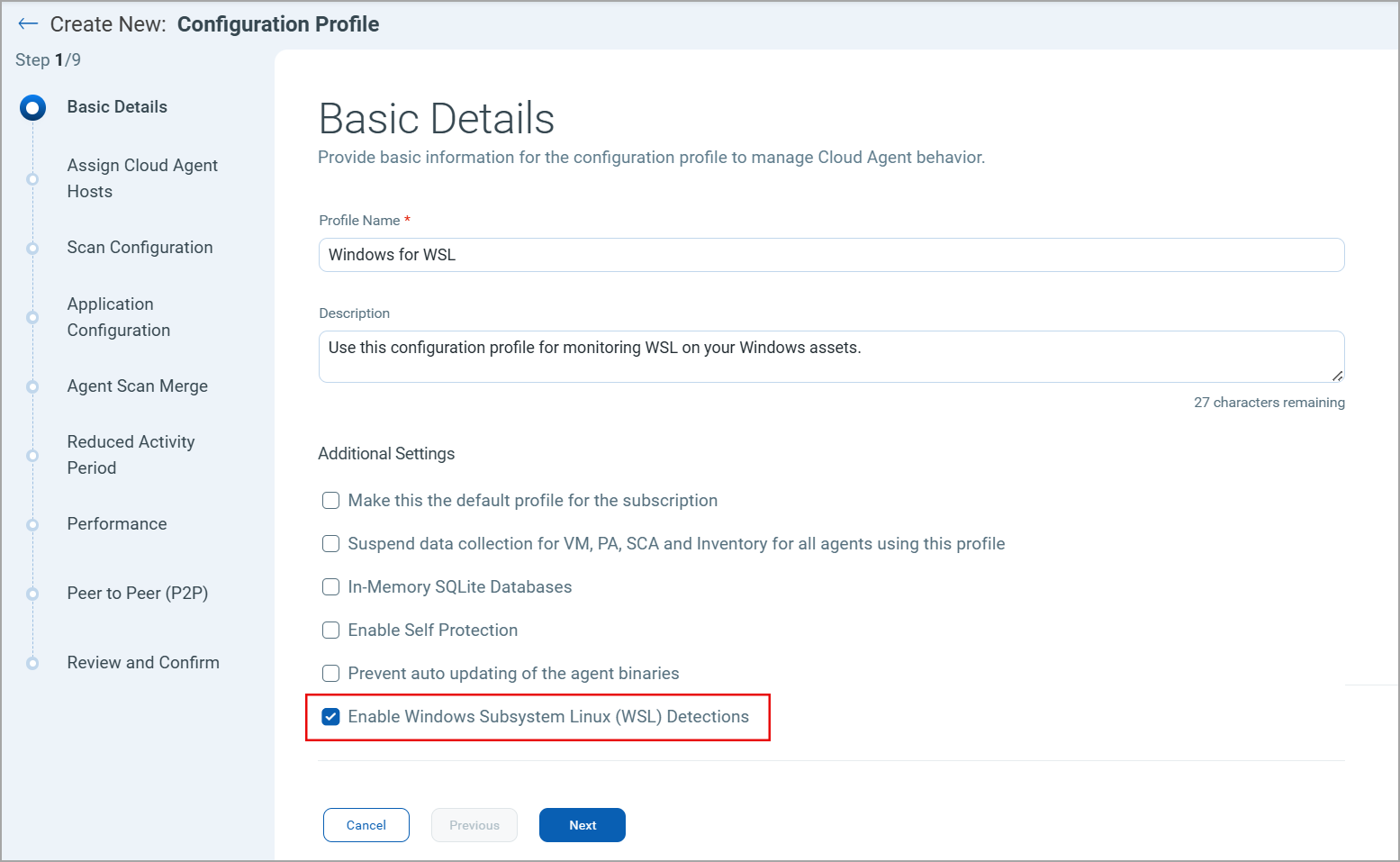
To activate this feature, select the Enable Windows Subsystem Linux (WSL) Detection checkbox on the Basic Details tab of the Configuration Profile in the Cloud Agent user interface.
- Restart the WSL service or reboot the system for WSL detection to take effect.
- Disable Cloud Agent Self Protection to enable WSL detection.
| Required Application Version | Cloud Agent Application 2.7.0 |
To learn more about this feature, refer to Cloud Agent for WSL2 Detection.
Behavior Change
There is no behavior change for this release.
Platform Coverage Support
No new platform coverage added in this release.
Issues Addressed
There are no notable and important issues for this release.
Known Issues, Limitations, and Workarounds
There are no known issues for this release.