EDR Release 3.8.3
July 06, 2026
Block and Unblock Connection Remediation
The Block and Unblock Connection feature for network events is now available. This feature lets you to instantly block active IP connections and unblock them later when required. This feature leverages the existing remediation framework by combining Indicator of Compromise (IOC) and shared remediation services.
Prerequisite
Requires Windows Cloud Agent version 6.5.1 or later
Available only for Windows endpoints.
Key Highlights
- Immediate IP connection blocking: You can block any IPv4/IPv6 IP connection associated with a network event, preventing processes on the endpoint from accessing that IP. These entries are recorded in the Log tab under the Responses page.
- Unblock previously blocked connections: Once the blocked connection operation succeeds, the Unblock Connection option becomes available in the Reversible Actions tab under the Responses page.
- Bulk Block Actions: You can select multiple network connections to block at once using the Actions menu. Each event's log is recorded individually under the Log tab for better traceability.
- Duplicate request handling: If a connection is already blocked, then repeated block attempts are audited at the backend without generating another manifest request to the Cloud Agent.
Before blocking a connection, verify that the network event is not associated with a proxy, as it may disrupt Cloud Agent communication.
To access the feature, navigate to Hunting > Events. The suspicious events associated with the IP address display the Block Connection button in the Remediation Action column. The workflow for this feature is similar to that of the Quarantine/Unquarantine feature.
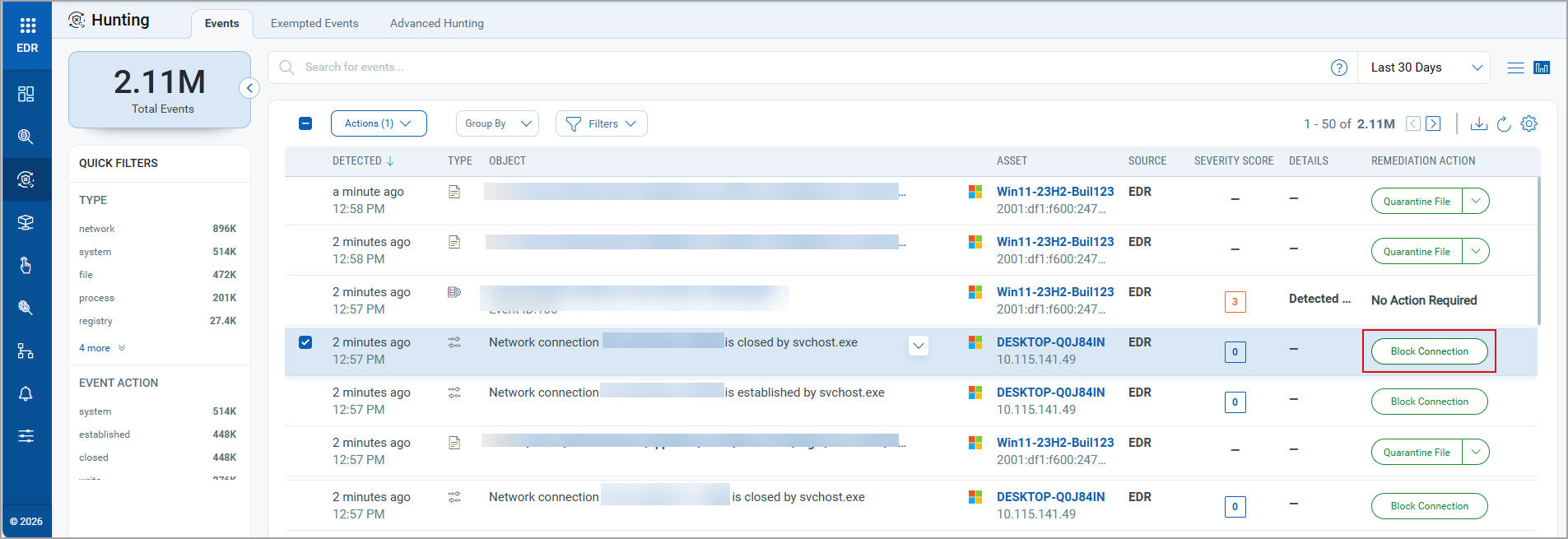
For more information, see Block Connection.
Download Exclusions to JSON
Applicable For: Anti-malware (EPP) profile.
You can now download exclusions configured in the Anti-malware (EPP) profile as a single JSON file. Previously, we had the capability to add and upload the exclusions, but could not download them. This enhancement simplifies the reuse of Anti‑malware exclusion settings across profiles and subscriptions.
Key Highlights
- The Anti-malware Profile Settings now display the
 button to download and export configured exclusions as a single JSON file.
 -
This capability supports all Anti‑malware exclusion types, including App Path, Hash, and App Name.
-
Based on the exclusion type, the system automatically groups related exclusion values into a single array in the JSON file (for example, all App Path values are consolidated into a single App Path object) and downloads it to your local drive.
-
The downloaded JSON file supports direct upload into another Anti‑malware profile, enabling quick reuse of the same exclusion configuration across profiles.
Benefits
-
Improves configuration portability by allowing Anti‑malware exclusions to move seamlessly between profiles.
-
Reduces administrative effort by eliminating the need to manually recreate exclusions.
-
Maintains configuration consistency by enabling the reuse of validated exclusion sets across multiple profiles.
To access this feature, navigate to Configurations > EDR Profiles > Quick Actions menu of the file or process event > Edit > Settings> Exclusion sub-section.
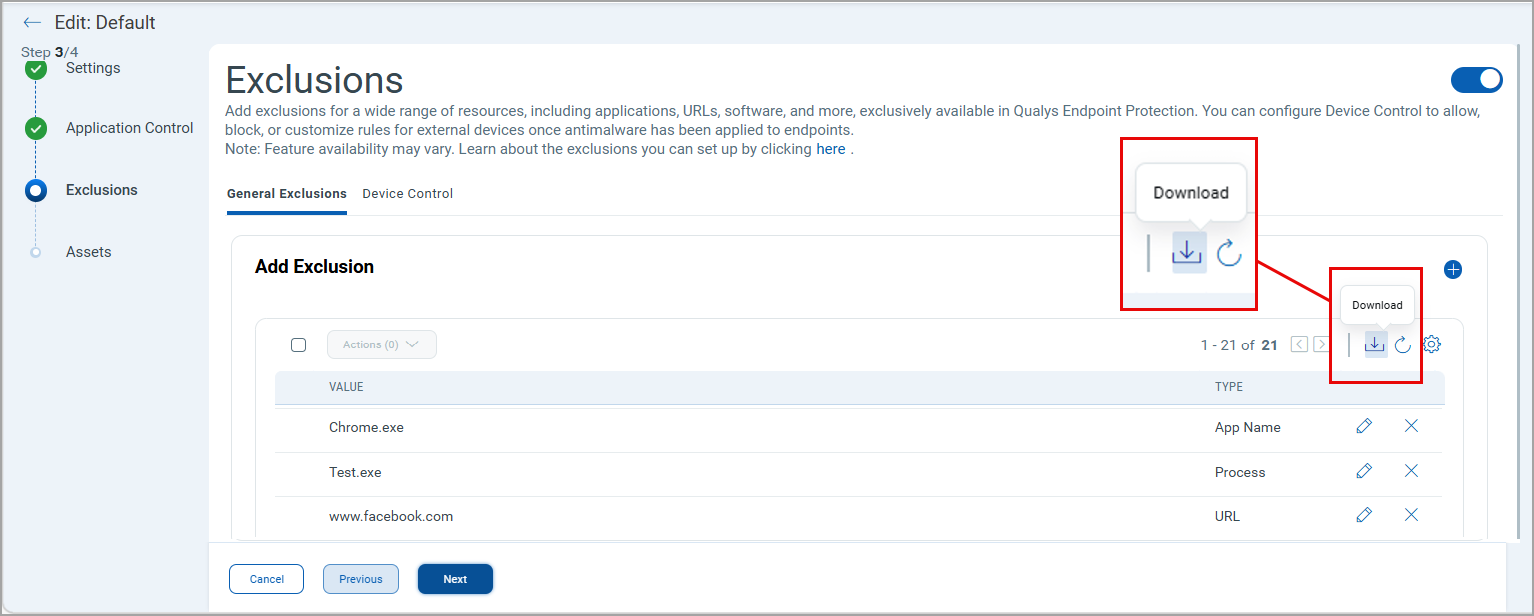
For more information, see Download Exclusion to JSON.
Edit Capability for Blocklist, Application Control, and Exclusions
Applicable For: EDR profiles.
The edit capability for entries configured in Blocklist, Application Control, and Exclusions within the EDR profiles is now available. Previously, you could only delete the entries in the Blocklist, Application Control, and Exclusions. This enhancement allows direct updates to existing entries without requiring deletion and re‑creation.
Key Highlights
-
The EDR Profile Settings now displays the
 button to edit the configured entries in Exclusions, Blocklist, and Application Control (Allowlist).
 -
For Exclusion and Blocklist entries, this edit option applies to all supported entry types, including Path, Appname, and other configured types within the respective lists.
-
For Blocklist entries, the edit workflow also supports updating Schedule Blocking configurations, including days and time ranges, and saves the changes directly to the existing entry.
-
For Allowlist entries, the edit workflow currently supports only the Path type entries.
Benefits
- Simplifies profile configuration maintenance by allowing direct updates to existing Blocklist, App Control, and Exclusion entries.
-
Eliminates the need to delete and recreate entries for minor updates.
-
Applies changes directly to existing entries, preserving the original configuration.
For accessing this feature, navigate to Configurations > EDR Profiles > Quick Actions menu of the file or process event > Edit > Settings.
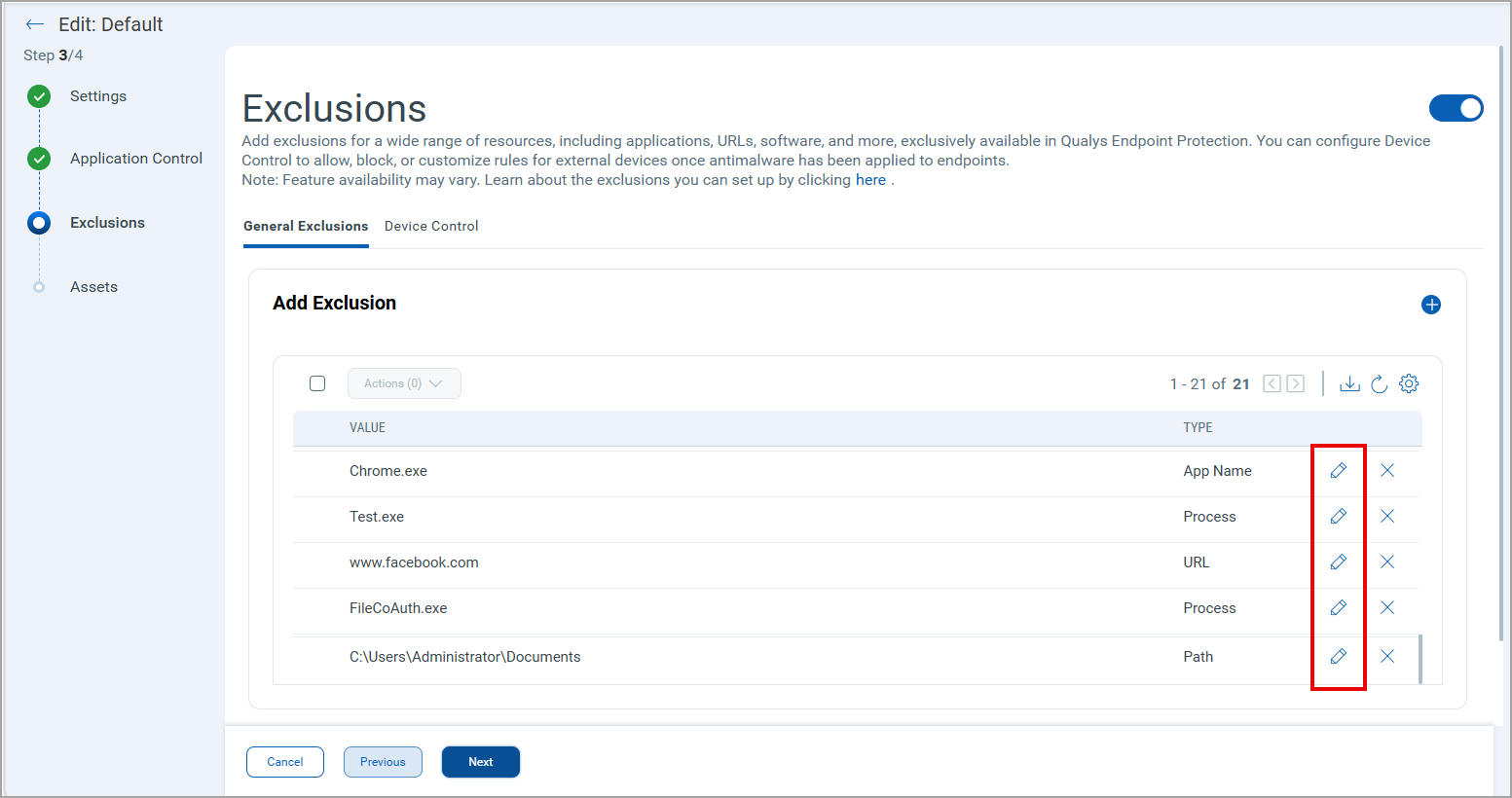
For more information, see Edit Exclusions and Edit Blocklist.
New QQL Tokens
We have introduced the following new tokens to align with the QQL Token Standardization introduced in the EDR 3.8.0 Release:
Alerts Search TokensAlerts Search Tokens
- compute.lastLoggedOnUser
- asset.criticalityScore
- qualys.agent.version
- asset.interface.hostname
- event.antiRansomware.attackType
- event.blockedUrl
- mitre.attack.technique.score
- process.processFile.sha256
- process.processFile.md5
- network.local.port
- qualys.agent.id
- asset.name
Remediation Search TokensRemediation Search Tokens
- network.ipAddress
-
indicator.score
-
indicator.severityScore
-
rule.name
-
platform.type
-
job.name
- asset.interface.hostname
- asset.name
Incidents Search TokensIncidents Search Tokens
- asset.interface.hostname
- asset.name
- incident.scoreSource
- incident.mitre.attack.rule.name
- incident.hasAntiRansomwareDetection
- incident.mitre.attack.tactic.id
Rule Manager Search TokensRule Manager Search Tokens
- rule.createdDate
- rule.updatedDate
Forensics Search TokensForensics Search Tokens
-
request.logType
-
request.incidentNumber
- asset.interface.hostname
- asset.name
Asset Search TokensAsset Search Tokens
-
asset.interface.address
-
edrstatus
-
asset.edrActivationDate
-
asset.isRebootRequired
- asset.interface.hostname
- asset.name
- asset.isEdrEnabled
Events Search TokensEvents Search Tokens
- asset.interface.hostname
- asset.name
- asset.criticalityScore
- network.local.port
- process.action.processName
- qualys.agent.version
- compute.lastLoggedOnUser
- remoteThread.Id
-
remotethread.creatorthreadid
-
process.accessmask
-
process.duplicatehandle
-
event.blockedUrl
For more information on the tokens, refer to EDR Online Help.