ETM Identity Release 1.1.0
March 10, 2026
Introduced Domain Trust Map
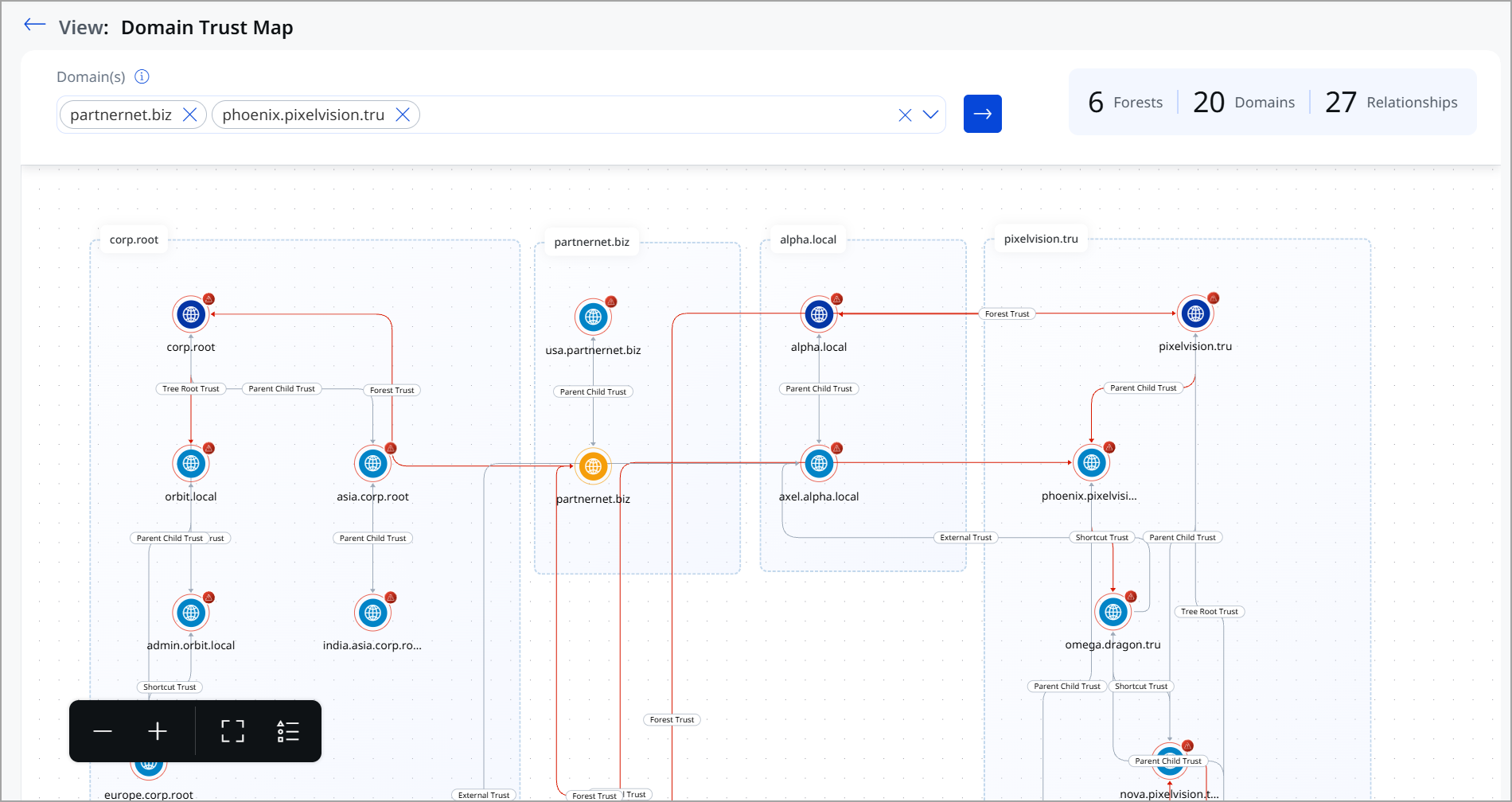
The Domain Trust Map provides a visual representation of trust relationships across Active Directory domains and forests. It helps security teams understand how authentication and access can flow between trusted environments and identify trust configurations that may increase lateral movement risk.
This feature transforms complex trust data into a clear, interactive graph, making it easier to assess identity exposure at scale.
Key Benefits of Domain Trust Map
With the Domain Trust Map, you can now:
- Visualize domain and forest trust relationships
View how domains are grouped within forests and how they are connected through parent-child, tree root, forest, external, and shortcut trusts. - Understand cross-domain authentication paths
See how trust relationships enable access across domains and forests, including indirect and chained trust paths. - Identify high-risk trust configurations
Highlighted trust paths help surface relationships that could be abused for lateral movement or privilege expansion. - Scope analysis to selected domains
Focus the map on specific domains to reduce noise and analyze the impact of trust in targeted environments. - View environment-wide trust summary
Quickly assess the number of forests, domains, and trust relationships to understand the scale and complexity of your AD environment.
Importance of Domain Trust Map
Trust relationships are often created for operational reasons, but can unintentionally expand the attack surface. A compromise in one domain can cascade across trusted domains and forests, bypassing traditional security boundaries.
The Domain Trust Map helps you:
- Reduce blind spots in complex AD environments
- Assess the potential blast radius of a compromised domain
- Make informed decisions about trust hardening and cleanup
- Strengthen identity security posture proactively
For visualizing the Domain Trust Map, navigate to the Risk Management tab > Attack Path Analysis > Domain Trust Map tab. Use the drop-down to select the Domains you want to analyze.
To know more about Domain Trust Map, refer to ETM Identity Online help.
ID Misconfigurations View in Risk Management
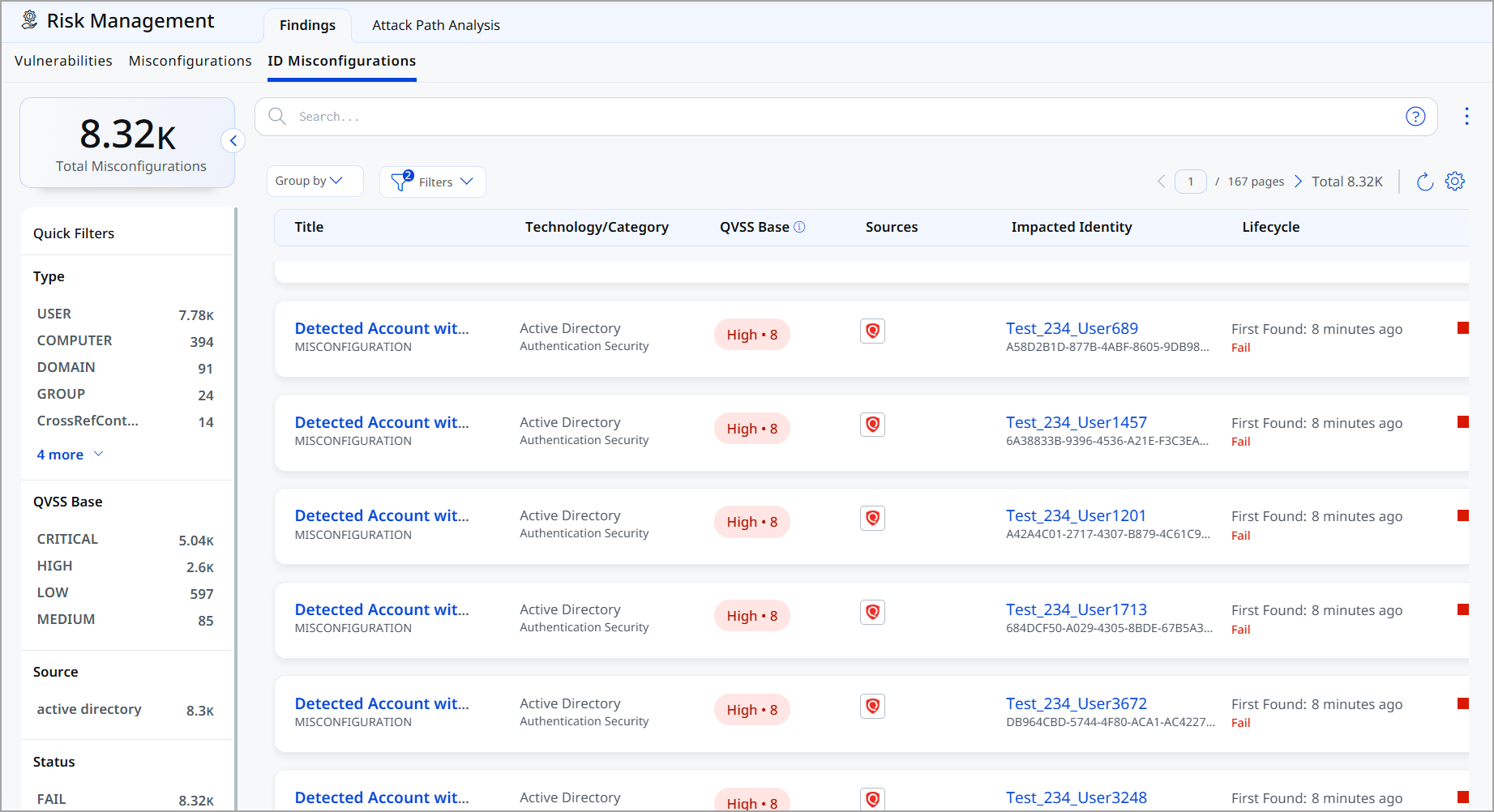
The ID Misconfigurations page provides centralized visibility into identity-related security weaknesses that can increase the risk of unauthorized access, privilege abuse, and lateral movement across your environment. We currently support misconfigurations for Active Directory (AD) and will be adding support for other Identity as a Service (IDaaS) solutions in the future.
We introduced a dedicated ID Misconfiguration tab in ETM Identity to provide visibility into identity, group, and domain-level misconfigurations.
A misconfiguration is any incorrect, incomplete, or insecure system or application setting that can lead to unintended behavior, security gaps, or operational issues.
For example:
If a user account has the Password Never Expires option enabled:
- It is considered insecure.
- It should generally have an expiration policy.
- The system detects it as a misconfiguration.
The agent detects such issues and sends the data to the UI, where it is displayed in the ID Misconfiguration tab.
Key Enhancements ID Misconfigurations
Comprehensive Misconfiguration supports the following areas.
- Dedicated Misconfiguration Listing shows identity-related misconfigurations along with quick filters for refined analysis
- Object-aware detailed view dynamically adapts based on the misconfiguration type, such as identity-level, group-level, domain,The or asset-level
- Detection details and remediation guidance
Each misconfiguration now includes:- Clear description
- Detection logic explanation
- Recommended remediation steps
-
MITRE ATT&CK Mapping
Misconfigurations are mapped to:
-
Tactics
-
Techniques
-
Sub-techniques
-
Enabling threat-aligned visibility.
-
This ensures contextual and accurate presentation of impacted entities.
Identity TruRisk Score Calculation
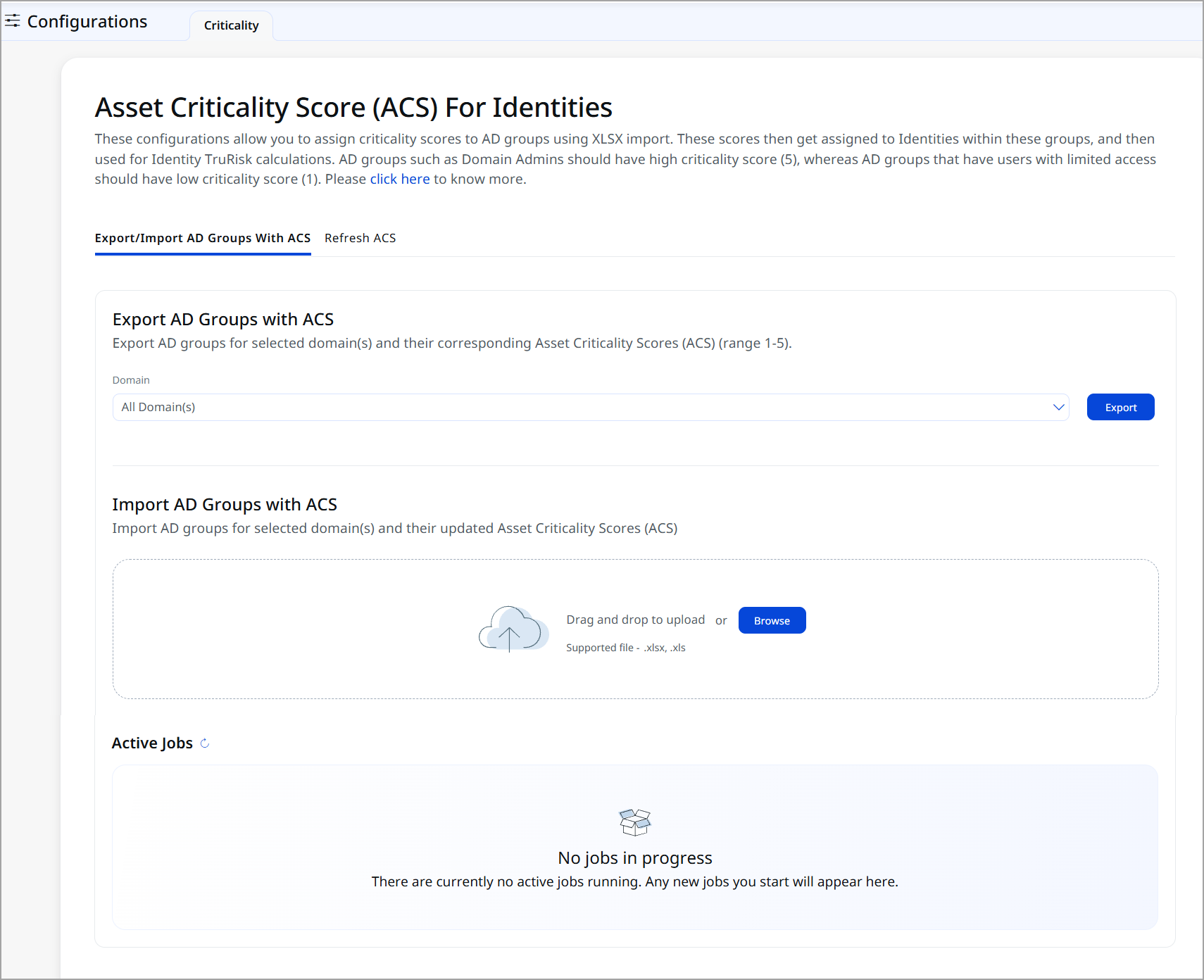
We have introduced features for Asset Criticality Scoring and TruRisk calculation. Administrators can assign risk scores to users and groups in Active Directory, which are essential for evaluating identity-related risks.
Key Capabilities
- Multi-Domain Support
Select and manage criticality scores across one or multiple Active Directory domains - Bulk Management
Export complete AD group hierarchies with a single operation, enabling efficient batch scoring - Organizational Structure Preservation
Group data is organized by Organizational Unit, maintaining your AD structure during export and import - Flexible Workflow
Edit exported data locally before importing, allowing integration with your existing processes and approval workflows
Instead of manually updating each AD group in the UI, administrators can:
- Export all groups
- Update scores in bulk
- Re-import the updated file
The criticality score indicates each identity's business importance and sensitivity. TruRisk scores are automatically updated based on the relationship between identity criticality and detected misconfigurations, providing a comprehensive view of risk within identity infrastructure.
This improves efficiency and reduces manual effort. To access this feature, navigate to Configurations > Criticality Tab.
To know more about how to set the ACS for Identities, refer to ETM Identity Online Help.
Introduced Identities Tab
With this release, we have introduced the new Identities tab. This tab provides centralized visibility and risk-based assessment of all user and group identities discovered in your environment.
Identity data depends on successful integration and discovery from supported identity sources (for example, Active Directory or other integrated platforms). Data visibility depends on configured connectors and sync status.
The Identities tab includes the following tabs:
-
Overview
The tab provides a high-level summary of your identity landscape. You can quickly assess your organization’s identity exposure and prioritize remediation by risk.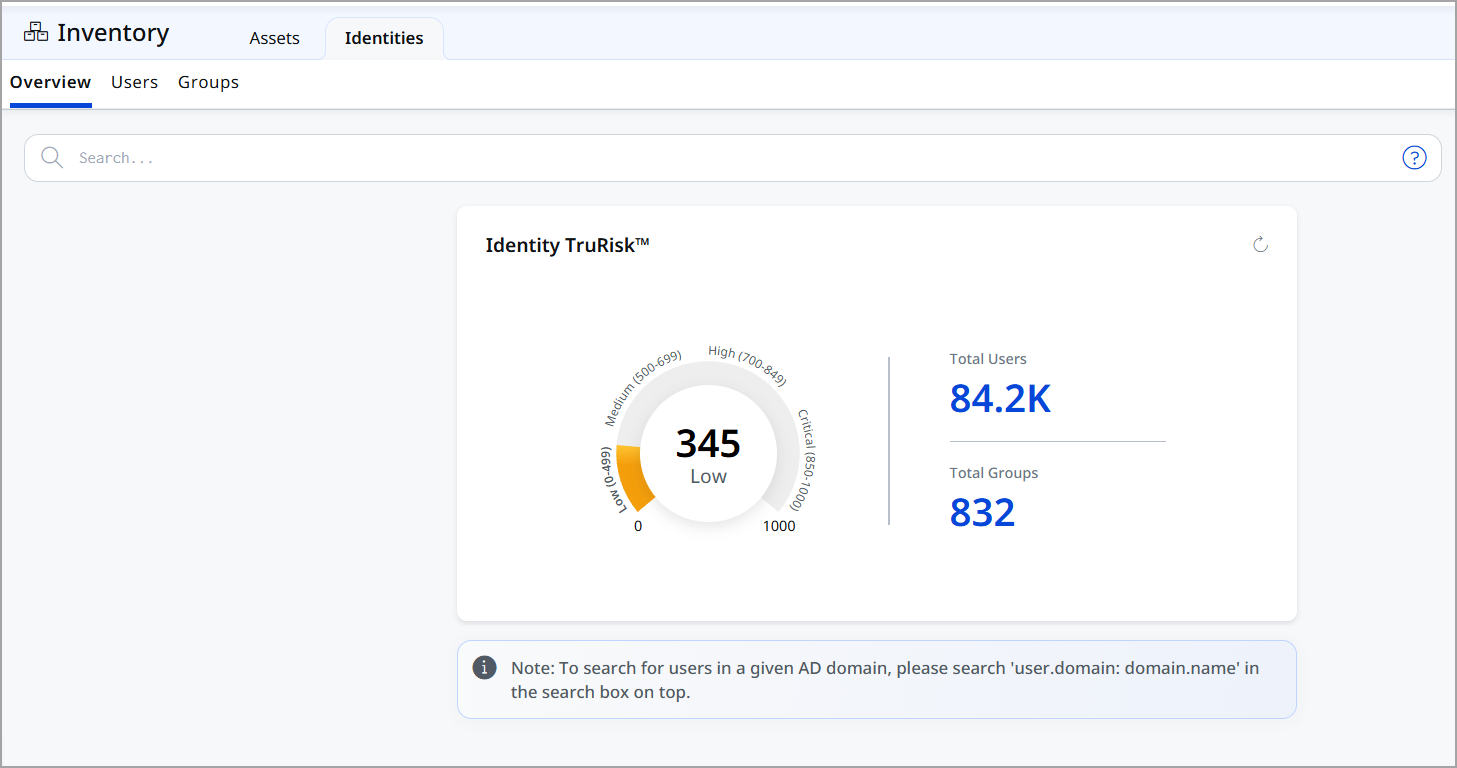
-
User
The User tab provides visibility into all discovered user accounts.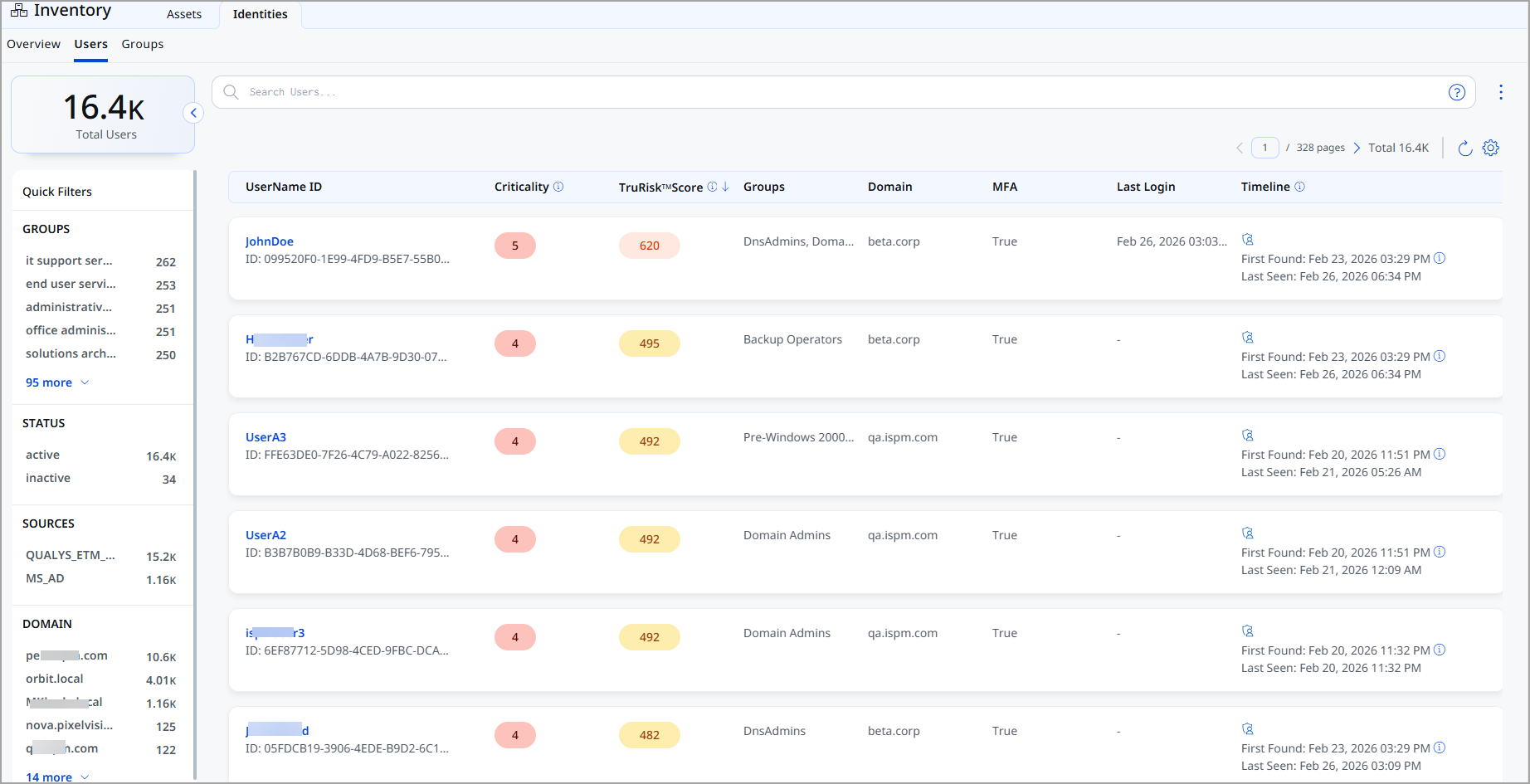
-
Group
The The Group tab provides visibility into all organizational groups.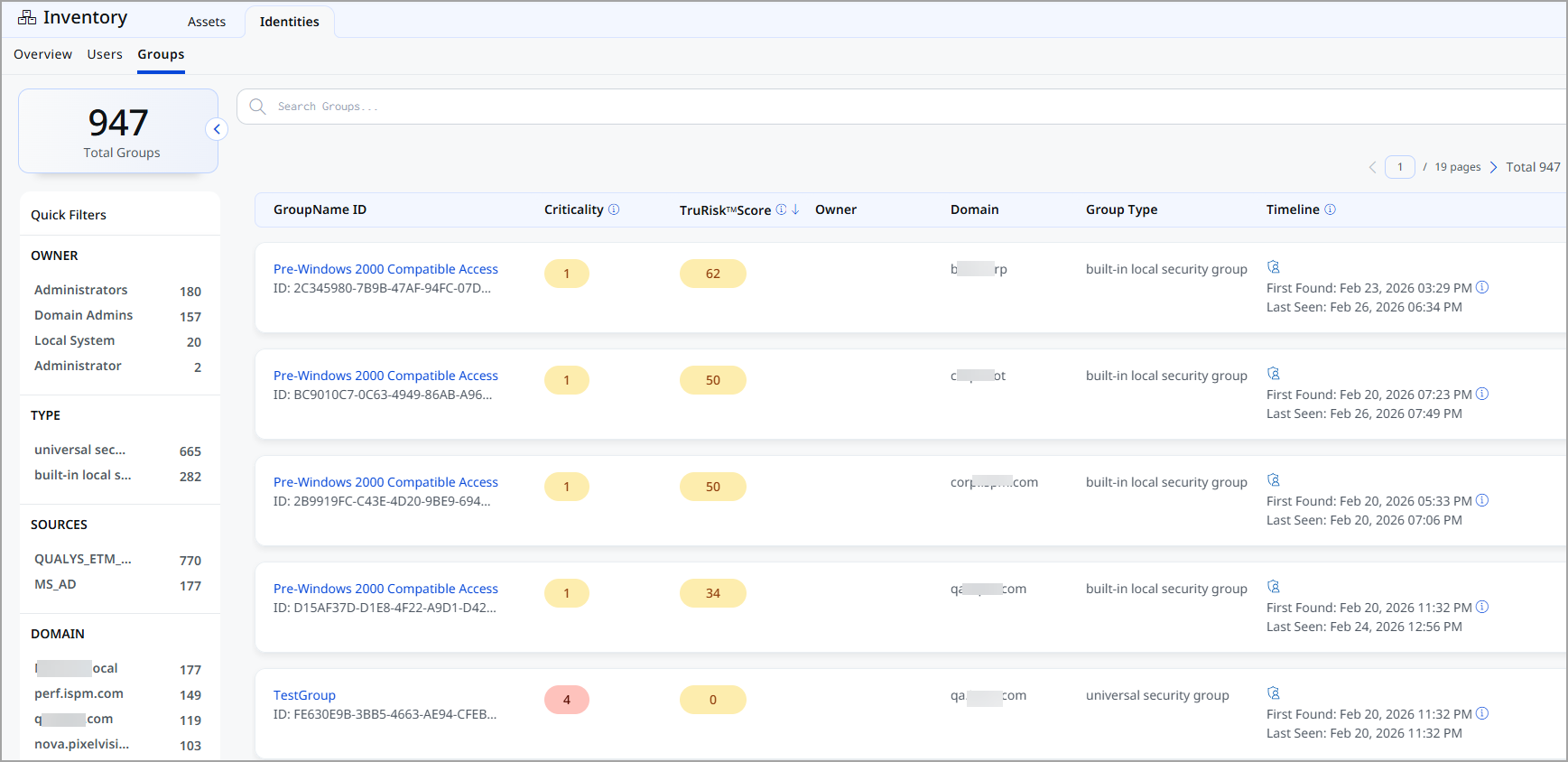
Identity TruRisk™ Scoring
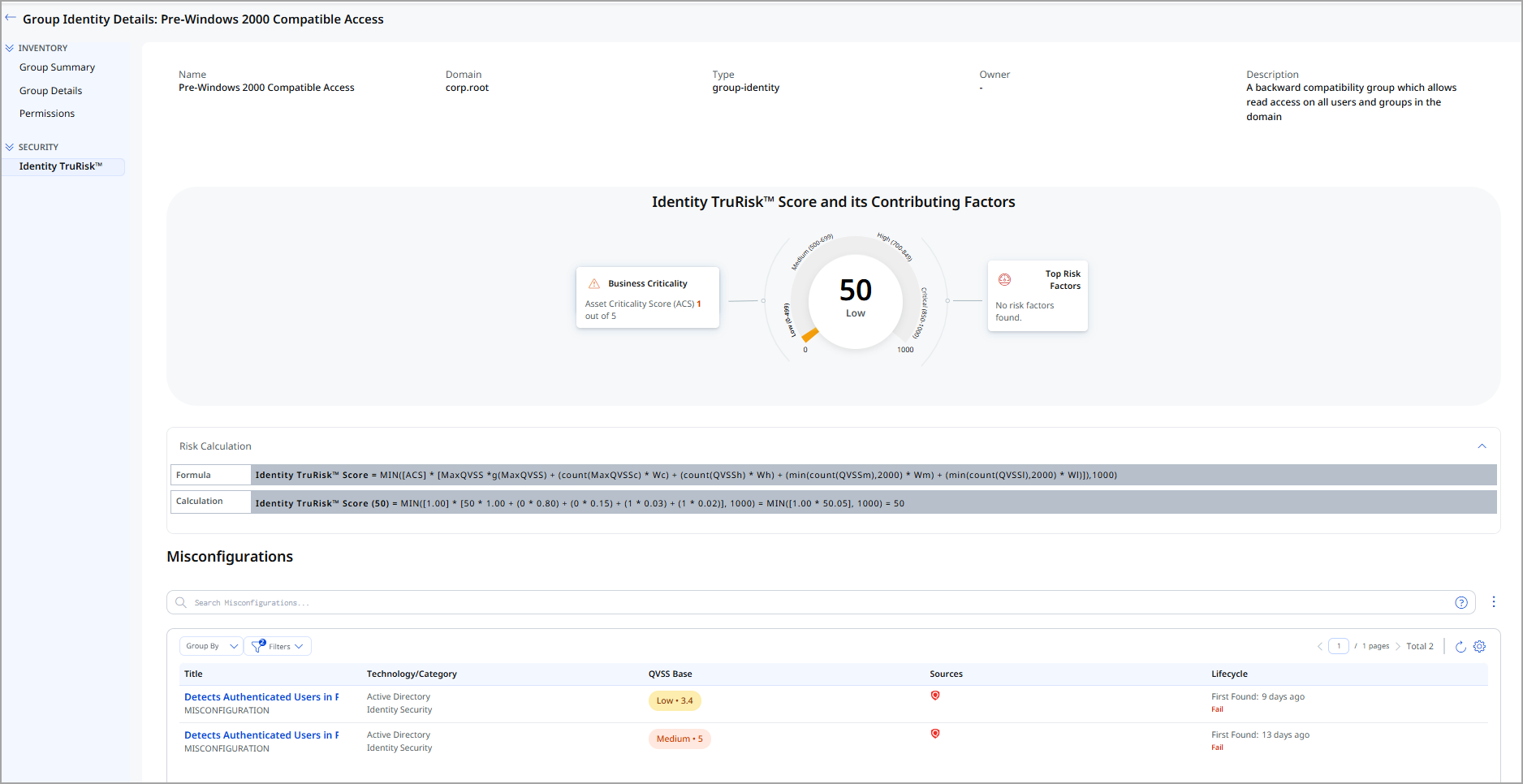
All the tabs provide TruRisk™ Scoring. The Identity TruRisk™ Score provides a risk-based assessment for both Users and Groups.
The score aggregates multiple risk factors, including:
- Exposure level
- Access privileges
- Authentication posture
- Account configuration risks
The introduction of the Identities feature strengthens identity security posture by combining asset inventory, risk scoring, and access visibility into a unified interface. It enables organizations to manage user and group identities proactively and reduce security risk through data-driven decisions.