TotalAppSec Release 2.6 | Web Application Scanning Release 1.26
March 03, 2026
 TotalAppSec
Discover APIs using Google Apigee API Discovery Connector
With the GCP API Connectors, TotalAppSec can discover Swagger files with all endpoints exposed in your GCP environment. This enhancement strengthens TotalAppSec’s API discovery capabilities and helps improve your overall security posture.
To create a GCP Connector, navigate to GCP API Connectors, in the Discovery > Sources tab, and click Create Connector.
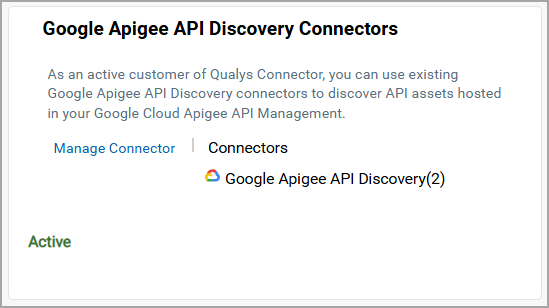
Once the connector is created, the APIs discovered from your environment are displayed in the Discovered APIs tab.
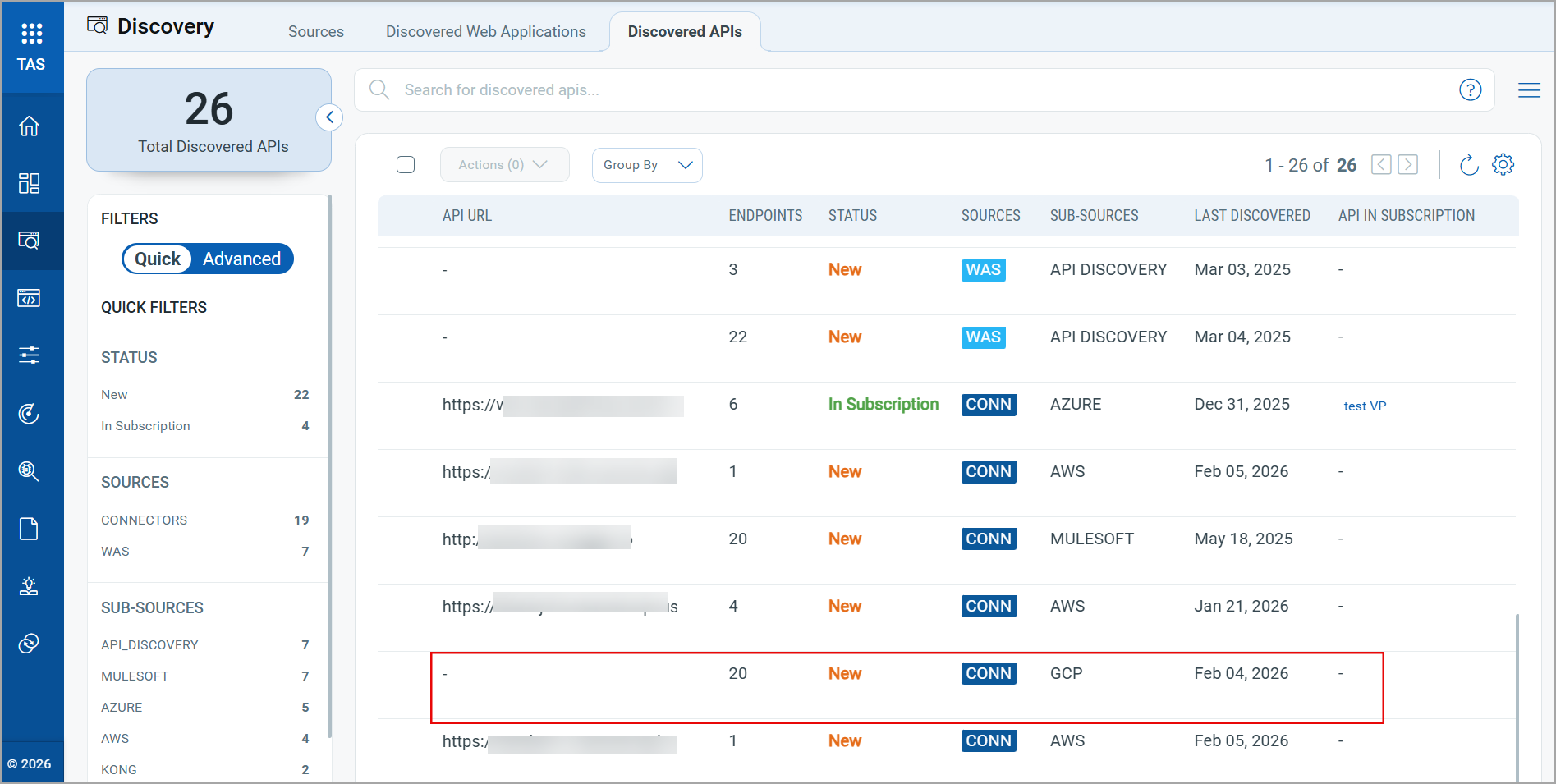
You can add these APIs to your subscription and perform scans to assess the vulnerabilities.
For more information on configuring the Google Apigee API Discovery Connector, refer to the Online Help.
Discover APIs using KONG Gateway API Connectors
TotalAppSec now supports API discovery using Kong Gateway Discovery API Connectors. With this enhancement, TotalAppSec can discover Swagger files, including all endpoints, from Kong Gateway instances, expanding API visibility and helping strengthen your organization’s security posture.
To create a KONG API Connector, navigate to KONG API Connectors, in the Discovery > Sources tab, and click Create Connector.
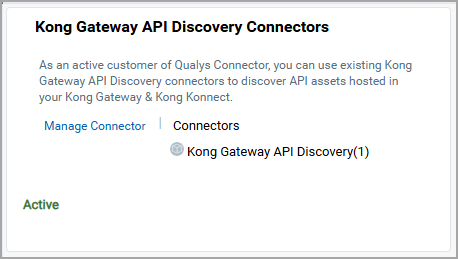
Once the connector is created, the APIs discovered from your environment are displayed in the Discovered APIs tab.
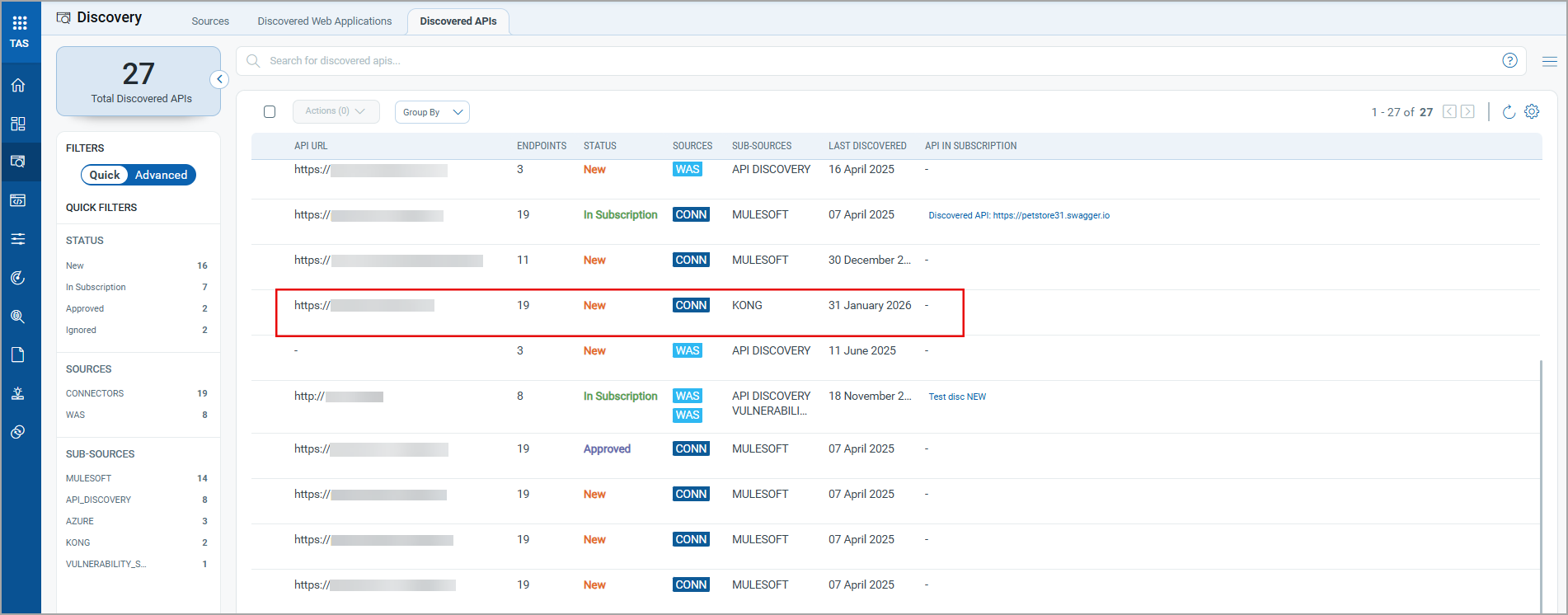
You can add these APIs to your subscription and perform scans to assess the vulnerabilities.
For more information on configuring the Kong Gateway Discovery API Connectors, refer to the Online Help.
Renamed API Connectors for Improved Clarity and Consistency
We have renamed API Connectors in TotalAppSec to follow a standardized naming convention. The updated names clearly indicate the vendor brand, define the gateway product, making the API discovery capability and target environment easier to recognize.
The following table lists the existing and updated connector names:
| Existing Name | Updated Name |
|---|---|
| Azure API Connector | Azure API Management API Discovery Connector |
| MuleSoft API Connector | MuleSoft API Discovery Connector |
| AWS API Connector | AWS API Gateway API Discovery Connector |
 TotalAppSec and Web Application Scanning
Enhanced Visibility for Mean Time to Remediate Widget
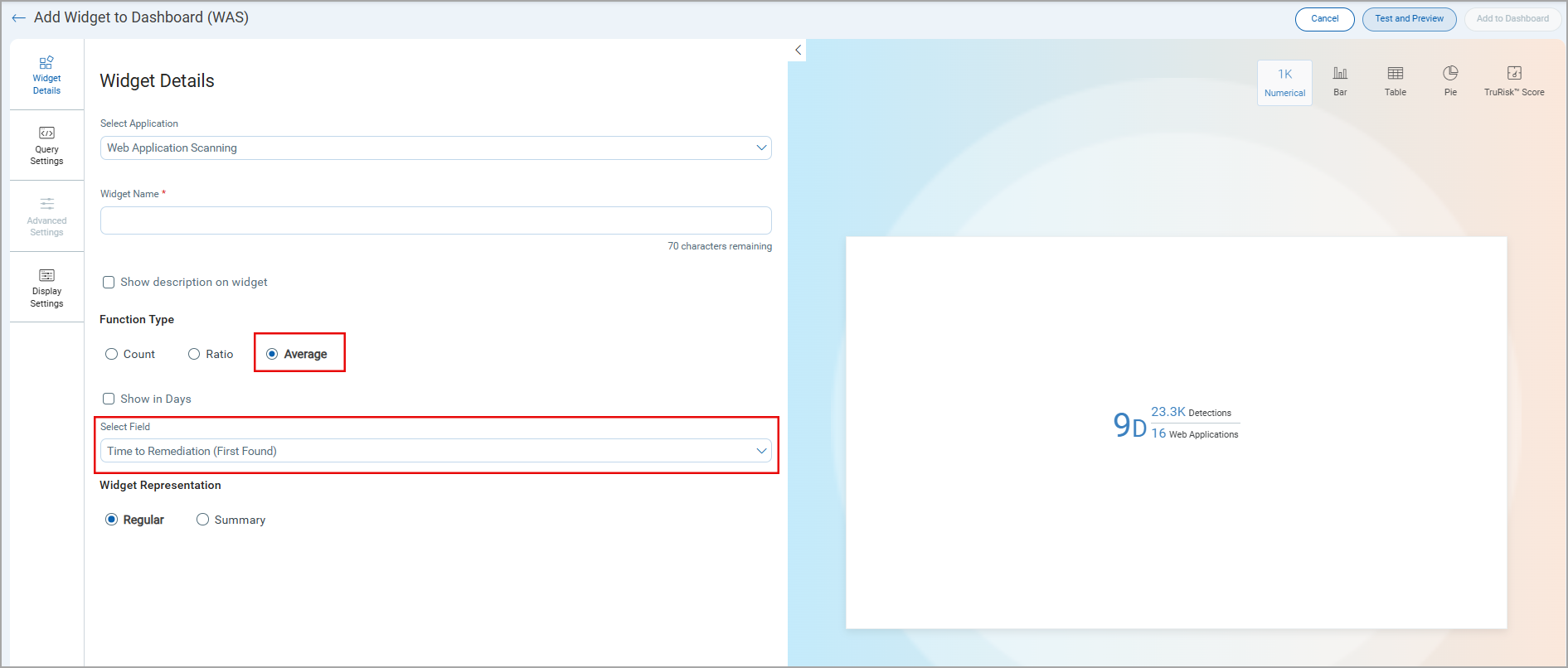
While building a widget in the TotalAppSec dashboard, the Average option is always available in the Function Type section in the Widget Details page.
Earlier, the Average option was available only for some data sources selected in the Display results as list in the Query Settings page.
With this change, you can now display the Mean Time to Remediate (MTTR) widget on the TotalAppSec dashboard. This enhancement helps you track remediation effectiveness, prioritize vulnerabilities more accurately, and align TotalAppSec reporting from the TAS dashboard.
Limited Visibility of WAF Features
The TotalAppSec user interface now displays Web Application Firewall (WAF)–related features only when the WAF application is available, and the user has the required permissions. As a result, WAF-specific options may have limited visibility and appear only to users with access to the WAF module and the appropriate permissions.
This update ensures that the interface reflects the modules enabled for the account and the user’s access level, reducing confusion by displaying only relevant actions and settings.
The following options and QQL tokens are available only when the WAF module is available, and the appropriate permissions are assigned:
User Interface options
- Install Patch and Remove Patch options in the Quick Actions and Actions menu for the Detections data list entries
- The Patch column in the Detections tab
- The Scan Trust option in the Default Scan Settings page in the create or edit web application workflow
QQL tokens
- Protected status for the
finding.statusQQL token - The
finding.isPatchableQQL token
Enhanced Progressive Scan Behavior
Previously, when a progressive scan was launched, TotalAppSec used the summary from the most recent matching progressive scan. As a result, the progression continued from the previous scan state.
With this update, TotalAppSec evaluates whether QID 150497 was reported in the previous progressive scan:
- If QID 150497 is not reported, the previous scan summary is used, and progression continues.
- If QID 150497 is reported, the previous scan summary is not used. In this case, the scan is treated as the first scan in the progression cycle, and the progression counter resets.
Issues Addressed
| Application | Category/Component | Description |
|---|---|---|
| TAS and WAS | Download Report | We fixed an issue where unwanted HTML tags appeared in downloaded reports. The issue is fixed. |
| TAS and WAS | Scheduled Scan Settings | We fixed an issue where users could not remove an authentication record from a scheduled web application scan. Authentication records are now removed correctly from scheduled scan settings. |
| TAS and WAS | Authorization API | We fixed an issue where WAS API endpoints returned an incorrect response when invalid credentials were used. Now we display a 401 Unauthorized error message when invalid credentials are used. |
| TAS and WAS | Knowledge Base | We fixed an issue where some QQL tokens returned no results in the Knowledge Base. |
| TAS and WAS | Scan Reports | We have fixed an issue where users were unable to download scan reports when the report template name contained special characters. The report name is now validated, and downloads support only alphanumeric and _-'() characters. |
| TAS and WAS | Scan Schedules | We fixed an issue where the scan schedules were automatically deactivated when an application was removed from the subscription while the schedule was running. |
| TAS and WAS | Scan Schedule | We fixed an issue where users were unable to select dates in the year 2026 when configuring scan schedules. |
| WAS | WAS Widget | We fixed an issue where widget results were not sorted correctly when users selected Count as the sort option. The widget continued to display results sorted by QID in ascending order. |
| WAS | WAS Widget | We fixed an issue where the Last Scan Authentication Status column did not reflect when added to a widget. Widgets now correctly display the authentication status for the last scan. |
| TAS and WAS | Reports | We fixed an issue where severity level changes were not reflected in the overall report view, even after the report was refreshed. |
| TAS and WAS | Detection Details | We fixed an issue where the Last Time Detected value did not display correctly in detections. The field now shows accurate detection timestamps. |
| WAS | WAS Widget | We fixed an issue where users could confuse the Application option with Web Application in widget Query Settings, which resulted in non-clickable links. The option is now clearly displayed as Application (Webapps + APIs). |
| TAS and WAS | Authentication Record | We fixed an issue where authentication failed in subsequent scans after updating an authentication record configured with a certificate, even when only a comment was updated. |
| TAS and WAS | Scan Schedules | We fixed an issue where scanner changes in scheduled scans were not retained. When users changed the scanner from an individual scanner to an external scanner, the schedule reverted to the previous scanner when viewed again. |
| TAS and WAS | Web Application Configuration | We fixed an issue where valid Postman Collections or Swagger/OpenAPI files could not be added during web application configuration. |
| TAS and WAS | Scan Schedule Report | Users reported an error while downloading the scheduled scan report; the Web Applications field displayed empty. The issue has been fixed, and the scheduled scan datalist report now correctly displays the associated web applications. |
| TAS and WAS | Option Profile | We fixed an issue where the Option Profile appeared empty when scheduling a multiscan using the Use this profile if the application has no default profile assigned option. |
| TAS and WAS | Scan Report | We fixed an issue where response details in PDF reports did not match the detection details shown in the User Interface. Reports in PDF format now display the correct payload results and response information. |
| TAS and WAS | Scan Schedules | We fixed an issue where searches for scan schedules by application name failed when the name contained parentheses in Quick filters. |
| TAS and WAS | Detections | We fixed an issue where users could not view any QQL associated with a finding.firstFoundDate, and needs to be renamed as per token standardization. |
| TAS | Discovery | We fixed an issue where users could not download the Swagger/OpenAPI specification file for discovered APIs with a blank API URL. |
| TAS and WAS | Detection Count | We fixed an issue where the vulnerability count returned by the API did not match the count displayed in the user interface due to a deprecated QID. The User Interface and API now report consistent detection counts for confirmed vulnerabilities. |
| TAS and WAS | Discovered APIs | We fixed an issue where users were trying to download the datalist report for discovered APIs. The download option is now disabled. |
| TAS and WAS | Finding status | We fixed an issue where, after an authentication failure, the finding status history showed Not Detected while the finding remained Active, which caused confusion. The status history now clearly reflects authentication failures. |
| TAS and WAS | Scanner Appliance | We fixed an issue where scanner appliance updates were not reflected in the UI. Changes from an Individual scanner to a Tags (Scanner Pool) were saved successfully, but the previous scanner continued to display. The UI now shows the correct scanner selection. |
| TAS and WAS | Scan Report | We fixed an issue where the scan report link in the email summary returned an error when the user was not already logged in. |