Software Packages in CAR
The Software Packages feature in Custom Assessment and Remediation (CAR) enables you to install or uninstall software across your Windows and Linux operating systems.
Instead of creating manual installation or uninstallation scripts, you can create a software package in CAR by providing software details such as the software name, version, and installer type. These packages will be executed on your selected target assets.
You can create packages for the following installer types:
- Windows:
.exeand.msi - Linux:
.rpm,.deb, and package managers such asAPT,DNF, orYUM
Navigate to the Scripts > Software Packages tab for a centralized view of your software packages.
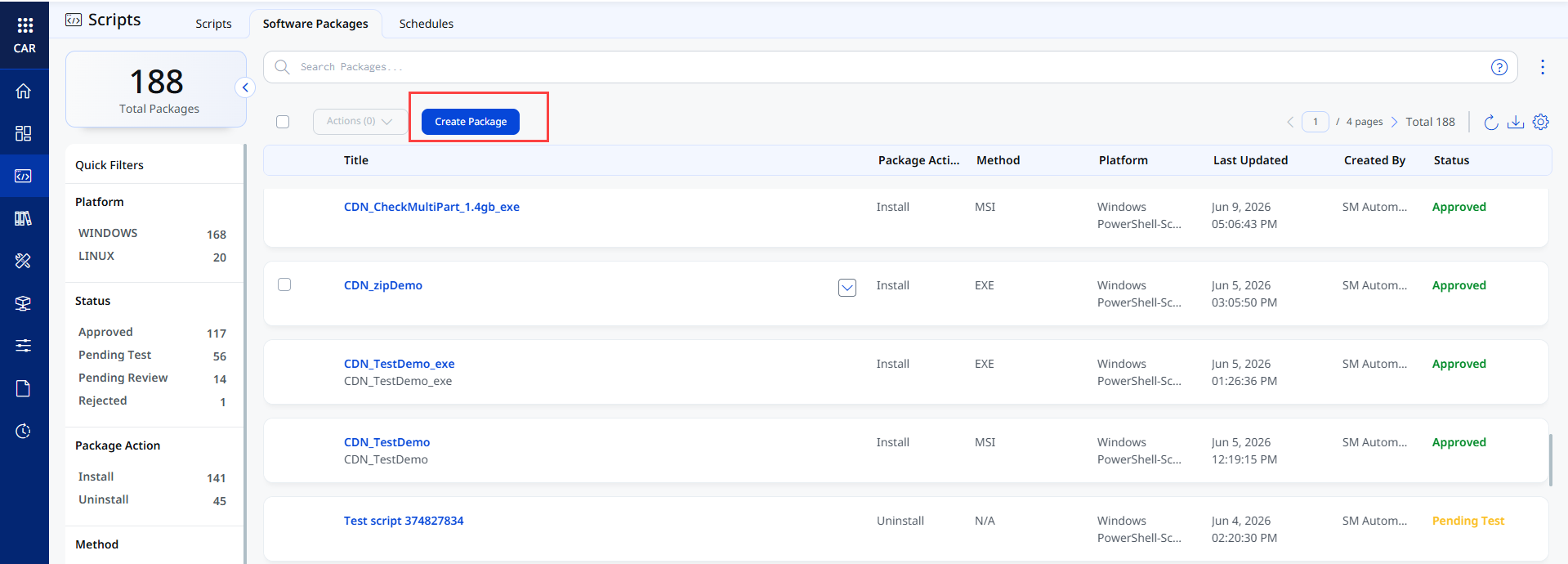
Key Capabilities of the Software Packages Tab
- Create Packages:
You can define installation or uninstallation details, such as software name, version, and installer type, to create a package. - Define Pre and Post Actions:
You can specify pre-installation and post-installation actions required for successful execution.
When packages are executed, package jobs are automatically created and displayed under Jobs > Software Package Jobs. For more information, refer to Software Package Jobs.
Why Create Software Packages in CAR?
- No More Manual Scripts:
This feature removes the need to manually create installation and uninstallation scripts. You simply need to provide the software details, and CAR automatically manages the execution process. - Scalable Deployment:
You can deploy packages simultaneously across multiple assets, ensuring efficiency and consistency at scale.
Software Package Workflow
The software package creation workflow can be simplified into the following steps:
- Create a package
- Test the package on lab assets (optional, but recommended)
- Review and approve the package
- Execute the package on production assets
Always validate packages on lab assets before executing on production.
Prerequisites
The following prerequisites are required to use the software packages feature in CAR:
- Permission:
The required permissions depend on your role in the organization. For more information, refer to Role-Based Access Control in CAR. - Licenses
This feature is available with the CAR and Eliminate licenses.
Limitations
Software package execution is not supported on the following systems:
- Windows Server 2012 R2
- Windows 8.1 and older versions of Windows
Related Topics