Software Package Jobs
The Software Package Jobs tab is a central place to view and manage jobs created after testing or executing software packages on assets.
You can perform various actions using the Quick Actions menu.
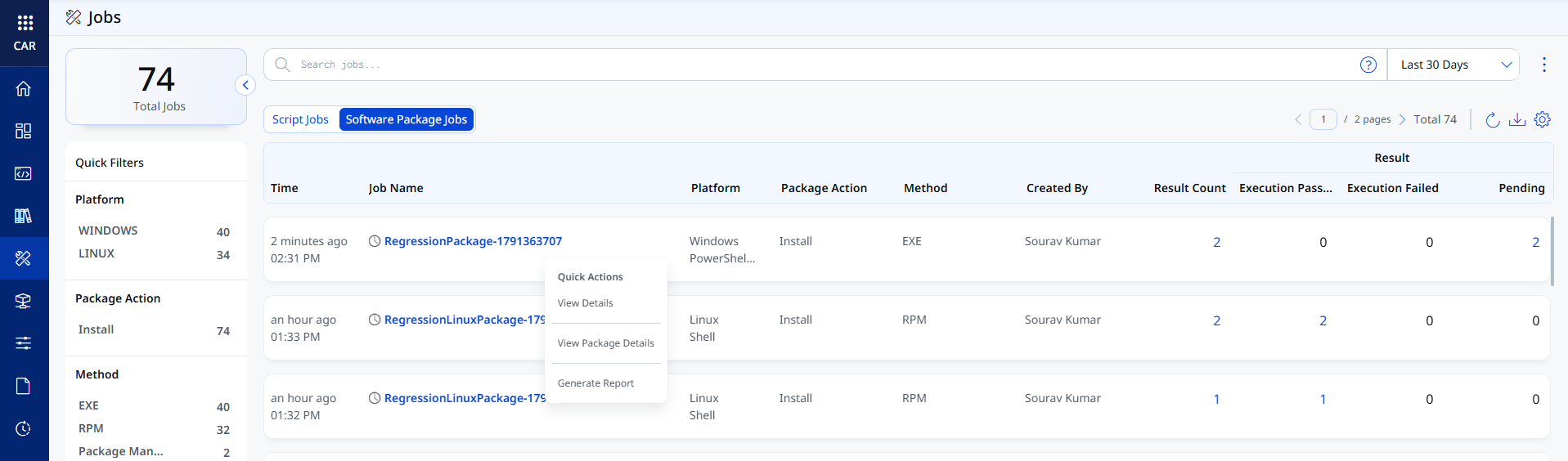
The table below summarizes the quick actions available for a package job. It highlights where to find each action and what it allows you to do.
| Quick Action | How to Access | What It Does |
|---|---|---|
| View Details | Quick Actions > View Details | Displays job details.
You can also perform the following actions on the assets:
|
| View Package Details | Quick Actions > View Package Details | Displays complete details of the software package. |
| Generate Report | Quick Actions > Generate Report | Generates a detailed report of the job. The report can be downloaded from the Reports tab. |