Custom Assessment and Remediation Release 2.6.2
October 07, 2025
Software Package Management in CAR
CAR now enables you to install or uninstall any software on Windows and Linux operating systems using the new software package creation feature. You can create software packages by providing details such as the software name, version, installer type, and target assets where the software should be installed or uninstalled.
The supported installer types based on the operating system are:
- Windows:
.exeand.msi - Linux:
.rpm,.deb, and package managers such as DNF or APT
You can access this feature under Scripts > Software Packages. It provides a centralized view where you can create and view all your packages.

Key Benefits of Creating Software Packages
- No More Manual Scripts:
This feature removes the need to manually create software installation and uninstallation scripts. You simply need to provide the software details, and CAR automatically manages the requirement. - Scalable Deployment:
You can deploy packages simultaneously across multiple assets at scale.
Software Package Jobs
When packages are executed, software package jobs are automatically created and displayed under Jobs > Software Package Jobs.
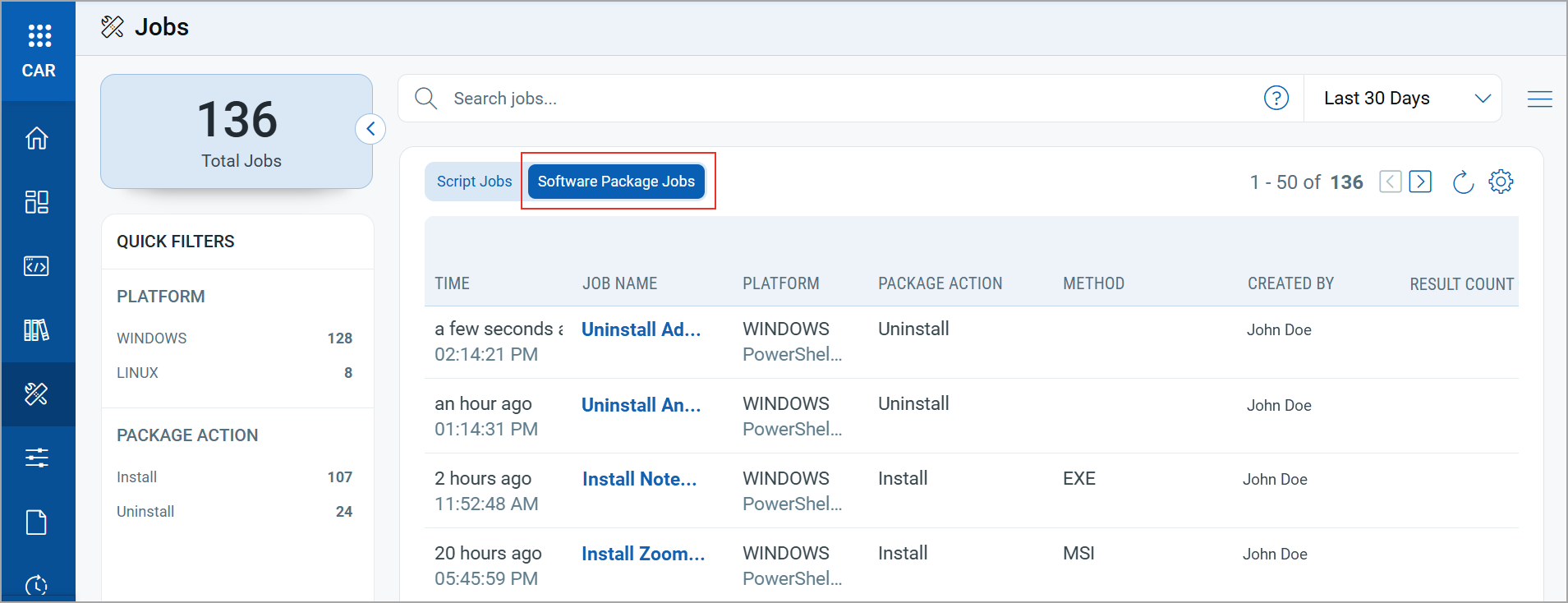
For more information on this feature, refer to the CAR Online Help.
Prerequisites
The following prerequisites are required to use the software packages feature in CAR:
- Permissions:
The required permissions for software package management depend on your role in the organization. For more information, refer to Role-based Access Control in CAR. - Licenses:
This feature is available with the CAR or TruRisk™ Eliminate license.
Limitations
Software package execution is not supported on the following operating systems:
- Windows Server 2012 R2
- Windows 8.1 and older versions of Windows
Home Page for the Scripts Library
We have introduced a new Home page for the CAR Library to provide you with the following existing details of the scripts in the library:
- Latest Additions: Displays the recently added scripts in the library by the Qualys research team.
- Most Popular Scripts: Displays the top trending scripts that are most frequently imported by Qualys CAR users across all organizations.
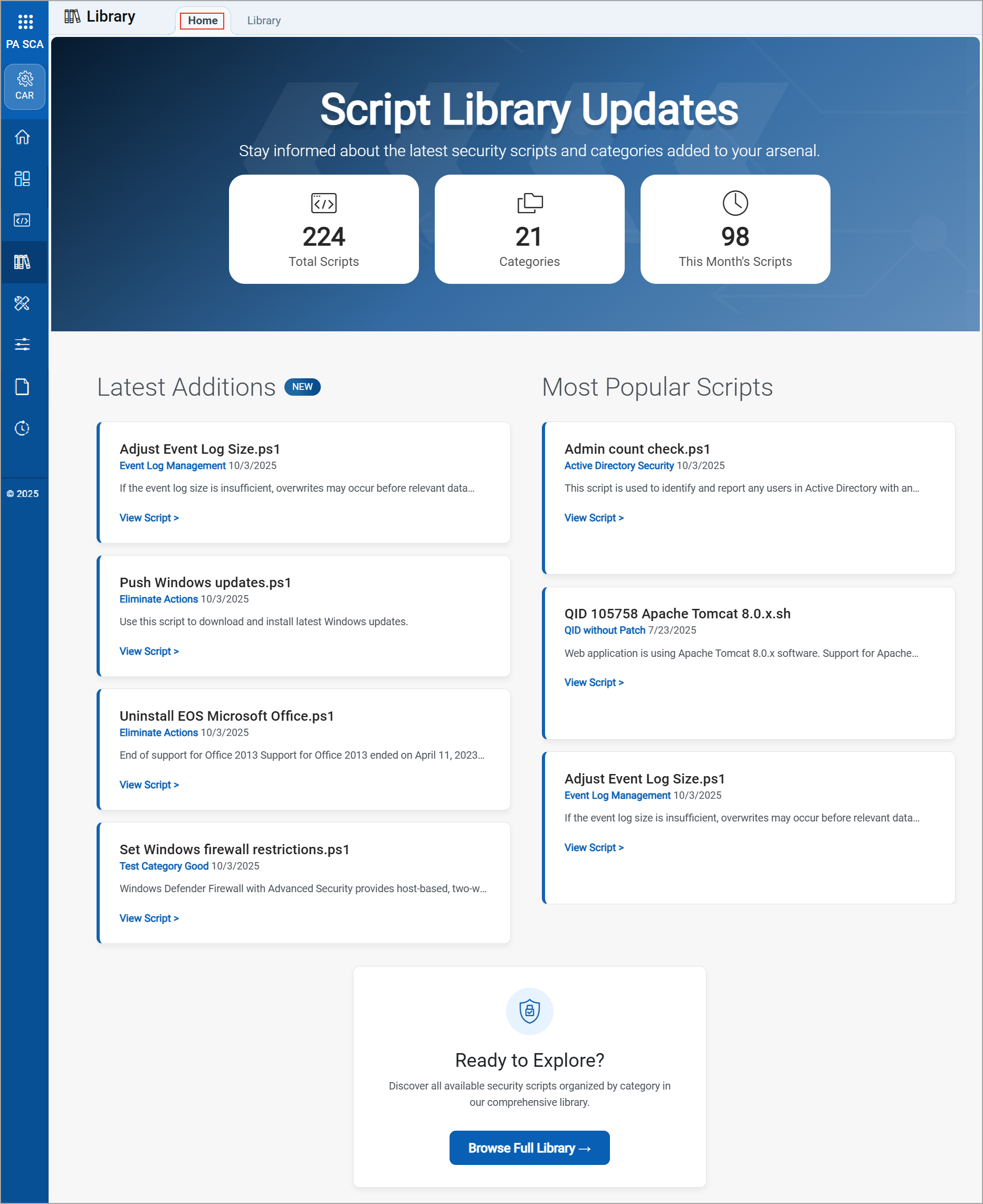
For more information, refer to the CAR Online Help.
Support for Shell Command Execution on Remote Assets
You can now execute shell commands on any Windows remote assets in real time from CAR. We have added a new Connect To Host option in the Quick Actions menu for each asset to initiate a remote connection. You can access this option for a Windows asset listed on the asset job details page.
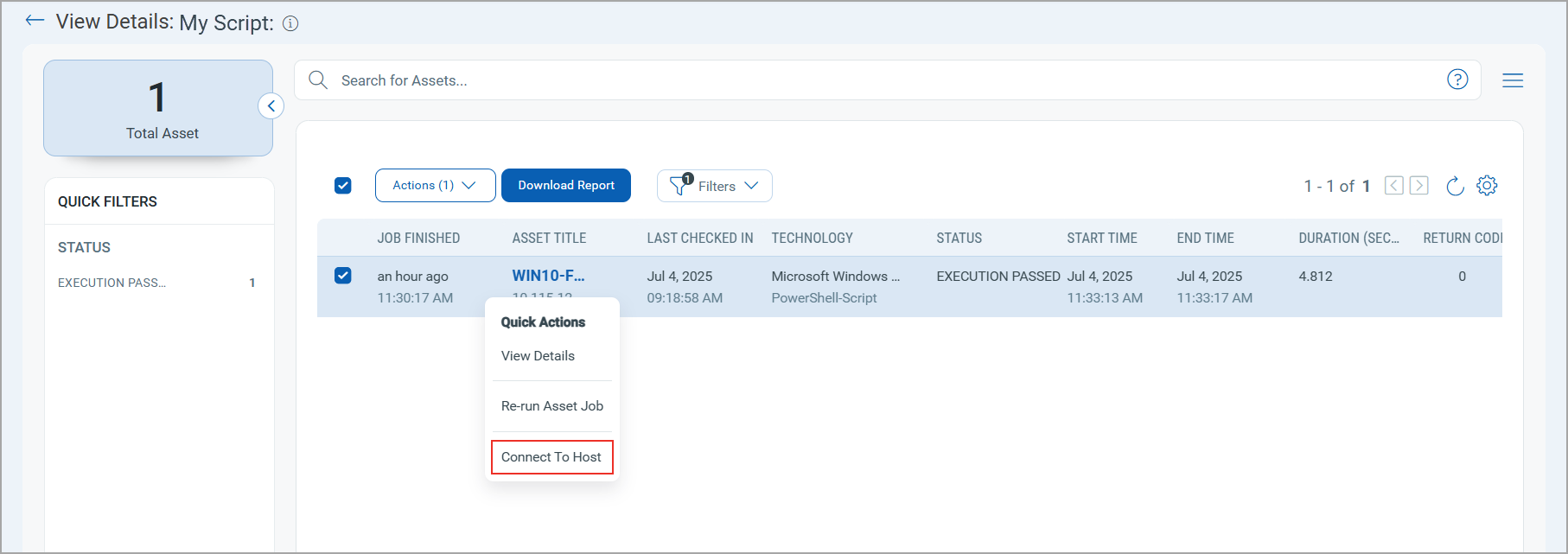
This feature requires Cloud Agent for Windows version 6.3 or later.
Once you click Connect To Host, a command window opens. From here, you can execute shell commands to:
- Diagnose and resolve issues on remote assets in real-time.
- Take immediate corrective actions during zero-day exploits or unexpected system failures.
- Identify and stop active security breaches remotely.
- Monitor logs, processes, and resource usage.
- Apply urgent configuration updates or system changes without delay.
- Execute predefined or custom scripts to respond to critical events efficiently.
- Remotely access and restore affected systems during outages.
For more information, refer to the CAR Online Help.
New QQL Tokens
The following table provides the new QQL tokens added in this release:
| Token | Tab | Description |
|---|---|---|
| software.package.id | Software Packages | Use this token to search for software packages with a specific software package ID.
Example:
|
| software.package.name | Software Packages | Use this token to search for software packages with a software package name.
Example:
|
| software.package.action | Software Packages | Use this token to search for software packages with a package action.
Supported values:
Example:
|
| software.package.method | Software Packages | Use this token to search for software packages based on the installation method.
Supported values:
Example:
|
| software.package.status | Software Packages | Use this token to search for software packages with a package status.
Supported values:
Example:
|
| software.package. createdBy.username |
Software Packages | Use this token to search for software packages with the username of the package creator.
Example:
|
| software.package. approvedBy.username |
Software Packages | Use this token to search for software packages with the username of the approver.
Example:
|
| software.package. description |
Software Packages | Use this token to search for software packages with a package description.
Example:
|
| software.package.id | Jobs > Software Package Jobs | Use this token to search jobs with an associated software package ID.
Example:
|
| software.package.action | Jobs > Software Package Jobs | Use this token to search for jobs based on the software package action.
Supported values:
Example:
|
| software.package.method | Jobs > Software Package Jobs | Use this token to search for jobs based on the installation method of the software package.
Supported values:
Example:
|