Asset Criticality Score Recomputing
The Asset Criticality Score (ACS) rates how important an asset is to your organization. Assign scores through tags, track them from the asset up to the organization level, and recalculate the TruRisk™ score when you need the new value right away.
Use this to
- Assign a criticality score to assets through tags.
- Keep scores current with static or dynamic tags.
- Recalculate the TruRisk™ score on demand.
Before you begin: Make sure the tags you plan to use are already created and carry the criticality score you want, and that you have access to the assets whose scores you want to change.
Key features
Criticality scores come from tags. Here is how they are assigned, applied, and recalculated.
Tag-based criticality assignment
Tags carry the criticality score. Assign a score to a tag when you create it, and every asset that receives the tag inherits that score.
If an asset carries several tags with different scores, the highest criticality score applies.
Static and dynamic tags
Two tag types are available:
- Static tags — created and applied manually. The criticality score you set stays constant until you change it.
- Dynamic tags — applied automatically by rules you define. They adjust when asset properties meet the conditions you set.
How it works:
- Create a tag.
- Assign a criticality score from 1 to 5 to the tag.
- Apply the tag to an asset.
- The asset inherits the tag's criticality score.
: Use dynamic tags when the criticality of an asset follows a property that changes over time, such as its operating system or business entity. Use static tags when you want the score to stay fixed until you change it yourself.
Impact of TruRisk™ calculation
A criticality score update changes what you see at three levels:
| Level | What it shows |
|---|---|
| Asset | Criticality status of the individual asset. |
| Business entity | Aggregated criticality for all assets within the business entity. |
| Organization | Organization-wide criticality on the overall risk dashboard. |
Score Recalculation
Criticality scores recalculate on a schedule. Trigger a recalculation yourself when you need the new score sooner.
- Automatic — a scheduled recalculation runs every couple of hours and updates all dependent calculations in sequence.
- Manual — select Recalculate Score to update scores immediately. The recalculation completes in approximately 15 minutes.
Currently, this feature does not apply to WAS-type assets.
Use Case: ACS update and TruRisk™ Recalculation
An asset has an ACS score of 2. Its TruRisk™ score is 323, calculated using criticality 2.
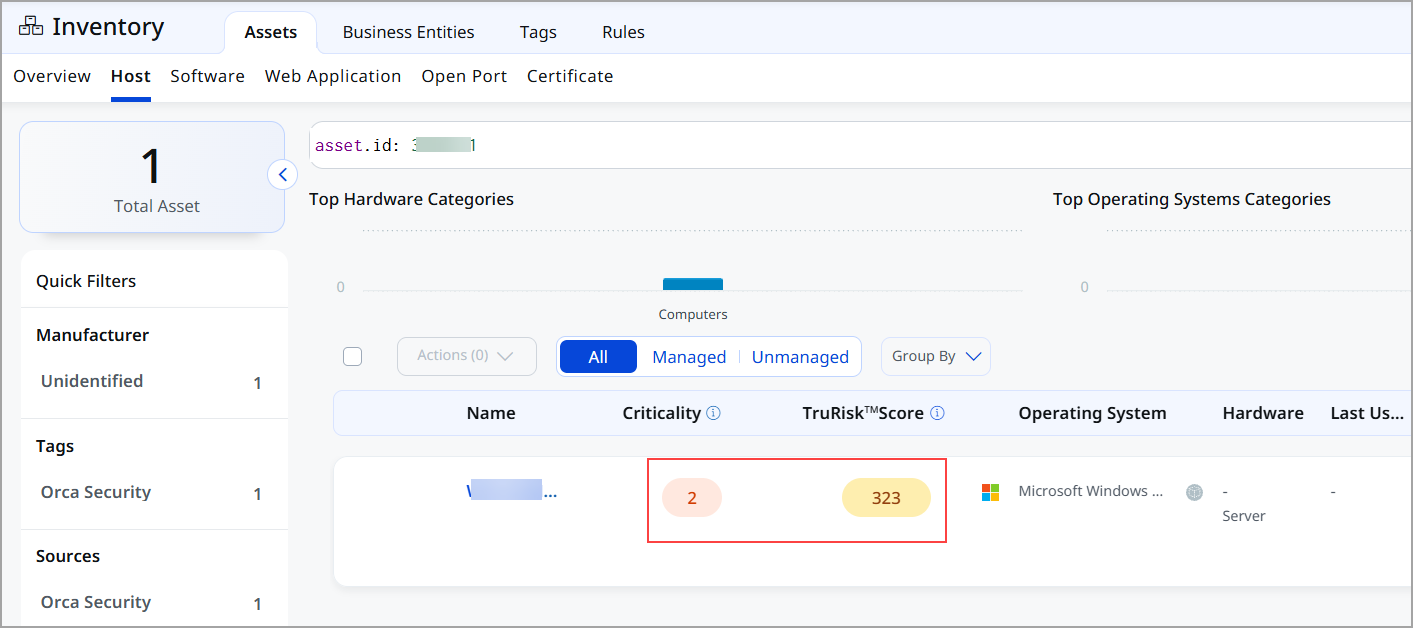
You determine that the asset is more critical and should have an ACS score of 5. Assign it a tag configured with a criticality score of 5. The asset reflects the updated ACS score immediately.
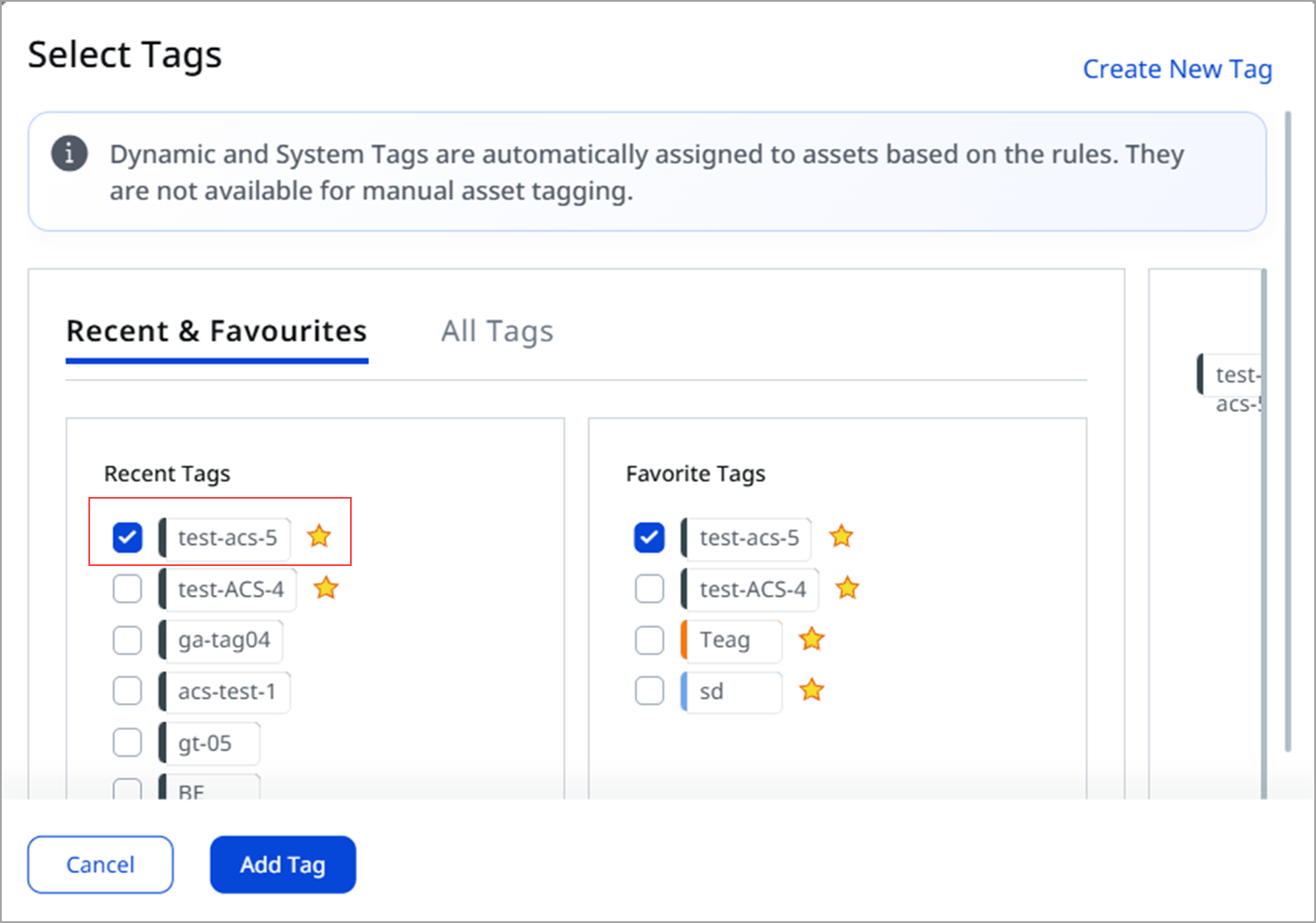
The TruRisk™ score still shows 323, because that calculation used the earlier criticality score of 2. By default, the TruRisk™ score updates during the scheduled recalculation every couple of hours. To get it sooner:
- Click Recalculate TruRisk™ Score.
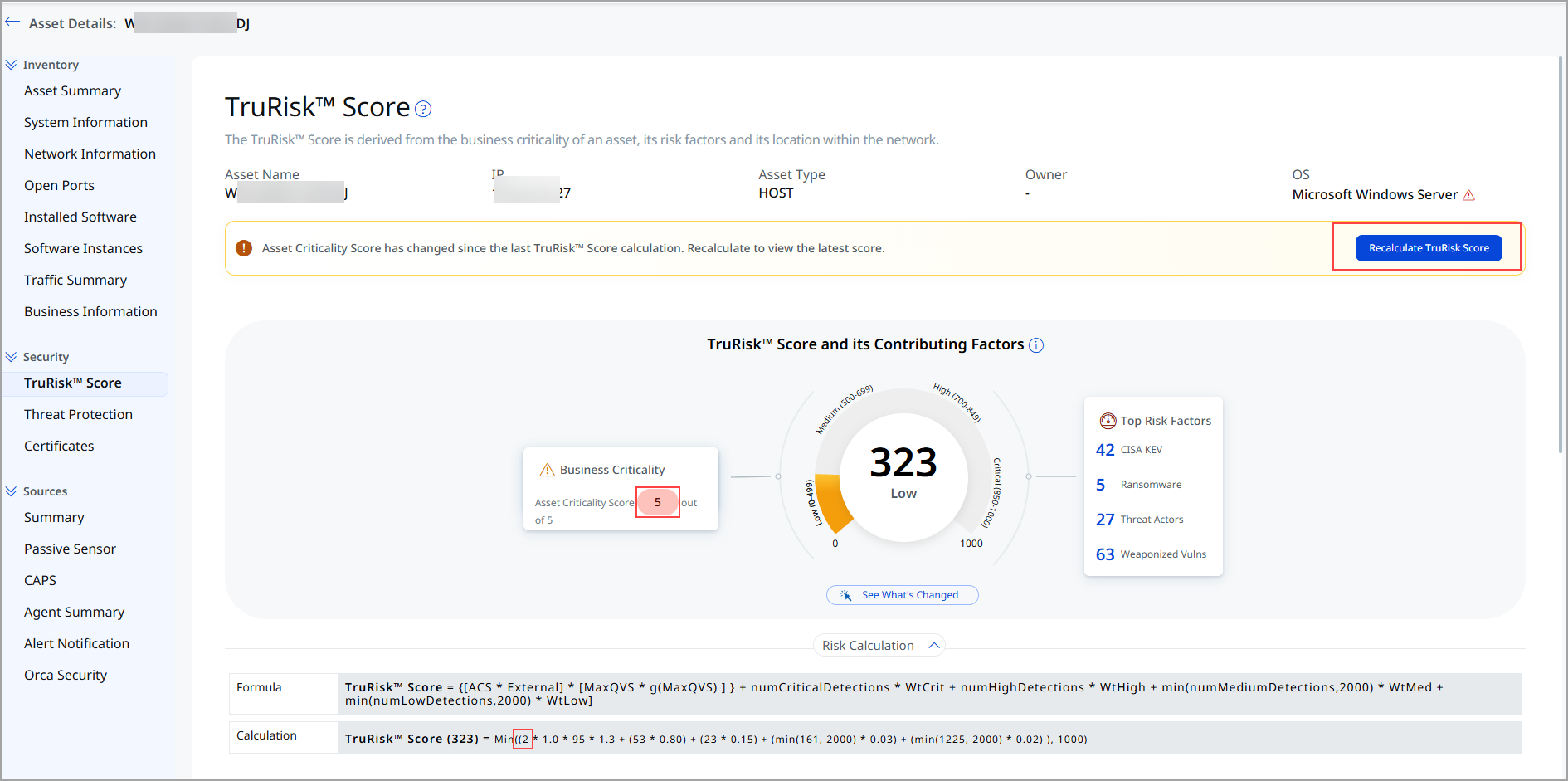
- Wait approximately 15 minutes for the updated score.
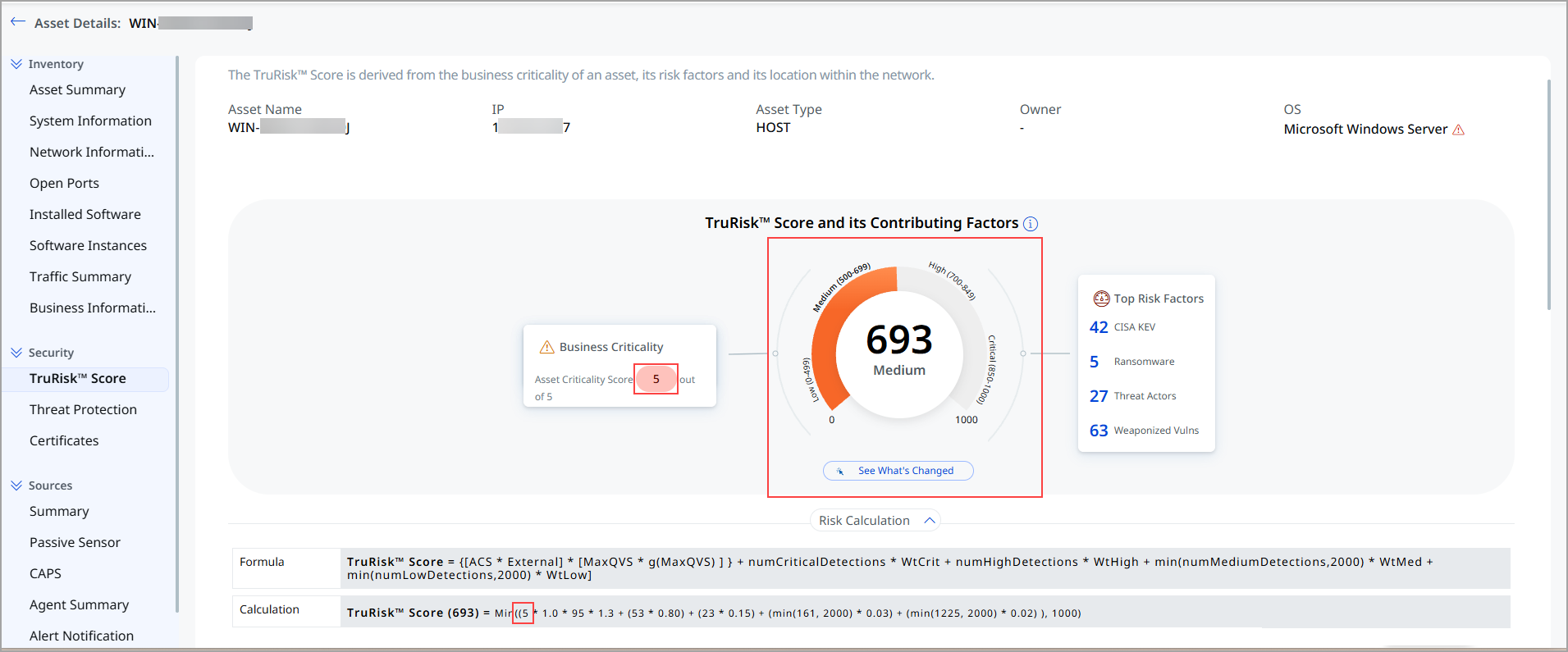
Trigger a manual recalculation only when you need the new score right away, for example before you report on risk. Otherwise, wait for the scheduled recalculation to pick up the change.