View Business Apps
The Business Apps tab lists every business application in your organization together with its associated assets. Seeing assets in the context of the business services they support helps you prioritize risk and response for the critical assets an application depends on.
Navigate to: Inventory > Business Entities > Business Apps
Use this to
- See each business app, its owners, and its asset count.
- Open an app to review the assets that support it.
- Download the app details in CSV, HTML, XML, or PDF.
Before you begin: Business applications are automatically populated from configured business application data sources. If no applications appear, verify that your integration or data source is configured and successfully syncing data.
Business Apps List
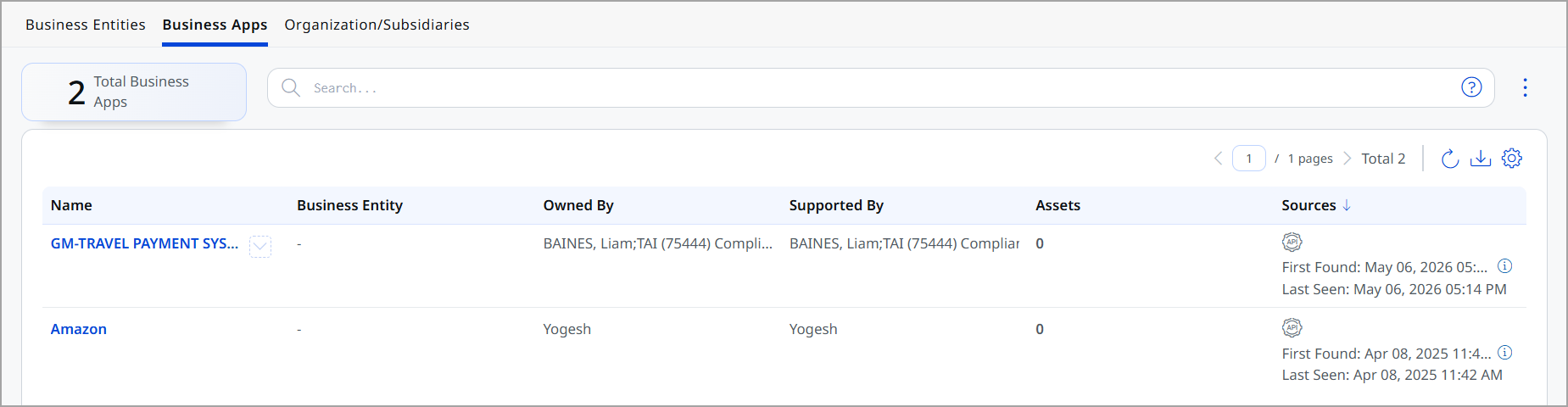
The list shows the following details for each app:
| Column | Description |
|---|---|
| Name | Name of the business application. |
| Business Entity | Associated business entity. |
| Owned By | Application owner responsible for the app. |
| Supported By | Team responsible for maintaining the app. |
| Assets | Number of assets linked to the application. |
| Sources | Discovery details including first and last seen timestamps. |
View Business App Details
Select a business app on the Inventory > Business Entities > Business Apps tab to open its details page. The page covers ownership, operational context, and the assets associated with the app.
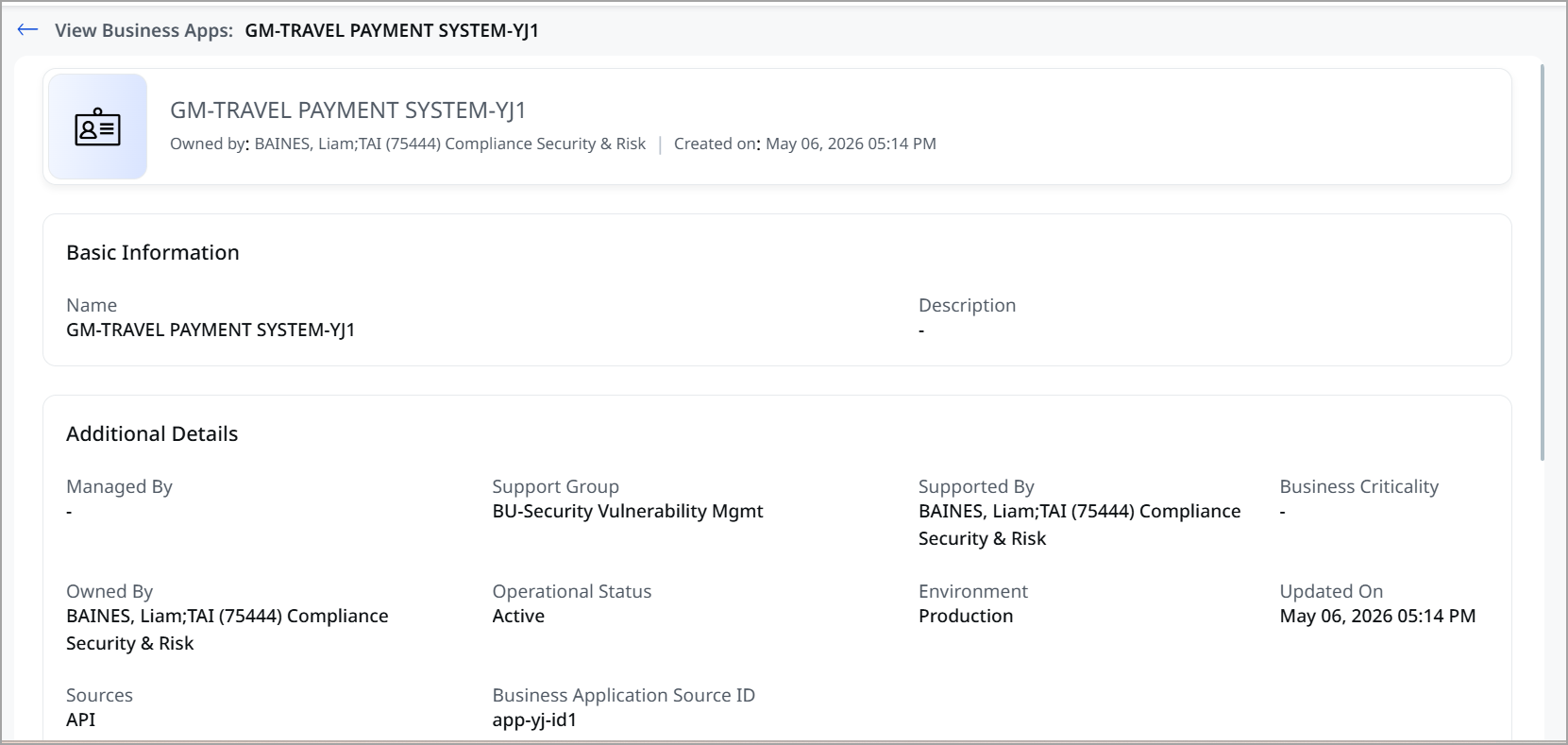
The details page shows the following:
| Field | Description |
|---|---|
| Basic Information | |
| Name | Name of the application. |
| Description | Brief description of the application. |
| Additional Details | |
| Managed By | Person responsible for managing the application. |
| Owned By | Application owner. |
| Support Group | Team responsible for supporting the application. |
| Supported By | Supporting team or function. |
| Operational Status | Current status of the application (for example, Active). |
| Environment | Deployment environment (for example, Engineering, Production). |
| Business Criticality | Indicates the importance of the application to the business (for example, Most Critical). |
| Sources | Source from which the application was discovered (for example, API). |
| Business Application Source ID | Unique identifier from the source system. |
| Updated On | Last updated timestamp. |
| Assets | |
| Name | Name of the asset.
Click on an asset name to view detailed asset information. |
| Criticality | Importance level of the asset. |
| TruRisk™ Score | Risk score associated with the asset (if available). |
| Asset Class | Type of asset (for example, Compute, Virtual Machine). |
| Sources | Source of asset discovery. |
| Tags | Tags applied to the asset for classification and organization. |
Start with the apps that have the highest Business Criticality, then open the Assets section to see which assets carry the risk for that app and remediate those first.
Download Business App Details
To download the business app details to your computer:
- Click the
 icon.
icon. - Select a download file format:
- Comma-Separated Value (CSV)
- Hypertext Markup Language (HTML)
- Extensible Markup Language (XML)
- Portable Document Format (PDF)
- Select the timezone to use for the dates in the report.
- Click Download.