View Organization/Subsidiary
The Organization/Subsidiary tab lists your organizations and subsidiaries in one place. For each entity you see the assets it holds, its business valuation, and its TruRisk™ score. Read together, the score and the valuation show you where risk meets business impact.
Use this to
- Get visibility into critical assets across your organizations.
- Identify the organizations with the most assets and the highest TruRisk™ score.
- Prioritize remediation by TruRisk™ score and business valuation.
Before you begin: The entities on this tab come from the source shown in the Organization Source column. If an organization or subsidiary is missing, check that the source that provides it is configured for your subscription.
Organization and Subsidiary List
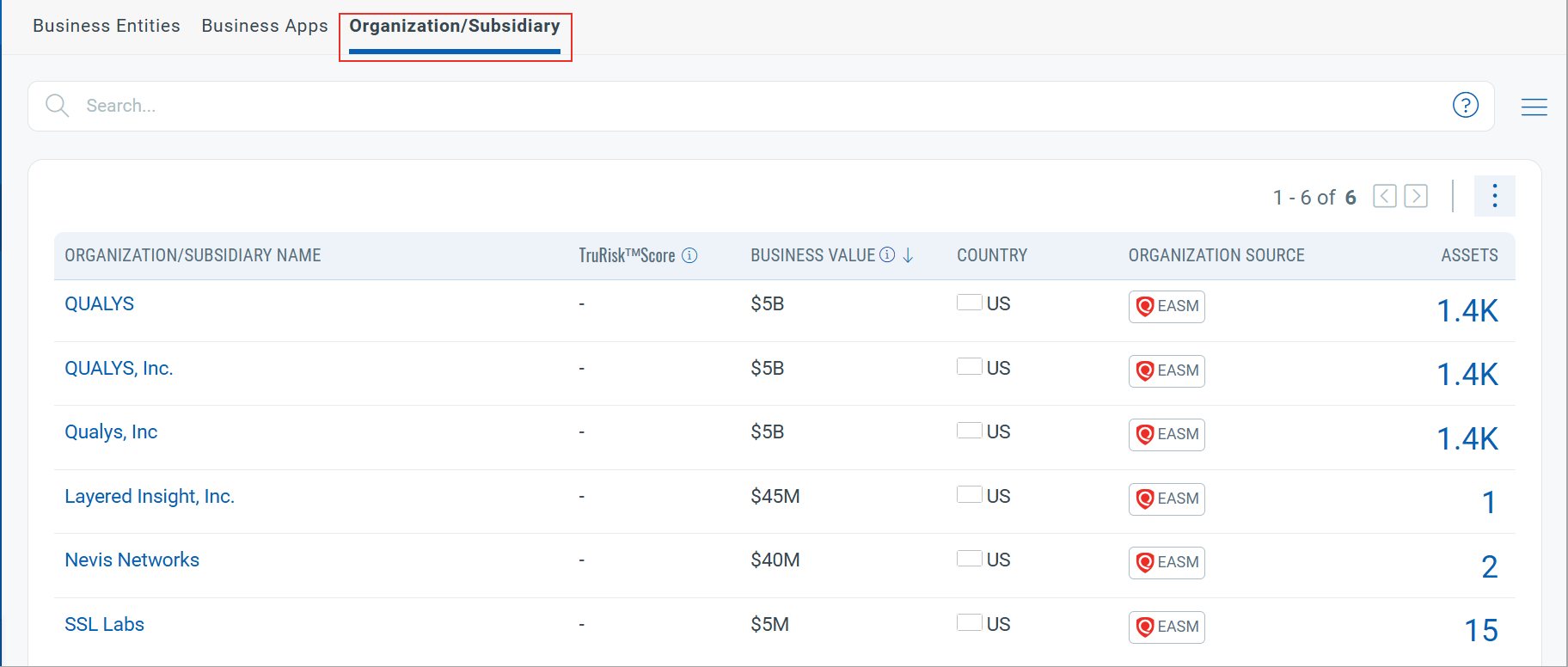
The list shows the following details for each organization or subsidiary:
| Column | Description |
|---|---|
| Organization/ Subsidiary Name | Displays the name of the organization or subsidiary.
Click each name to view more details of the organization/subsidiary. For more information, refer to View Organization/Subsidiary Details. |
| TruRisk™ Score | Displays an overall TruRisk™ score for the organization. |
| Business Value | Business Value indicates the relative business importance of the organization or subsidiary. You can review and update this value at any time. User-defined values take precedence over the default value.
To edit the business values, refer to Edit Business Value or Country. |
| Country | Displays the country where the organization or subsidiary is registered. |
| Organization Source | Displays the source from which the organization and assets are discovered. |
| Assets | Displays the total number of assets associated with the organization or subsidiary.
Click the asset count to view the associated assets. |
Compare the TruRisk™ Score and Business Value columns to find the entities that combine high risk with high business value, and review the business value for those entities first.
View Organization or Subsidiary Details
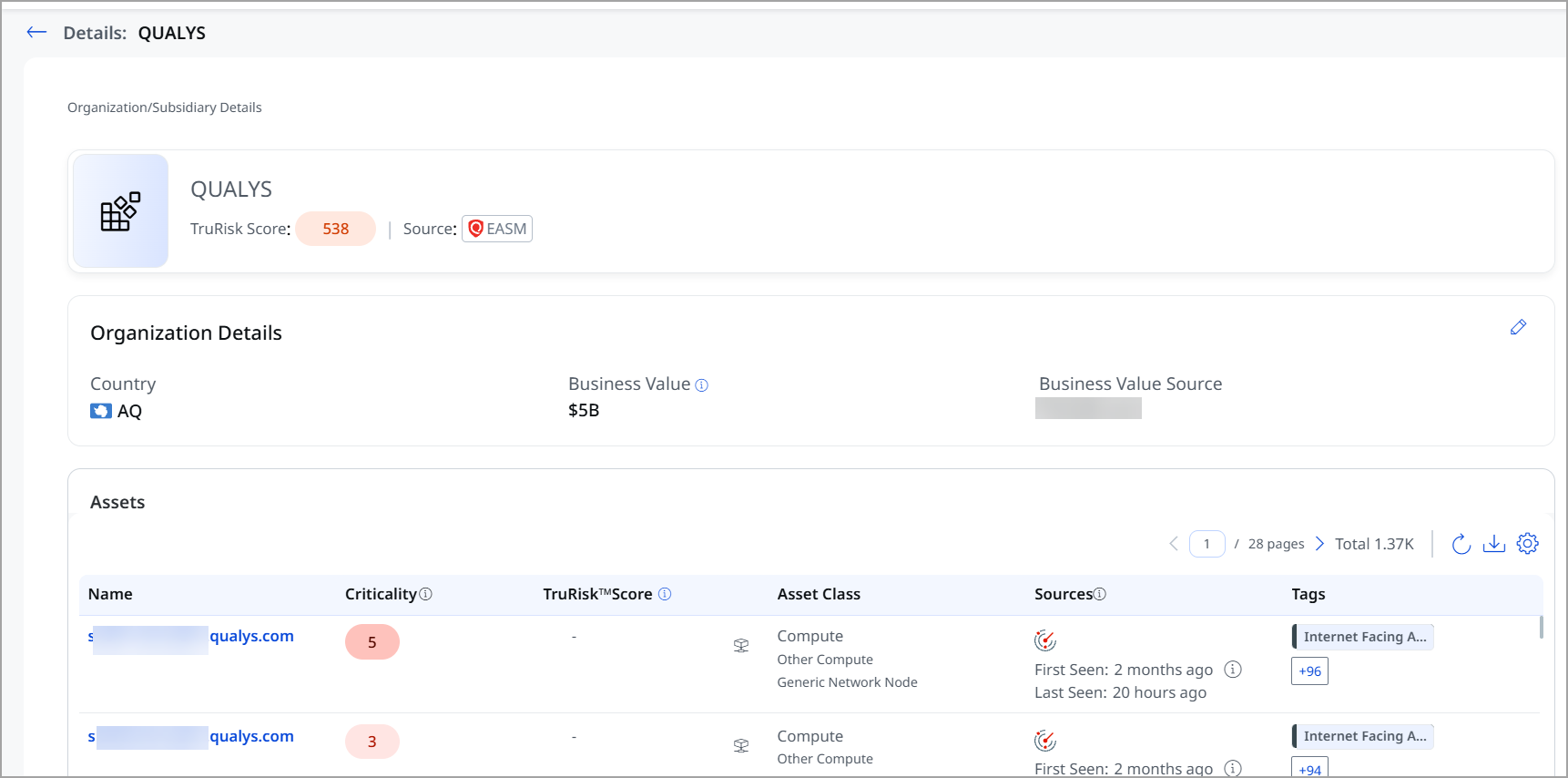
Click an Organization/Subsidiary name to open its details page. The page has two sections:
- Organization Details — shows the Country, Business value, and Business value source. If you update the Business value or Country yourself, the Business value source shows your username. For more information, refer to Edit Business Value or Country.
- Assets — lists all assets linked to the selected organization or subsidiary.
Edit Business Value or Country
You can edit the Business Value or Country of any organization or subsidiary.
- Click the
 icon.
icon. - Edit the country and the valuation.
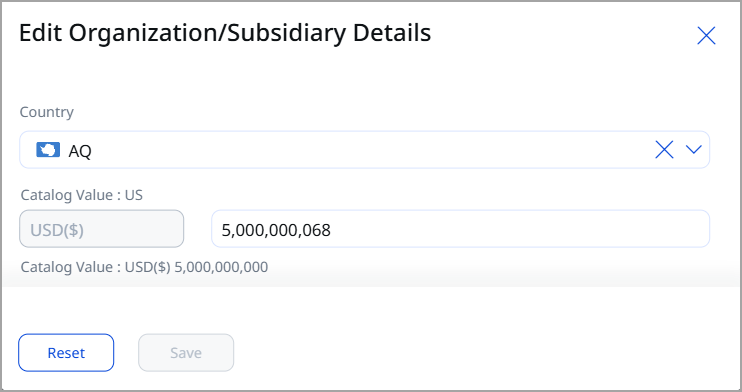
The edit window shows the default value as the Catalog value. Click Reset to revert your changes.
Only whole numbers are accepted for the Business Value. Decimal values are not supported.
- Click Save.
Download Organization/Subsidiary Details
To download the organization/subsidiary details to your computer:
- Click the
 icon.
icon. - Select a download file format:
- Comma-Separated Value (CSV)
- Hypertext Markup Language (HTML)
- Extensible Markup Language (XML)
- Portable Document Format (PDF)
- Select the timezone to use for the dates in the report.
- Click Download.