Get Started
Getting started with Qualys Enterprise TruRisk Management (ETM) begins with a plan. When you know what you want to achieve, which data to bring in, how much risk your organization accepts, and how your business is organized, ETM can calculate risk that reflects your environment from the start.
Your starting point depends on your environment. If your organization is new to Qualys, you set up ETM from the beginning. If your organization already uses Qualys applications, such as VMDR or CSAM, ETM builds on the data that you already have.
Choose Your Journey
| Journey | Choose This Journey If | Your Starting Point |
|---|---|---|
| New to ETM | Your organization does not use Qualys applications, or you are setting up ETM for the first time with new data sources. | You set up the company profile, business entities, and data sources from the beginning. |
| Existing Qualys Customer | Your organization already uses Qualys applications, such as VMDR, CSAM, Policy Audit, or WAS. | ETM uses your existing Qualys assets, findings, and asset tags, and you add business context and other sources. |
New to ETM Journey
Follow this journey if you are setting up ETM from the beginning.
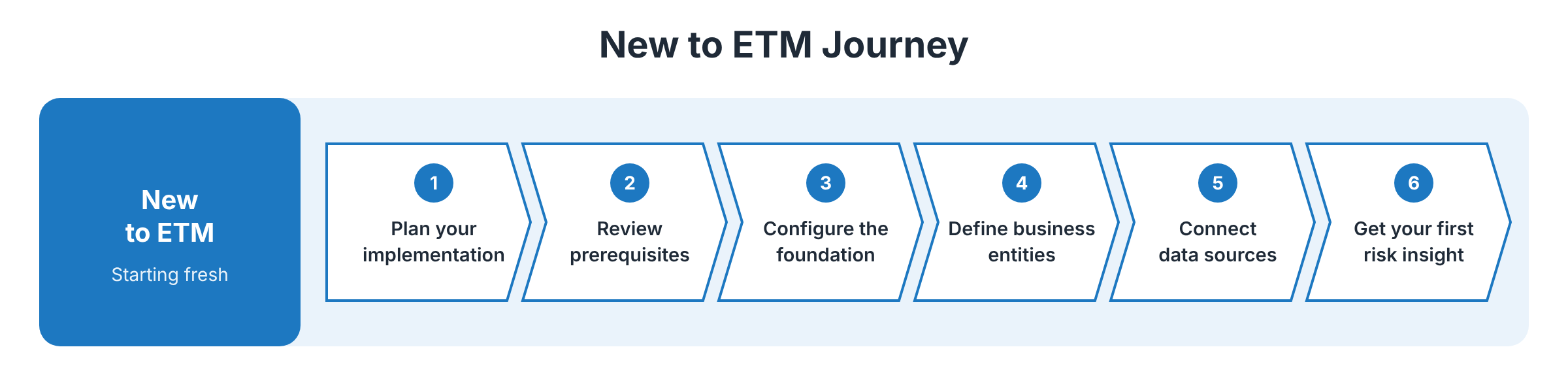
- Plan your ETM implementation: Define your objectives, identify your data sources, define your risk strategy, and review your business context.
- Review the prerequisites: Confirm that ETM is provisioned for your subscription, that you have the required role, and that your data sources are ready.
- Configure the foundation: Sign in to ETM and complete the onboarding wizard. Set up the company profile and the company risk appetite.
- Define business entities: Organize your environment into business entities, such as departments, applications, or regions, and associate asset tags with each entity.
- Connect data sources: Configure connectors to bring asset and finding data into ETM from Qualys applications and third-party tools.
- Get your first risk insight: Review the TruRisk score and the areas of your environment that contribute the most risk.
After you complete the journey, configure users and roles so that other team members can access ETM.
Existing Qualys Customer Journey
Follow this journey if your organization already uses Qualys applications. ETM uses the data from these applications as a starting point, so you can focus on adding business context and extending coverage.
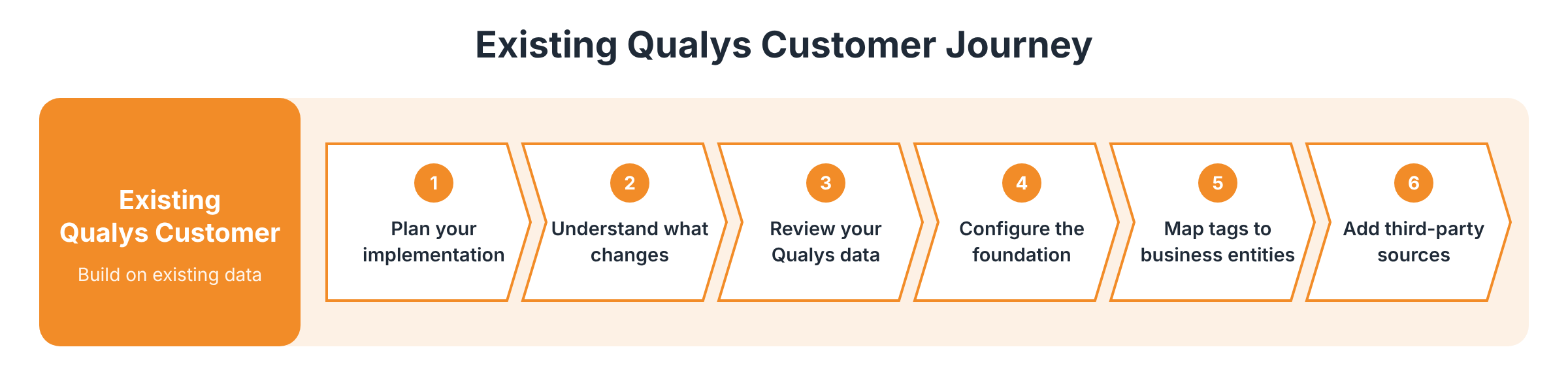
- Plan your ETM implementation: Review the Qualys data that you already have, and decide what ETM needs to add, such as business context or third-party data.
- Understand what changes: Learn how enabling ETM affects your subscription. For example, ETM displays CVE-based findings, and TruRisk scores use the TruRisk 2.0 model.
- Review your Qualys data: Confirm that data from your Qualys applications is available in ETM. For CSAM, Policy Audit, and EASM, run a baseline to ingest existing data. For WAS, create a CSV connector and run a scan.
- Configure the foundation: Complete the onboarding wizard. Set up the company profile and the company risk appetite.
- Map asset tags to business entities: Reuse your existing asset tags to define business entities, so that ETM can associate assets with business areas.
- Add third-party sources: Optionally, connect third-party tools to extend asset and finding coverage beyond Qualys applications.
After ETM processes your data, get your first risk insight to review your organization-wide risk.
Note: Enabling ETM does not change the QID-based vulnerability view in VMDR. Your existing VMDR workflows and reports continue to work. For more information, refer to VMDR to ETM Journey.