Edit Software Packages
You can modify software packages as needed after they have been created.
To edit, follow these steps:
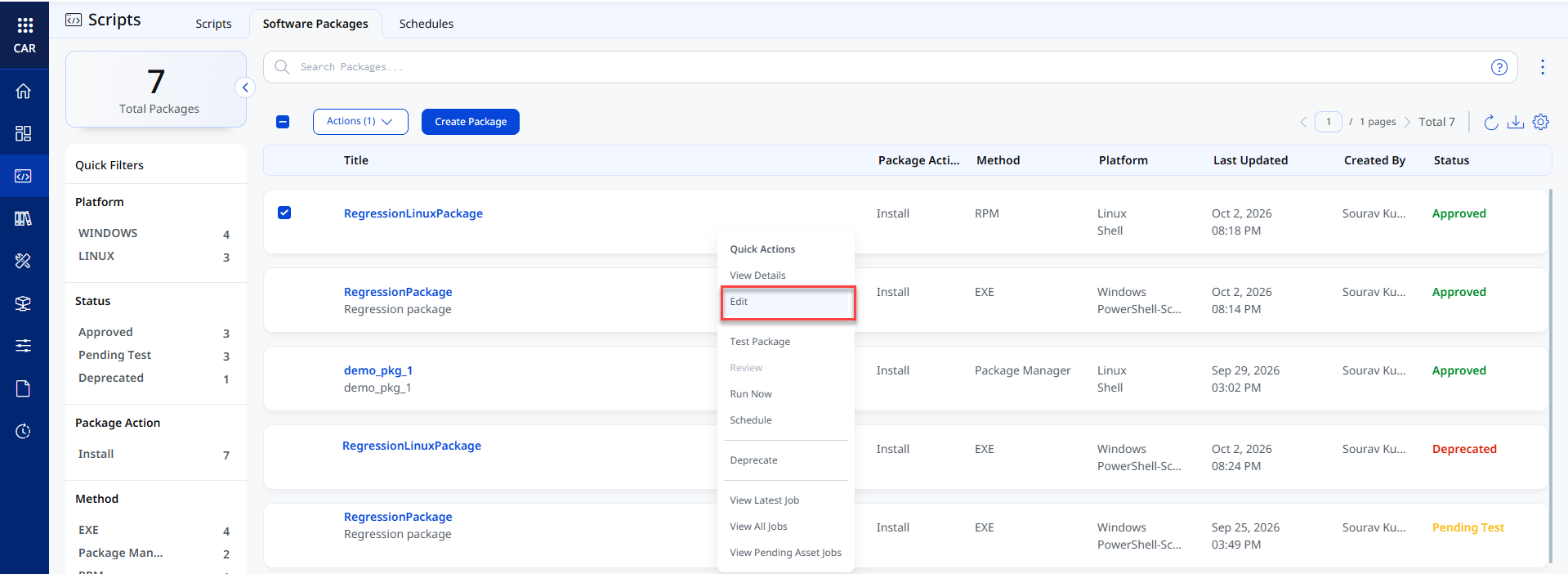
- Navigate to the Scripts > Software Packages tab.
- Select a package and click Edit from the Quick Actions menu.
- Update the Basic Information as required and click Next.
- Update the Package Details as required and click Next.
- Review the updated details on the Review and Confirm step.
- Click Update to save the changes.
The software package is updated successfully.