Review and Approve Software Packages
A package must go through a review and approval process before it can be executed on assets.
To approve, follow these steps:
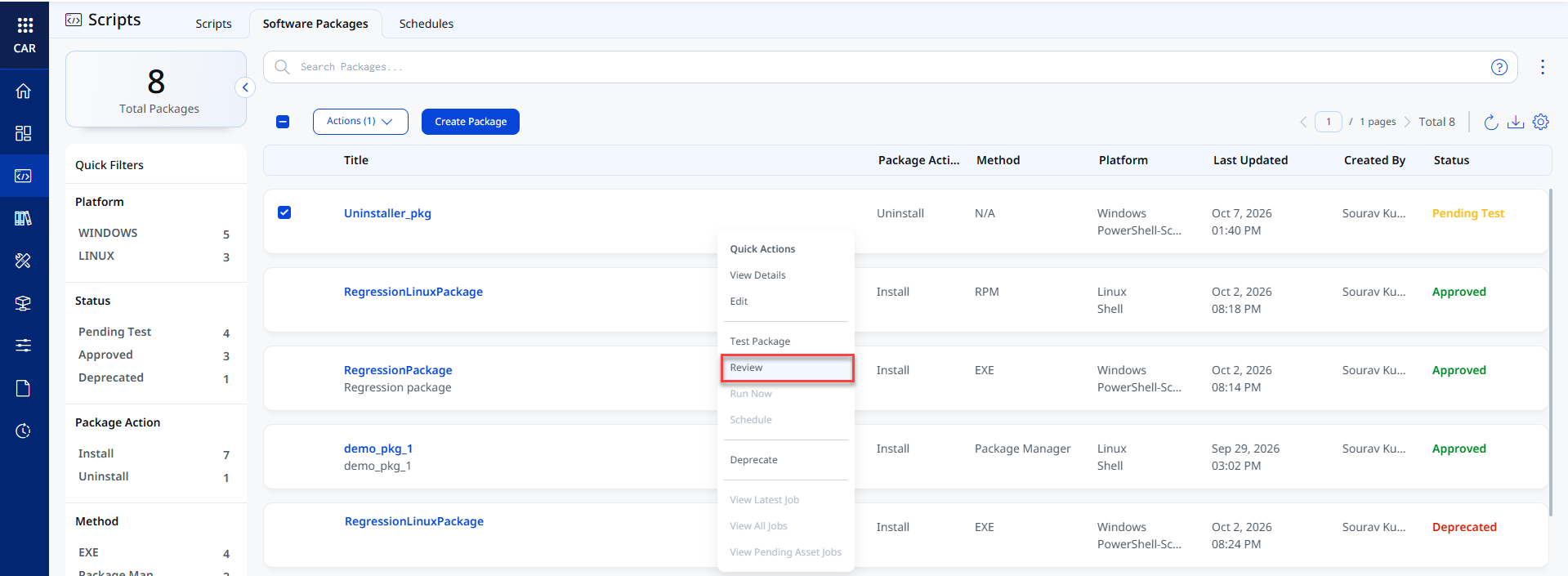
- Navigate to the Scripts > Software Packages tab.
- Select a package and click Review from the Quick Actions menu.
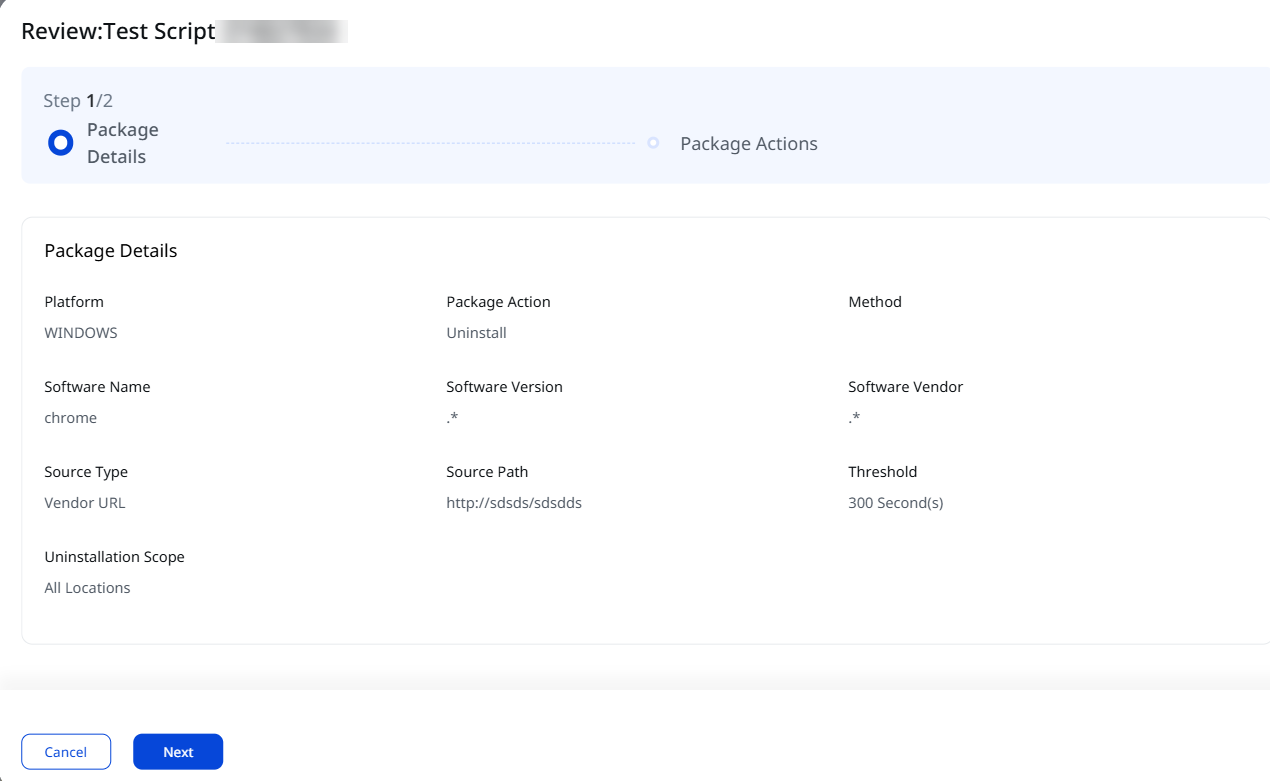
- Review the Package Details and click Next to view the Package Actions.
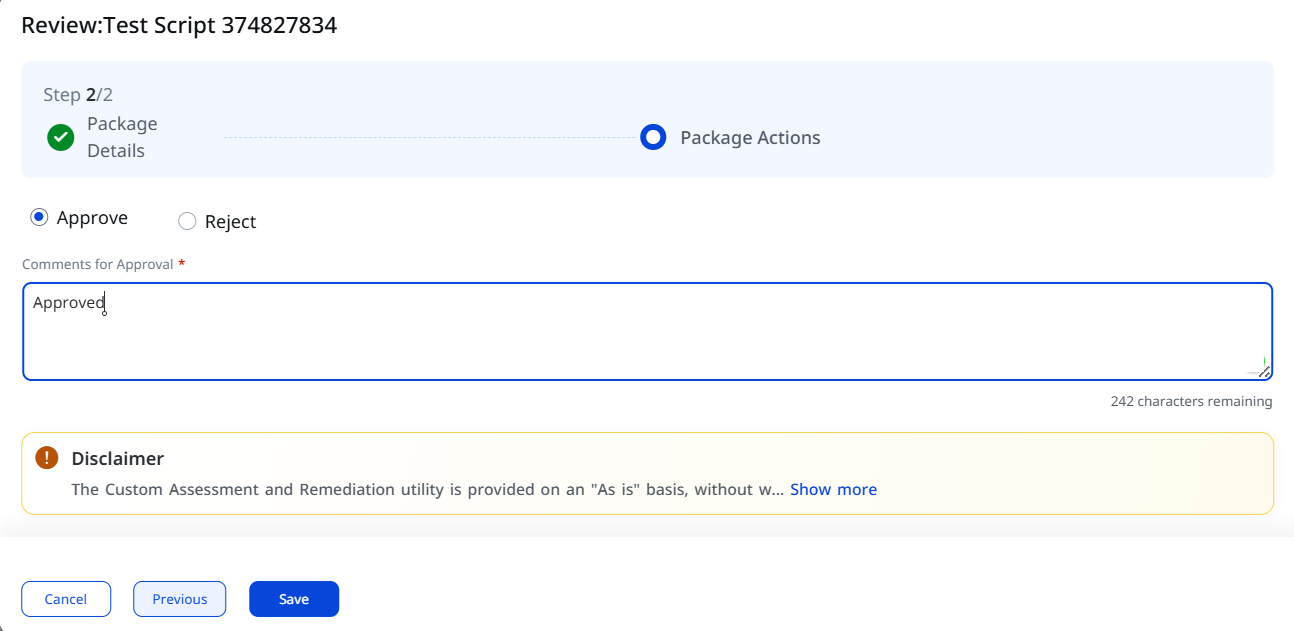
- Select Approve or Reject and enter a comment.
-
Click Save.
The package is approved successfully. If a second-level approval workflow is disabled, then you can approve your package.
If a second-level approval workflow is enabled, you cannot approve your own packages, even if you have approval permission. Another user with approval permissions must review and approve them before they can be scheduled or executed.
If you modify an approved script or package, it returns to the Pending Test state. It must be reviewed and approved again. Any active schedules associated with the script or package are automatically deactivated. After the script or package is approved, you must manually reactivate the schedules.
For more information, refer to Setup.